
A Lightroom Alternative That Keeps Your Photos On Your Own Drive.
Sort, rate, edit and export a library of hundreds of thousands of photos, with tone curves, HSL and batch LUTs. Your files stay on your drive and you pay $29 once.
Lightroom sells you three things: a place to keep your photos organized, a set of editing controls, and cloud sync. Pluto Photos gives you the first two, skips the third on purpose, and charges you once.
Your library, still on your own drive
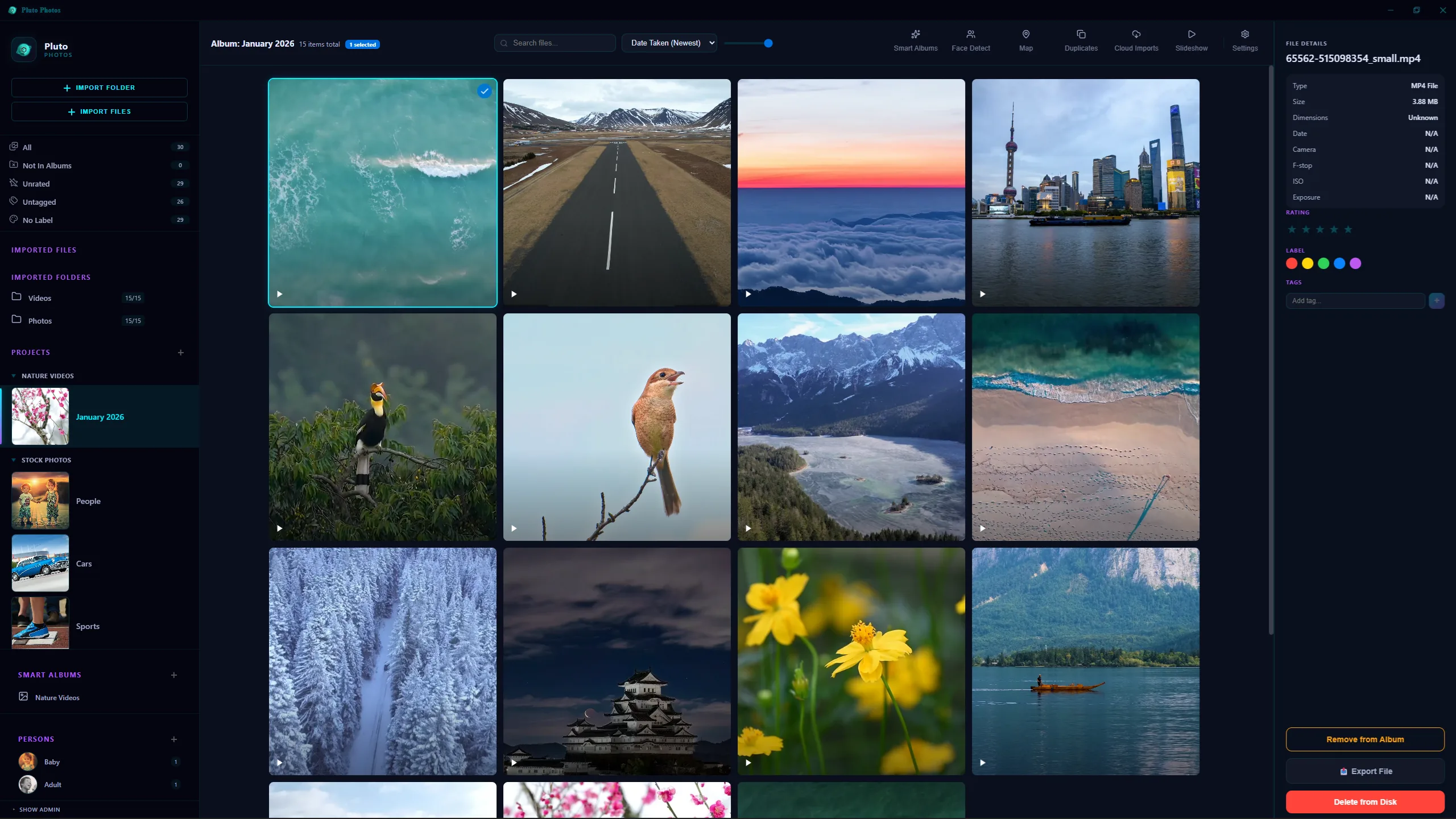
Hundreds of thousands of photos, read where they already sit — nothing moved, nothing renamed.
Point it at a folder and it reads everything where it sits. It does not move your files, rename them, or reshuffle them into a structure of its own, so your photos stay exactly where you put them and nothing depends on the app still being installed.
It is built for big collections. Scrolling stays smooth through hundreds of thousands of photos. Star ratings, color labels and tags work how you would expect, and smart albums are rules rather than folders, so "five stars, shot in Italy, last summer" keeps filling itself as new photos come in.
Then there are the things Lightroom does in the cloud and bills you monthly for. Faces are found and grouped on your own machine, so you name your daughter once and every photo of her is one click away. Search takes plain English, so "dog on a beach" finds the dog on the beach without you having tagged anything. The duplicate finder compares what the images look like rather than their filenames, which is how it catches the resized copy and the re-exported one. Anything with GPS in it shows up on a map.
The editing side
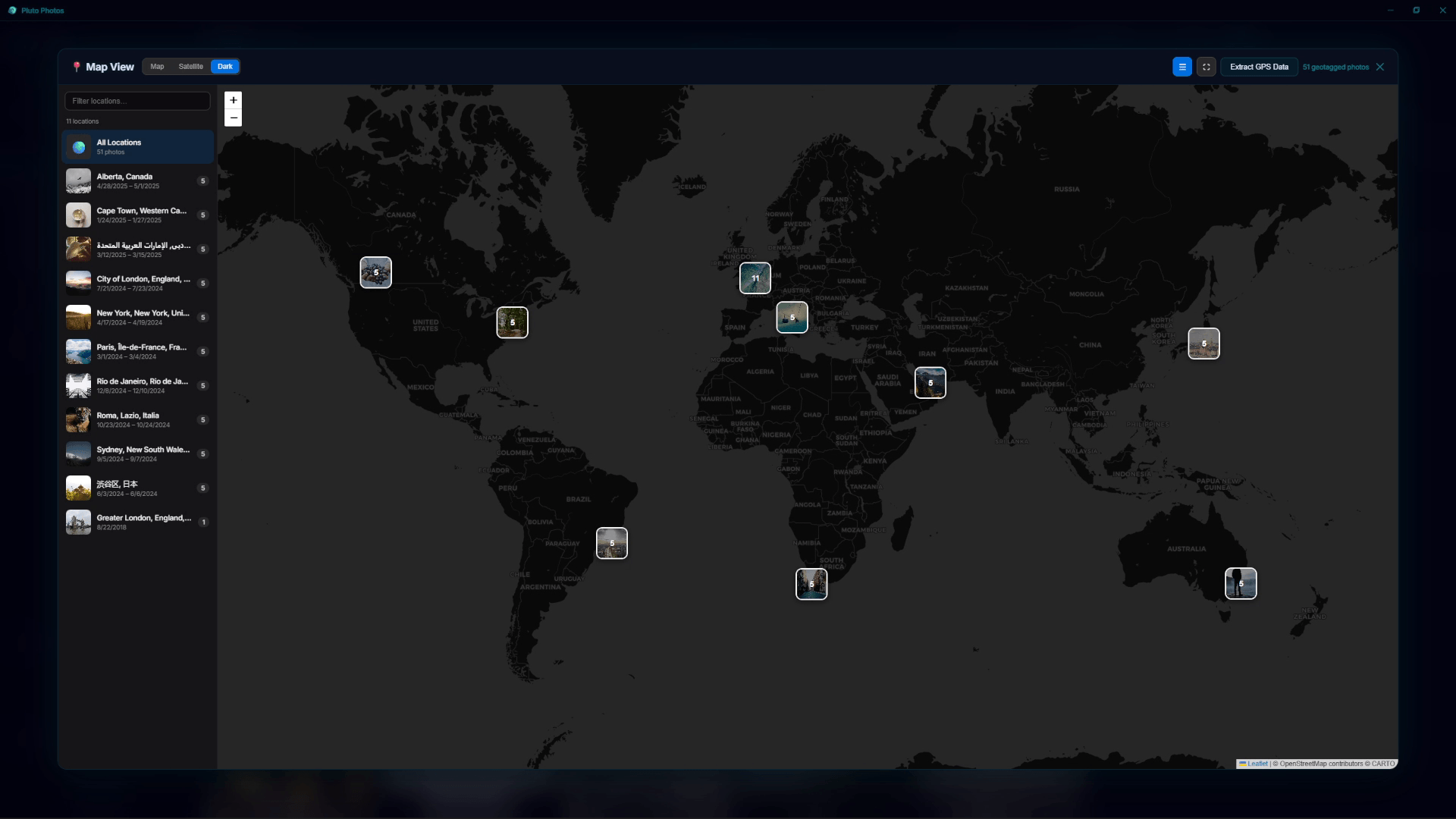
Anything with GPS lands on a map, and albums fill themselves by rule — both on your own machine.
Tone curves per channel and an 8-band HSL panel, the same controls you already know how to use. Twelve one-click looks, each with an intensity slider so you can pull it back when it is too much. And if you grade with .cube LUTs, you can apply one across an entire shoot in a single pass instead of photo by photo. There is more detail on all of it on the image editor page.
Where Lightroom is genuinely ahead: its raw conversion and its lens correction profiles are twenty years of work that nobody has matched, and its masking of skies, subjects and backgrounds is finer grained. Pluto Photos opens and edits raw files, but if your workflow leans on automatic per-lens corrections, you should know that is missing before you buy rather than after.
Nothing syncs anywhere
There is no cloud tier, no storage to run out of, and nothing gets uploaded. Your catalog is a database file on your drive and your photos are the files you already had. That is why it works on a plane, and why there is never a second bill for storage.
Adobe Lightroom vs Pluto Photos
| Adobe Lightroom | Pluto Photos | |
|---|---|---|
| Price | Every month, forever | $29 once |
| Storage bill | Tiered cloud storage, on top of the plan | None, your drive and your space |
| Photos uploaded | Yes on the cloud plans | Never |
| Works with no internet | Has to check in with Adobe now and then | Always, there is nothing to check in with |
| Leaves your files where they are | Yes | Yes |
| Tone curves and HSL | Yes | Yes |
| Grading a whole shoot at once | Through presets | Yes, your own .cube LUTs across the whole shoot |
| Finds and groups faces | Yes, in the cloud on some plans | Yes, on your own machine |
| Search in plain English | Yes, in the cloud | Yes, on your own machine |
| Duplicate finder | No | Yes, matches on what the photo looks like |
| Layers and compositing | No | Yes |
| Video editing | Basic clip adjustments | A full multi-clip timeline |
| Lens correction profiles | A huge database | No |
| Runs on | Windows, macOS | Windows, macOS, Linux |
Questions
Is there a Lightroom alternative without a subscription?
Yes. Pluto Photos is $29 once with free updates. It organizes your library where it already sits, and includes tone curves, HSL, one-click looks, batch LUT grading, face detection, plain English search, a duplicate finder and a map view.
Where does my catalog actually live?
On your own drive. The catalog is a database file, and your photos stay in the folders you already keep them in. Nothing is uploaded and there is no storage tier to outgrow. A Pro license also lets you browse the library from your phone over your own Wi-Fi, and even that never leaves your house.
Does it handle raw files?
Yes, it imports, previews and edits the common raw formats. What it does not have is Lightroom's library of per-lens correction profiles, so if you rely on automatic lens corrections being applied for you, that is a real gap and you should weigh it.
Can I bring my Lightroom catalog across?
There is no catalog importer, though there is less to move than you might think. Because Pluto Photos reads photos where they sit, you point it at the same folders and it picks up the images and their EXIF data straight away. Ratings and edits that exist only inside the Lightroom catalog will not come with them. Anything Lightroom wrote to an XMP sidecar or into the file itself will.
Try it before you decide
Free up to 500 photos, no account needed. Windows, macOS and Linux. Pro is $29, once.