
A Photoshop-Class Editor. Built Into Your Library.
Layers and masks, 57 filters, AI object and background removal, tone curves and batch LUT grading — a full editing suite inside your photo library. Nothing uploads, nothing expires, and there is no second app to open.
- 57Filters, across 11 groups
- 12One-click color presets
- 0Uploads, watermarks or per-image fees
- 100%Offline — every tool runs on your machine
Erase whatever ruined the shot
Click a distraction or brush over it and it is gone, with the background behind it rebuilt rather than smudged.
Cut out a subject in one click
On-device background removal, straight out to a transparent PNG. No upload, no watermark, no per-image fee.
Real layers, masks and blend modes
Stack images and text, paint on empty layers, hide and reveal with masks — and keep several photos open in tabs.
57 filters, previewed live
And they stop exactly at your selection, with a feather slider — the part most photo editors get wrong.
Grade like a colorist
Multi-channel tone curves, 8-band HSL, and twelve one-click looks that each have an intensity slider.
One look, hundreds of photos
Apply any .cube LUT across a whole shoot in a single pass, then save as copies or overwrite in place.
Blur faces before you share
Faces are found on-device, and every export is already stripped of the original EXIF and GPS data.
Nothing leaves your machine
Every AI model ships with the app. No account, no subscription, no connection — it all works on a plane.
Erase Whatever Ruined the Shot
Click an object and an on-device segmentation model outlines it for you, or switch to brush mode and paint over anything — a crowd, a power line, a bin, a timestamp. Pluto removes it and reconstructs what should have been behind it.
A generative model fine-tuned specifically for removal handles the hardest backgrounds — brick, foliage, patterned fabric — and it is effect-aware, so the shadow the object was casting goes with it instead of being left behind. One-time ~2.6 GB download, then it runs entirely offline.
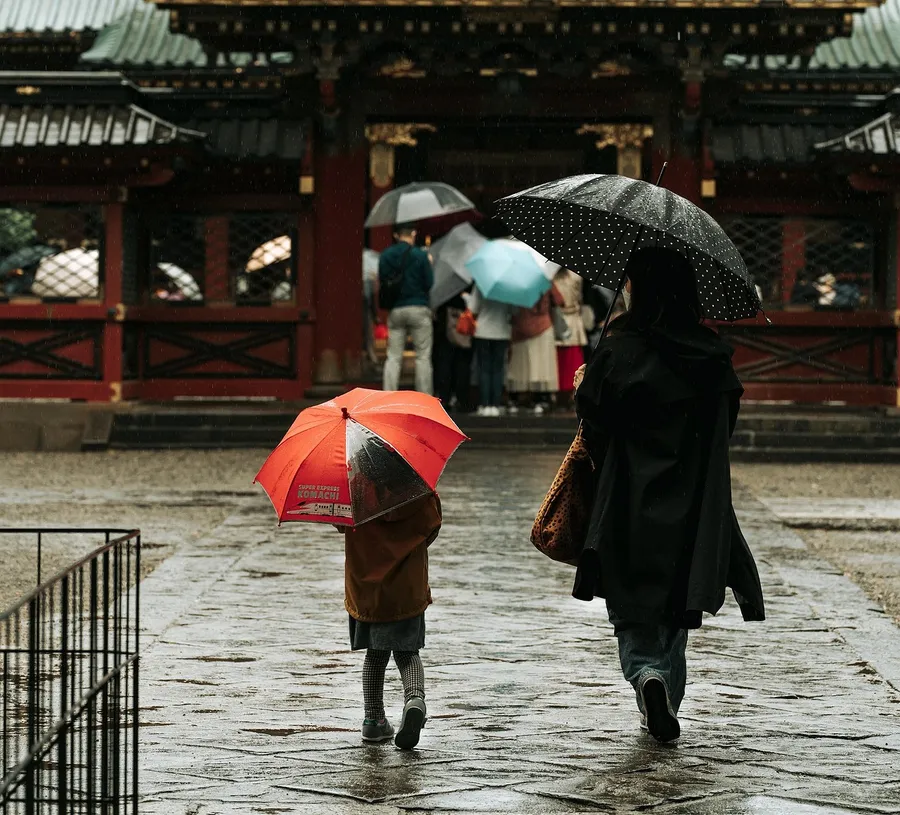 Before
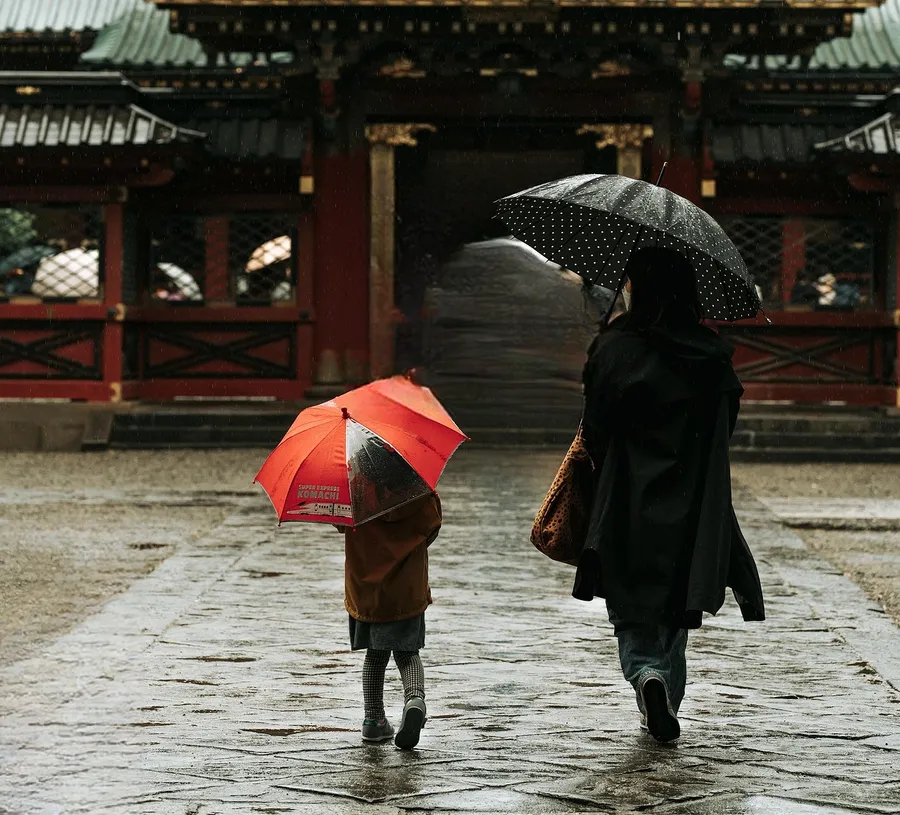 After
AfterCut Out Any Subject in One Click
Hit Remove Background and the subject is isolated on transparency in a couple of seconds, ready to export as a PNG. A restore brush paints back anything the model trimmed too eagerly.
Because the editor has real layers, a cutout is a starting point rather than an end: strip several photos, paste each subject into one document as its own layer, scale and arrange them, add styled text, and you have a finished poster or thumbnail without leaving your library.
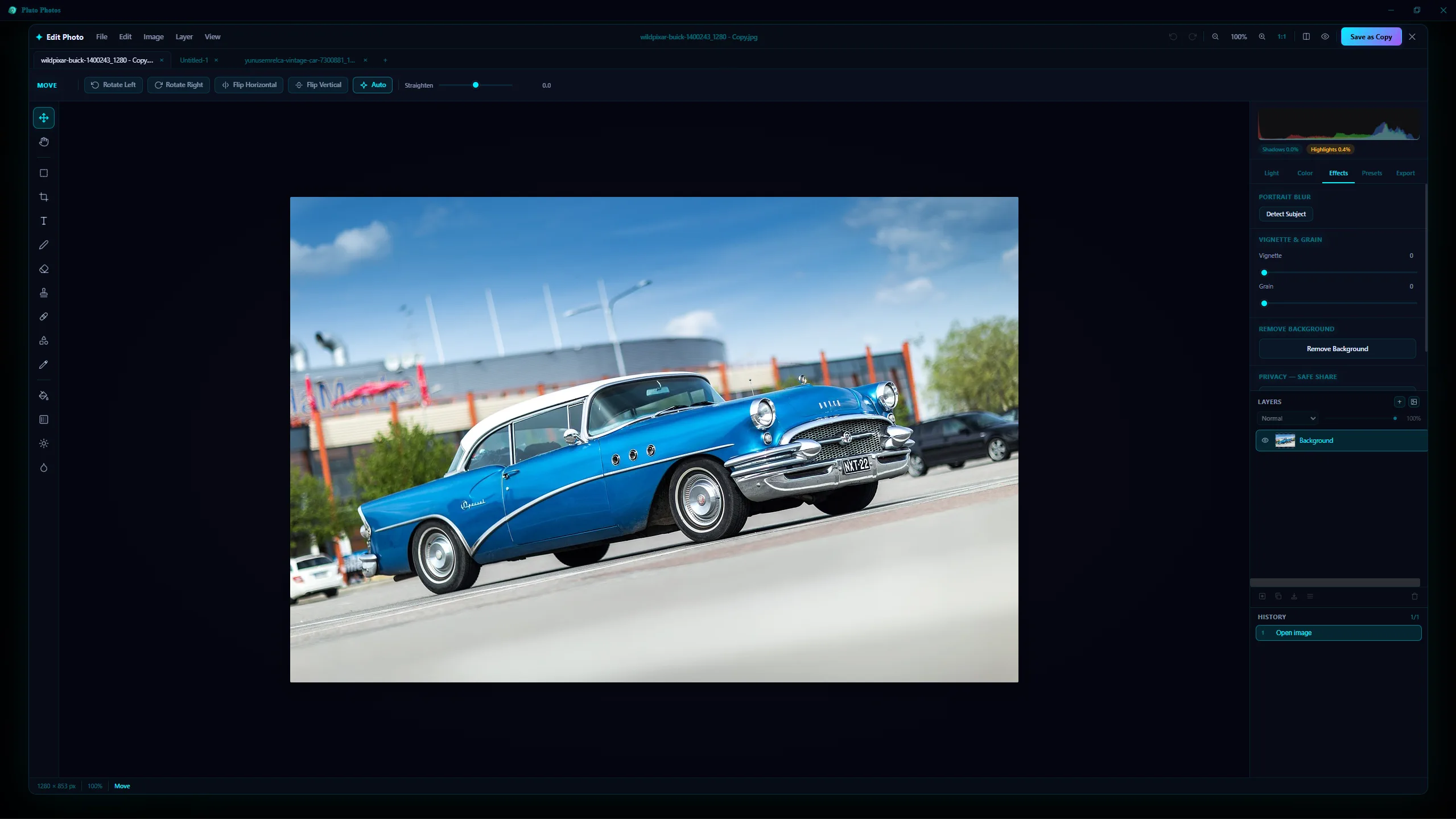 Before
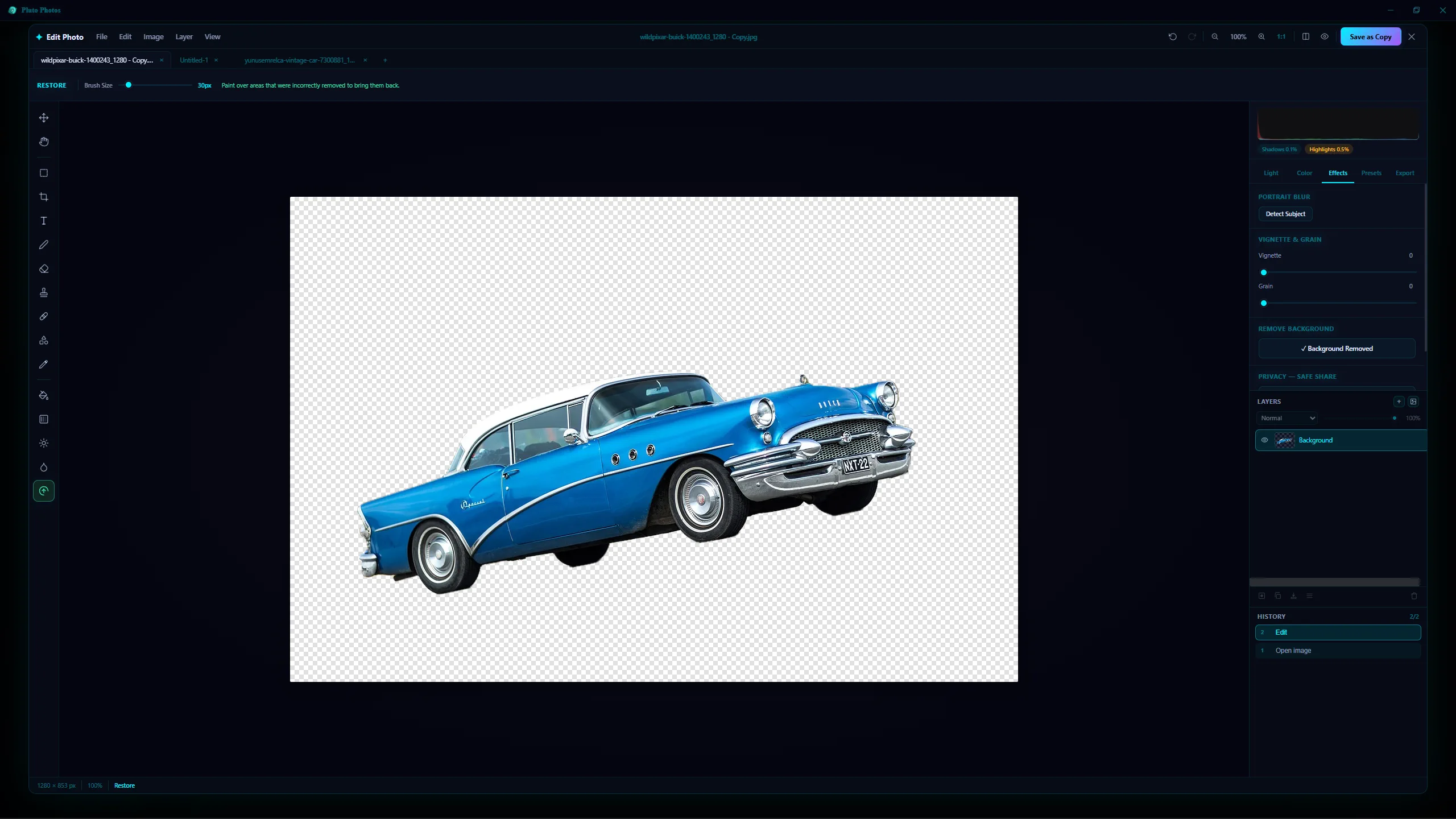 After
AfterLayers, Masks and Blend Modes
A proper Layers panel, exactly where a Photoshop user expects it. Stack image layers over your photo, add empty layers to paint on, drop in text layers, then reorder, rename, duplicate, merge or flatten them.
- Opacity and a blend mode on every layer — multiply, screen, overlay and the rest
- Layer masks — paint to reveal, erase to hide, with the pixels underneath untouched
- Visibility and lock toggles so a finished layer stays finished
Open several photos at once and each lands in its own document tab: copy a layer or a look from one and paste it into another. Paste an image and it arrives as its own movable, scalable layer that follows every later crop, rotate and flip.
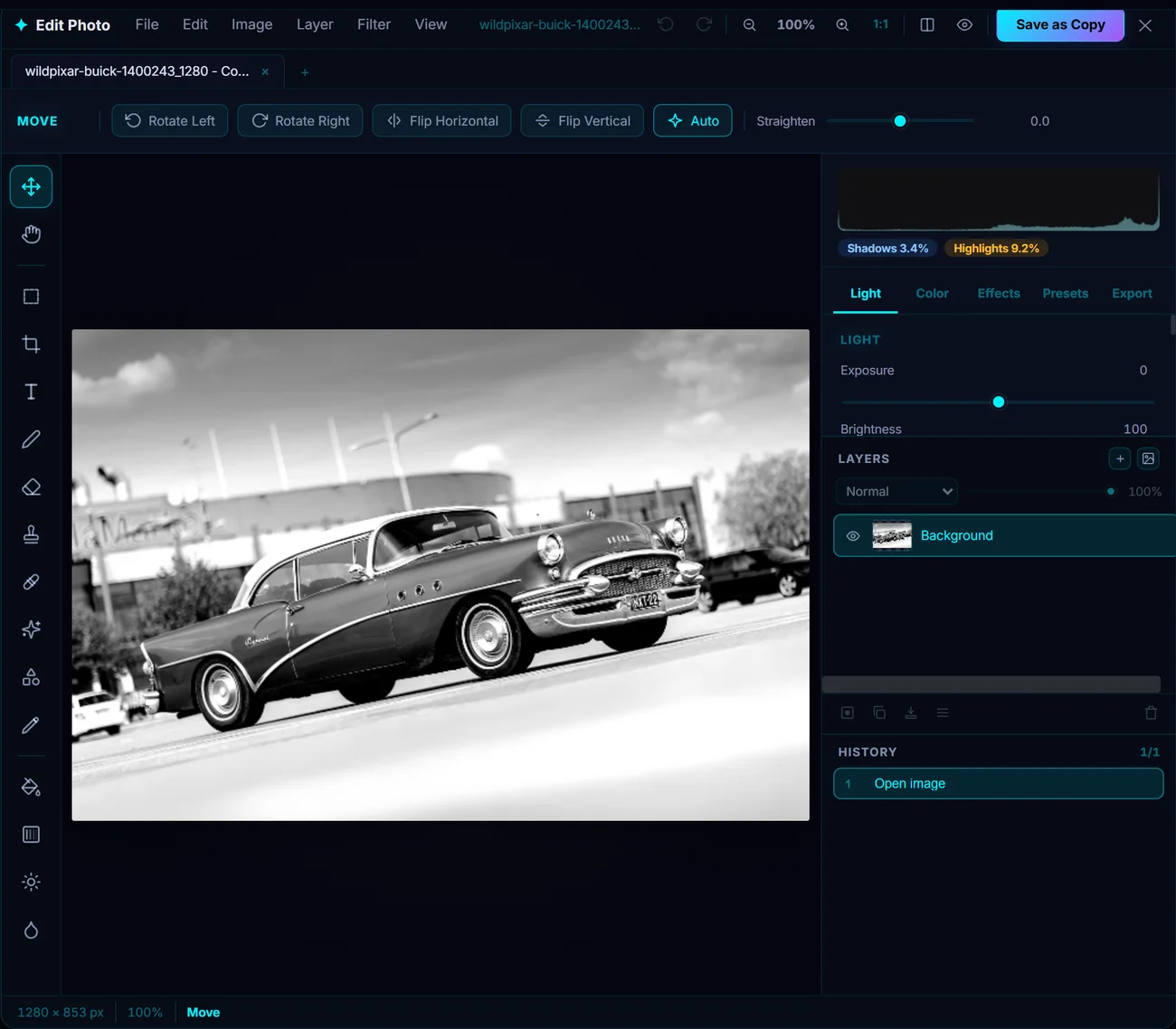
Filters That Stop at Your Selection
Make a selection — rectangle, ellipse, freehand lasso, or a magnetic lasso that snaps to edges as you trace — and a filter applies only inside it, with a feather slider to soften the boundary so a local edit blends in instead of announcing itself.
Every filter also carries its own opacity and blend mode, so you can dial a Gaussian Blur back to 30% on Soft Light rather than committing at full strength, and Fade Filter re-mixes the filter you just applied against the pixels it replaced.
All 57 of them, in eleven groups: Blur (including a real lens blur with selectable aperture shapes), Sharpen (including edge-weighted Smart Sharpen), Distort, Noise, Pixelate, Stylize, Artistic, Light & Glow, Photo, Render, and Other — down to a custom 5×5 convolution kernel.
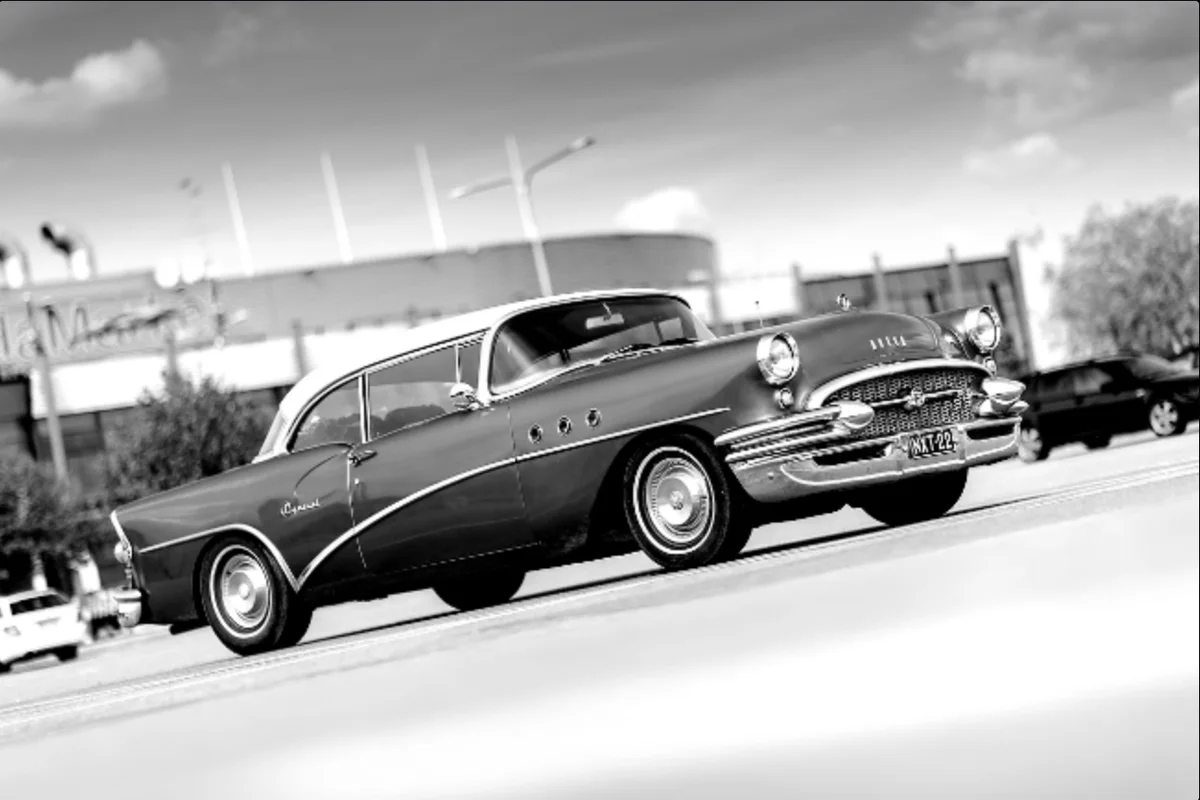 Before
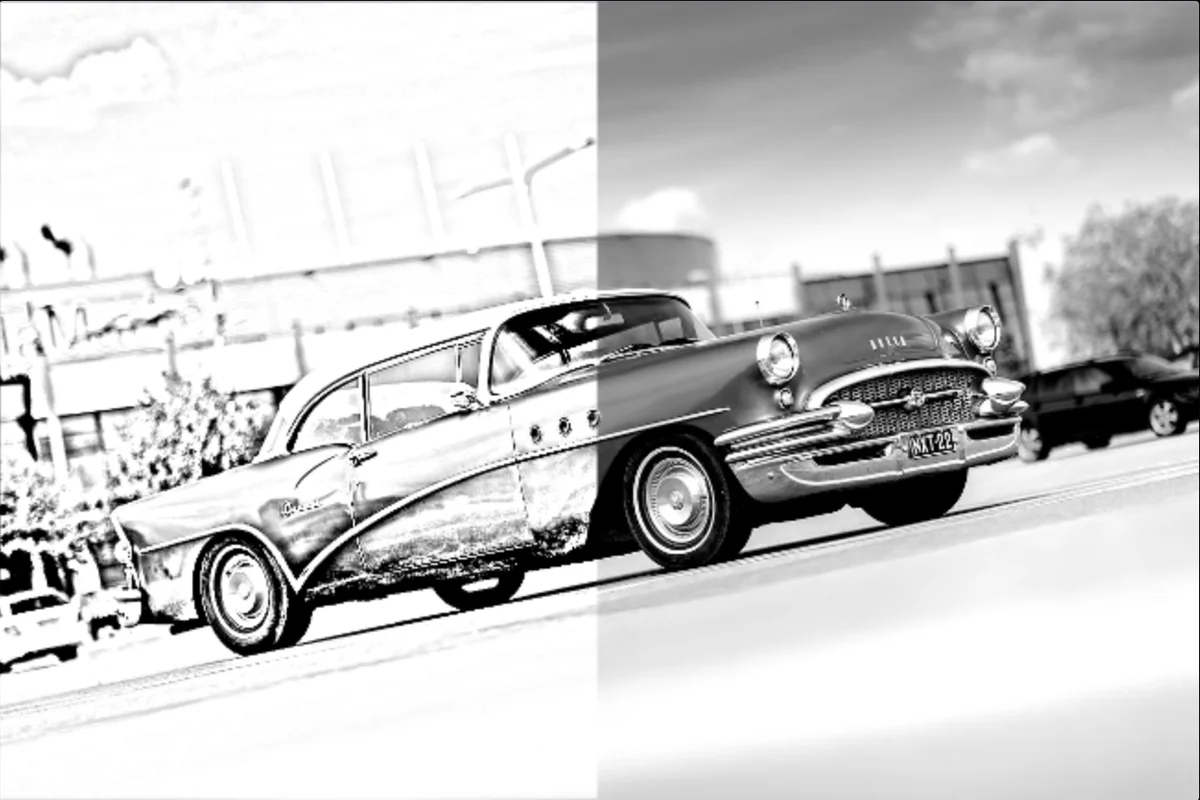 After
After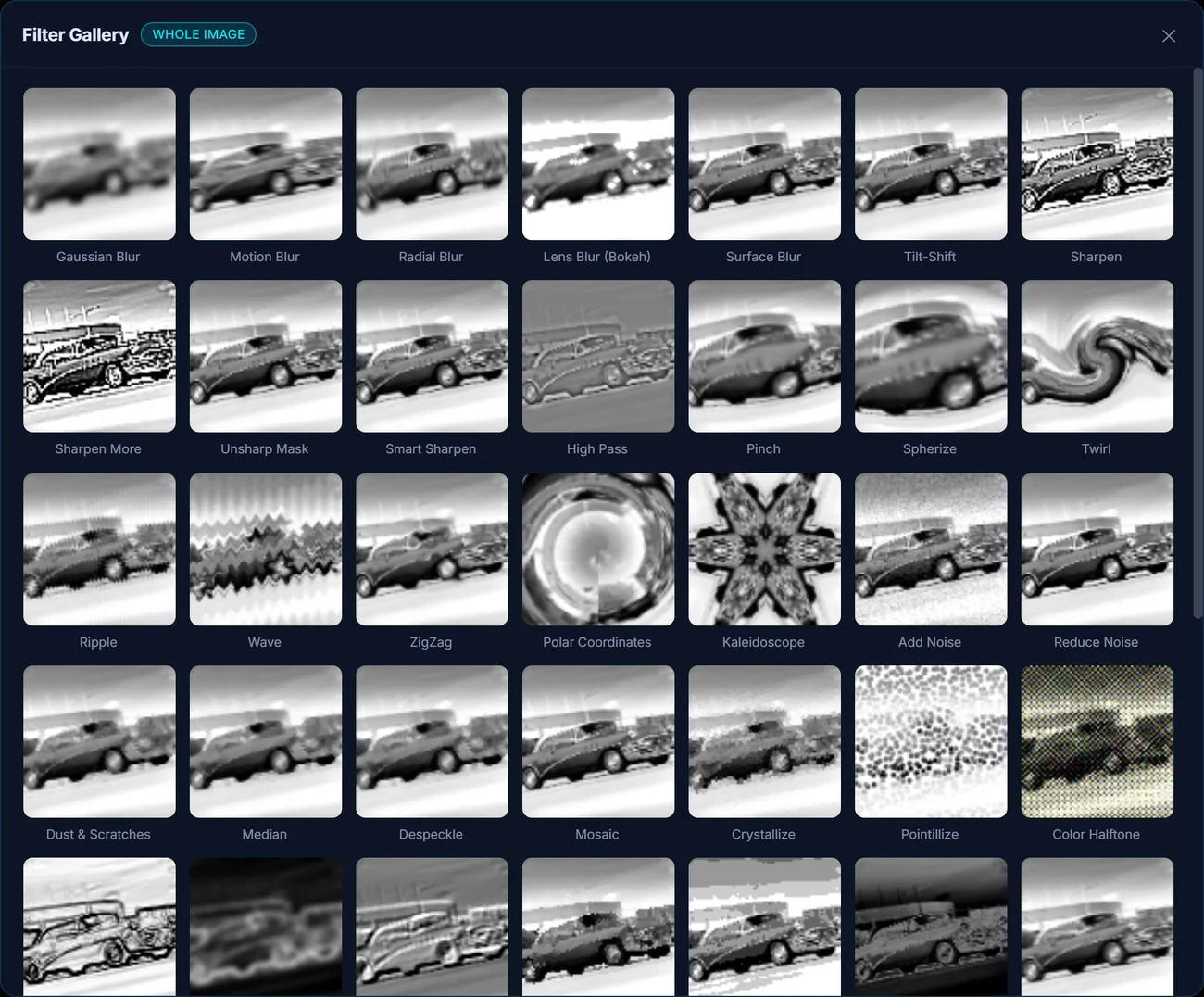
Grade Like a Colorist
A multi-channel tone curve (RGB combined, plus Red, Green and Blue independently) and 8-band HSL tuning — shift the hue, saturation and luminance of one colour range without touching the others. Bluer skies that leave skin tones alone; autumn leaves that pop without the whole frame turning warm.
Underneath sit the everyday sliders — exposure, contrast, highlights, shadows, whites, blacks, temperature, tint, vibrance, clarity, dehaze, split toning — plus twelve one-click presets, each with its own intensity slider, and a live histogram with shadow and highlight clipping indicators.
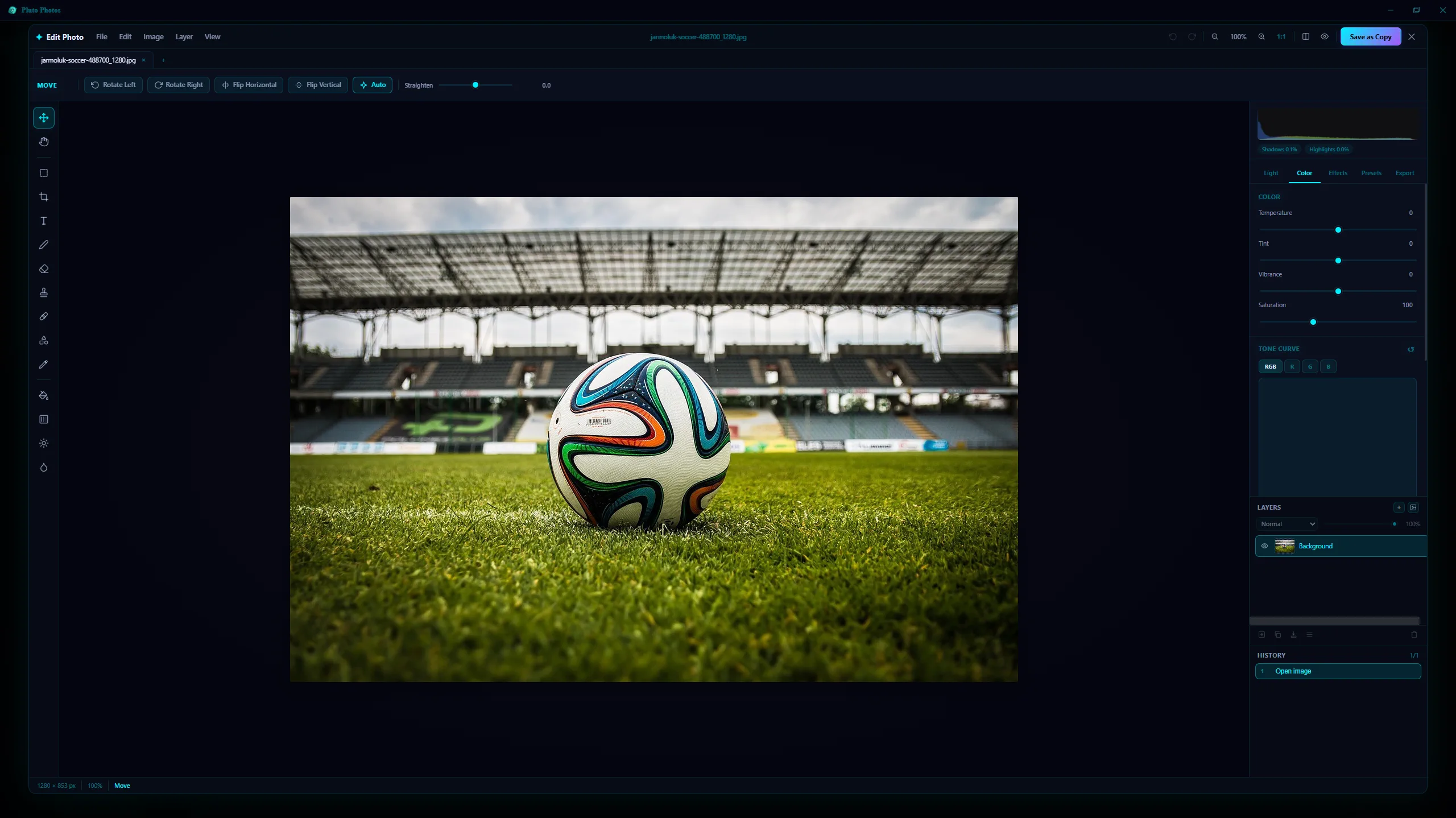 Before
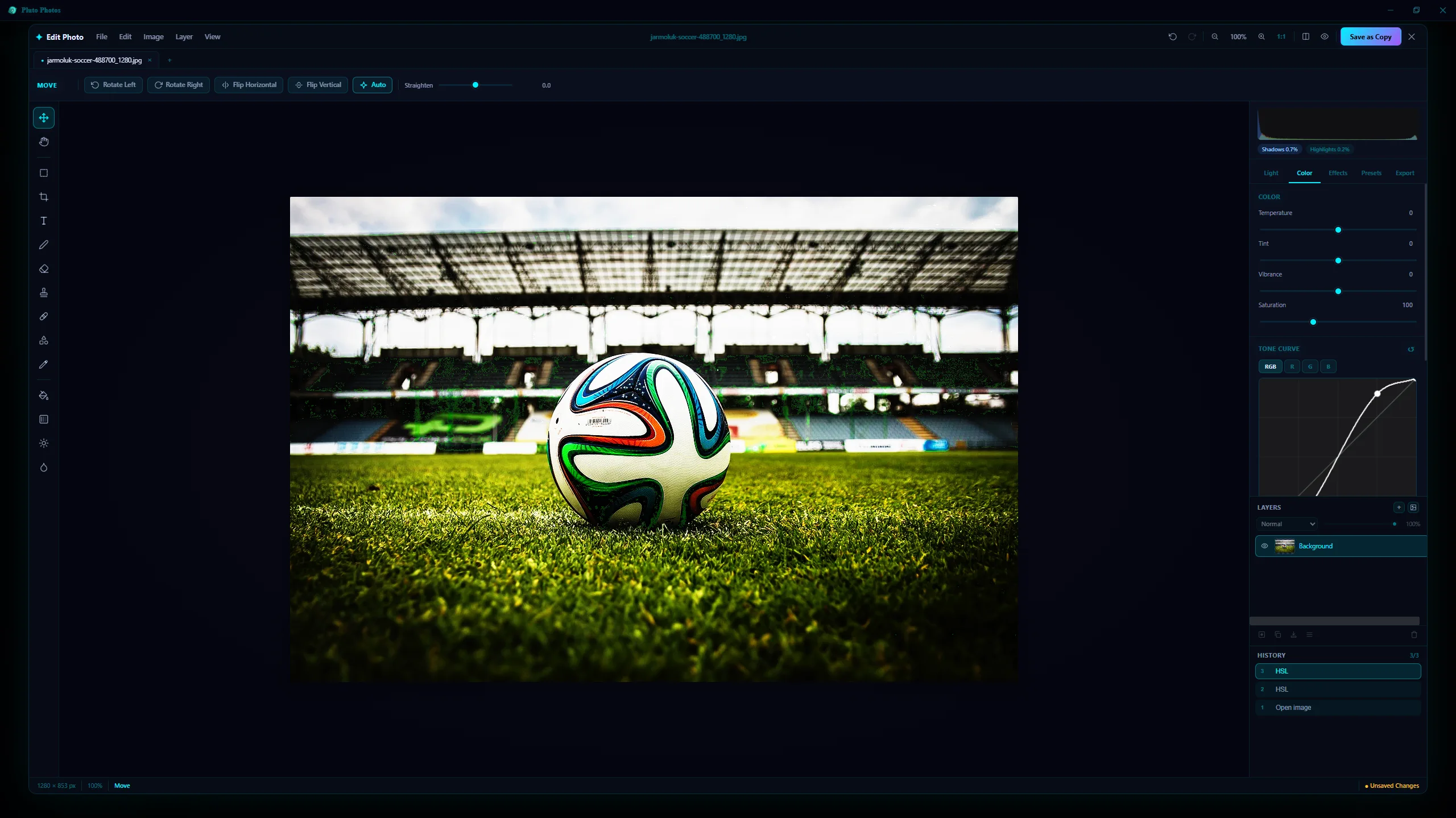 After
AfterOne Look, Hundreds of Photos
Select any number of images in your library, open Apply LUT, and pick an industry-standard .cube file — one you imported, or a look you saved out of the editor. A live intensity slider lets you dial the grade from subtle to full strength before you commit, then save as copies or overwrite the originals in one pass.
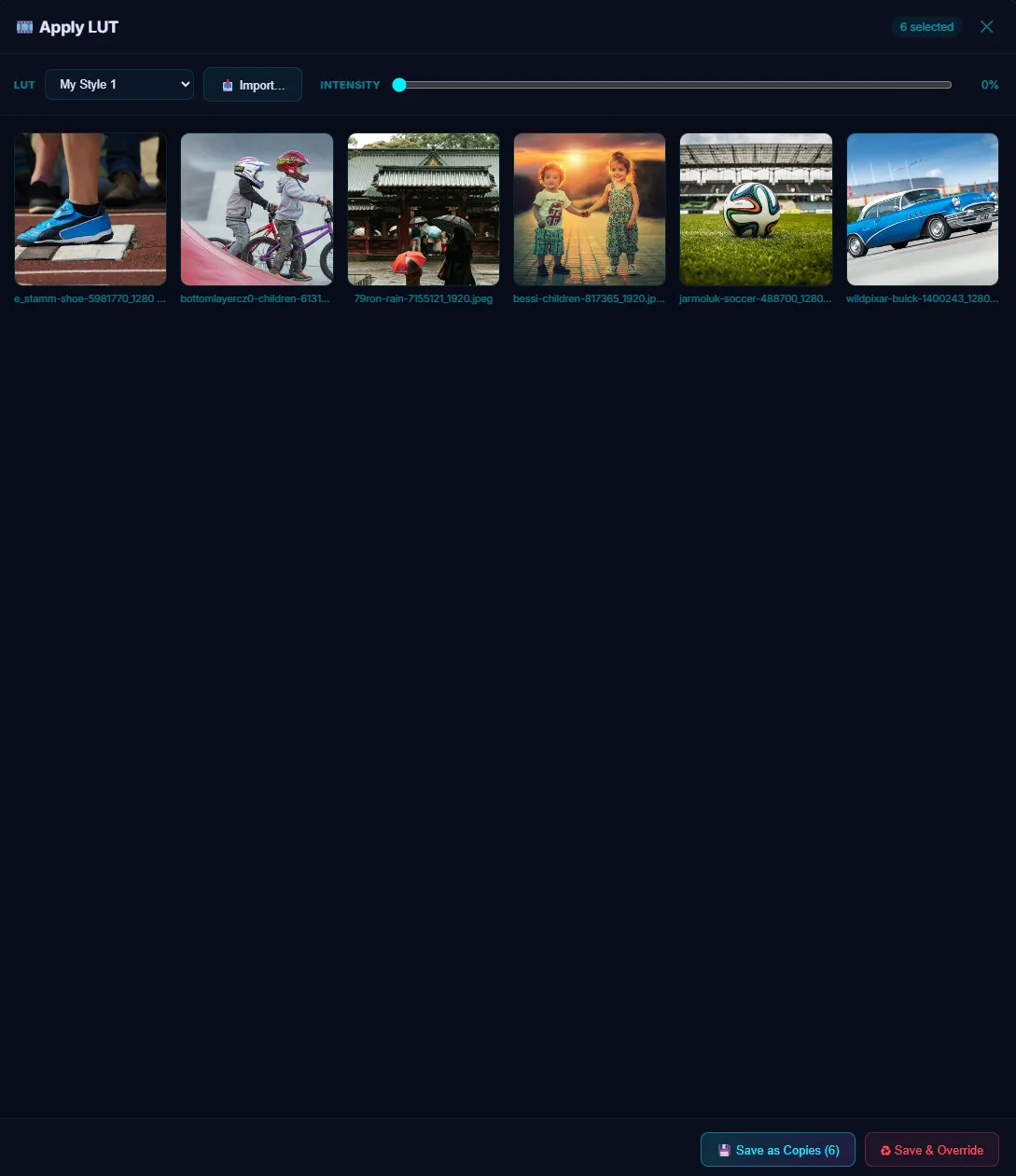 Before
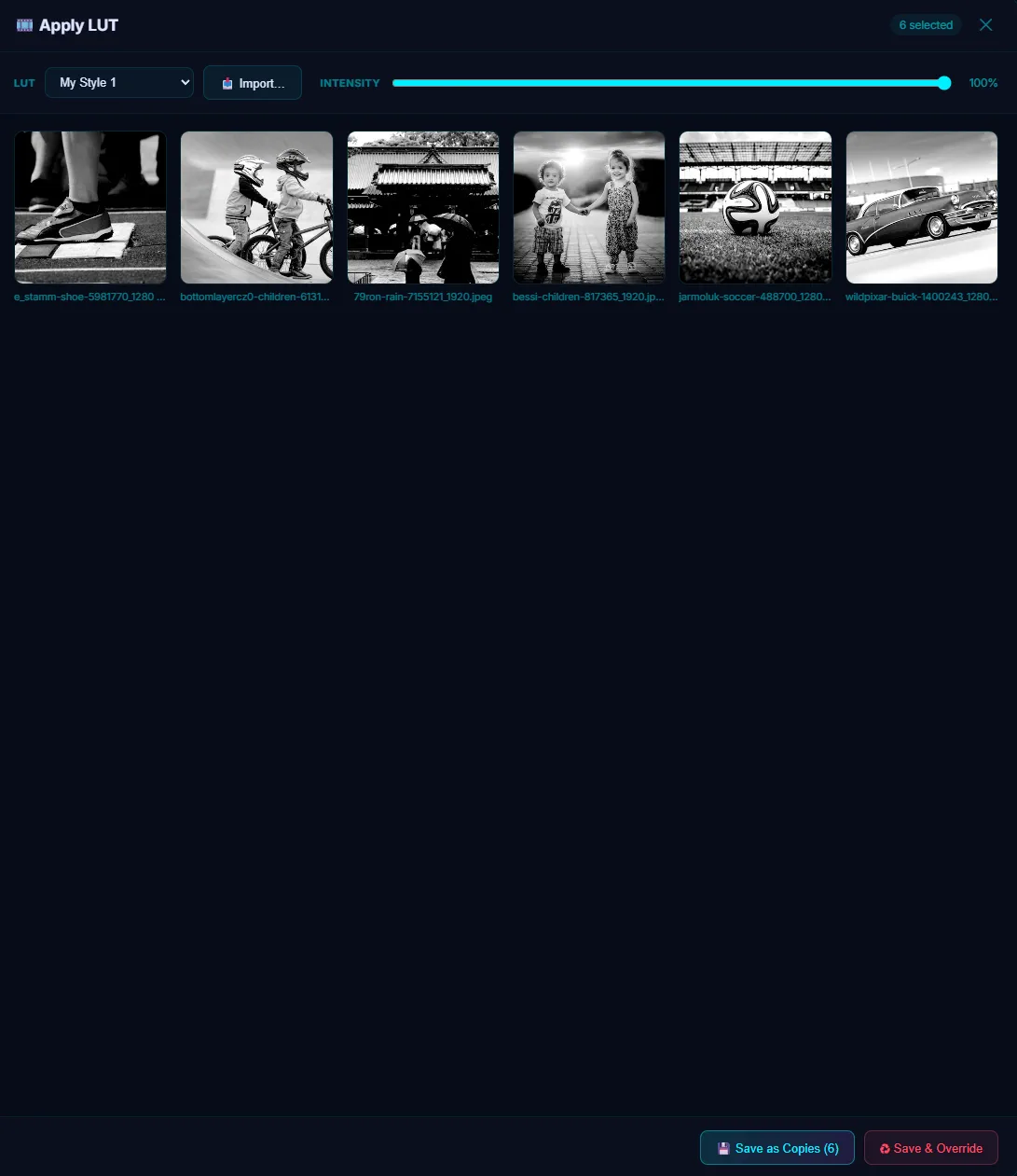 After
AfterPortrait Blur and Hand Retouching
Portrait Blur detects the subject on-device and blurs the background behind it — four presets (Soft, Natural, Studio, Dramatic) plus manual control over blur amount, edge feather, background focus and subject protection. It turns a flat phone snap into something shot on a portrait lens.
And when you would rather do it by hand, the tool rail has what you reach for: brush with adjustable size, hardness and opacity, eraser, clone stamp (Alt-click to set the source), spot heal, fill and gradient, dodge & burn, a blur brush, shapes, text, and an eyedropper.
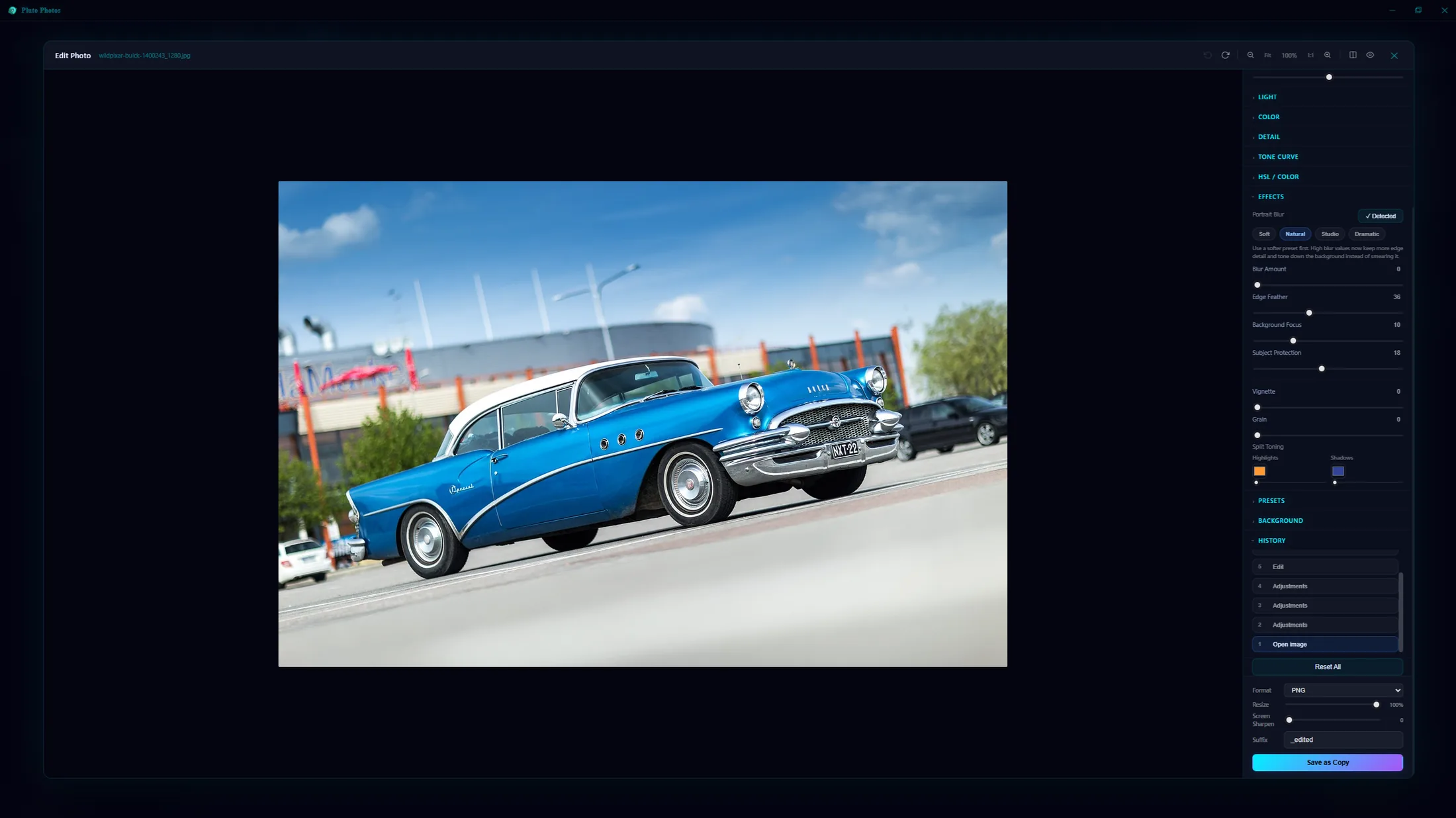 Before
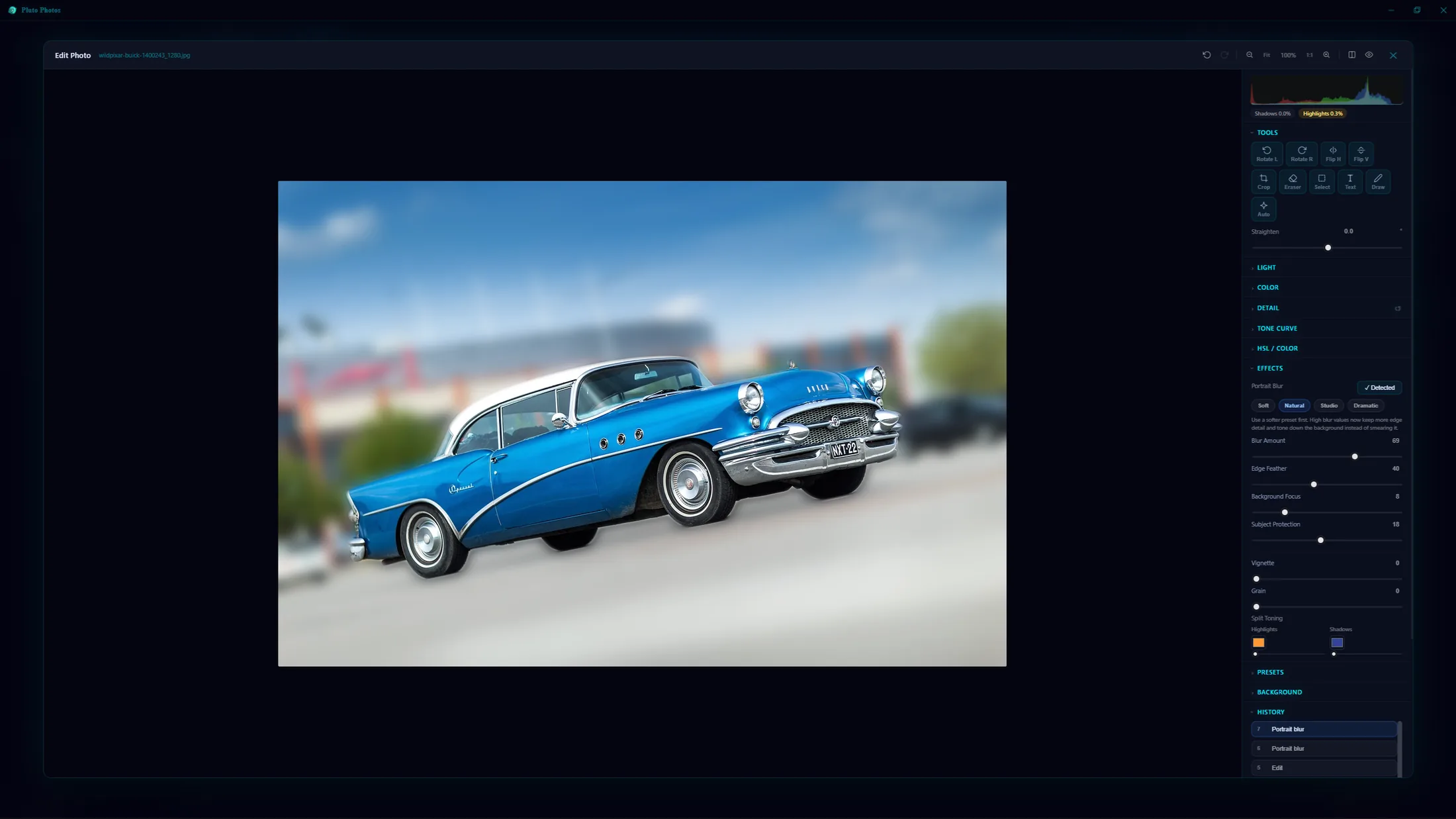 After
AfterBlur Faces Before You Share
Sharing a photo but need to hide a face, an address, or part of a document? Safe Share finds every face and every line of printed text on-device, lets you blur or pixelate exactly the ones you choose, and — for anything the detectors miss — lets you draw a custom region by hand. Detection never leaves your machine, and every export is a fresh copy with the original's EXIF and GPS data stripped out.
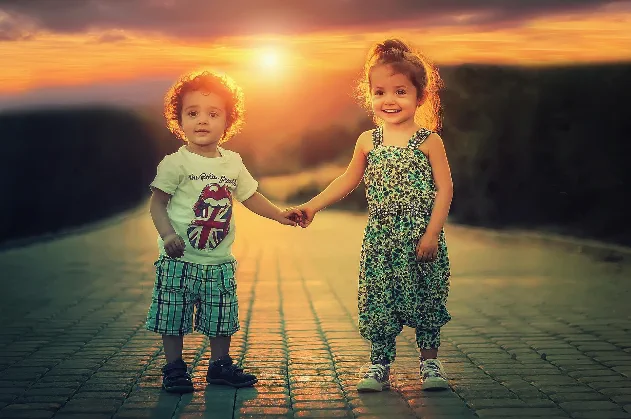 Before
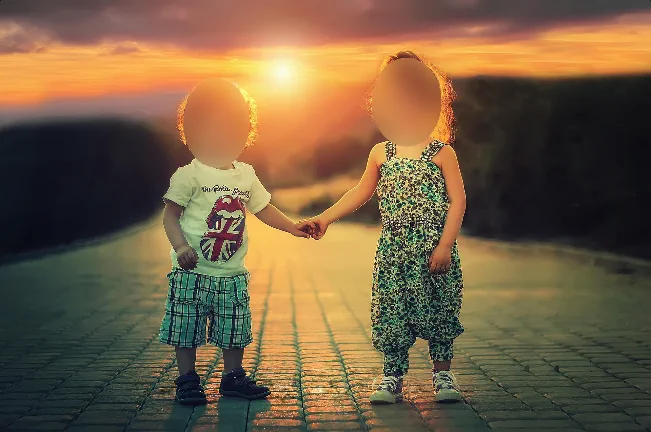 After
AfterAnd the Things You Would Expect
- Non-destructive — every export saves a copy; your original file is never modified
- Export controls — PNG, JPEG or WebP with a quality slider, resize, and screen sharpening for social
- Hold to compare against the original at any point, or use the split before/after view
- Auto Enhance — one button reads the histogram and fixes exposure, colour and contrast
- New Document and clipboard paste, so a screenshot opens straight into the editor
- Vignette and film grain, with intensity sliders that stack with everything else
Try Image Editor in Pluto Photos
Download free for Windows, macOS, or Linux. Image Editor is available in the Pro tier.