
Where the image editor was still thin
The image editor already did the things photographers ask for: layers and masks, tone curves, HSL, 57 filters, healing and cloning, object removal, background removal, text with real typographic control.
What it could not do was anything with a hard edge or a hard deadline. There was no way to draw a precise shape and reuse it as a selection. Scaling a placed logo down and back up destroyed it. And there was no honest answer to "what will this look like printed?" — which is the only question that matters when the file is going to a print shop rather than to Instagram.
The pen tool
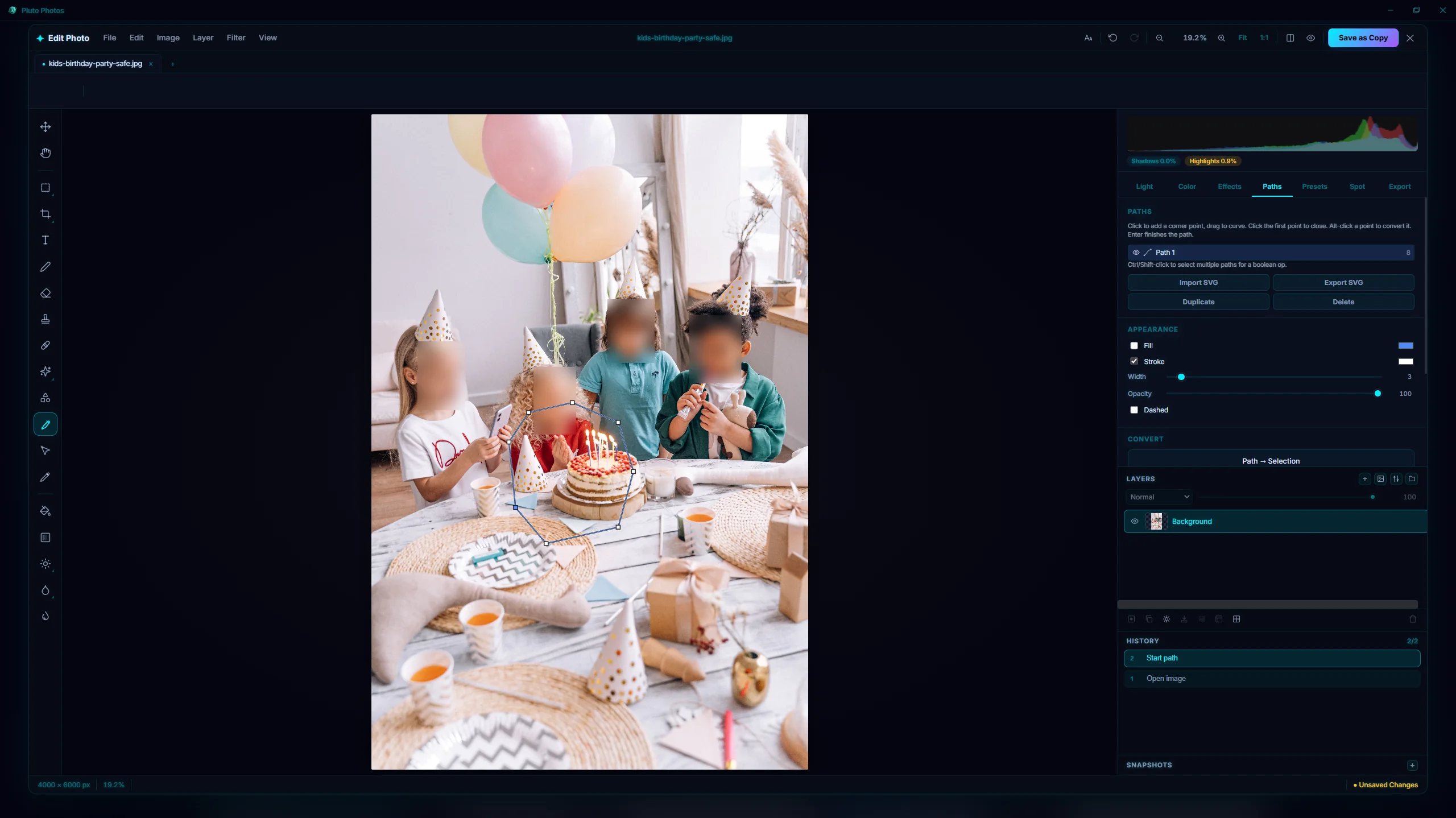
There is now a real vector pen. Click to place corner points, drag to place smooth ones, and pull the handles afterwards to shape the curve. Paths are stored as geometry, not pixels, so they stay crisp at any zoom and render at full resolution on export.
A path can be converted into a selection, which is the point of having one. Tracing a product edge with the pen and turning it into a selection gives a cleaner cutout than any brush, and unlike a brush it can be adjusted a week later.
Paths live in their own panel with their own list, so a document can carry several and you can get back to them without re-picking the tool.
Smart objects
Place an image as a smart object and the original pixels are kept, untouched, alongside the layer. Scale it to 20%, come back tomorrow, scale it to 180% — the layer is re-rendered from the source every time, so there is no accumulated quality loss. Ever.
SVG files stay vector all the way through: the layer is re-rasterized at whatever size you scale it to, so a logo is as sharp at 300% as at 30%.
Smart objects take filters too, and those are kept as a live list you can reorder, disable or remove — the underlying image is never actually changed. Linked smart objects can be re-read from disk when the file behind them is updated, so a logo revision propagates into every document that uses it.
Masks work on them without giving up the transform, which sounds like a footnote and is not: it means you can mask a rotated, scaled placement and still go on rotating and scaling it.
Seeing print before it is printed
This is the part that took the longest to get right.
CMYK soft proofing converts what you are looking at through a printer profile and shows you the result, with an out-of-gamut warning that marks the colours a printer physically cannot reproduce. Those brilliant saturated blues and greens on your screen are usually the first casualties, and it is much better to find that out on your monitor than on a proof sheet.
You can proof against the built-in profile or load the ICC profile your own print shop gives you.
Spot colour channels let you add named inks — a Pantone-style spot, a metallic, a varnish — that print on their own plate instead of being mixed out of process colour. Duotone mode is there too. Spot inks are deliberately not gamut-clipped in the preview, because a spot being outside CMYK is usually the entire reason for using one.
Press-ready export finishes the job: PDF/X-1a for the printer, or one file per printing plate if that is what they asked for.
Also in this release
- A New Document dialog whose print presets are now correct. 4×6, 5×7 and 8×10 shipped transposed — labelled one way and sized the other — and are fixed.
- A resizable panel dock, so the tool panels can be widened on a large display and narrowed on a laptop. The width is remembered.
- Vector paths, smart objects and spot inks all survive a save: they are stored in the project file, undo and redo them like anything else, and older project files open unchanged.
Getting it
All of this is in v2.4.10 for Windows, macOS and Linux. The image editor and its advanced tools are part of the paid tiers; the free tier can open the editor and try them.
Download the update, or read the full release notes.