
Your Entire Library — On Every Device.
Pluto Photos includes a built-in companion browser that lets you browse, search, and share your full photo library from any phone, tablet, or computer — no app install required.
- 1 clickEnable it, get a URL — no accounts
- Any devicePhone, tablet, or laptop on your Wi-Fi
- 0Photos uploaded to a third party
- LAN speedNot throttled by your internet plan
Zero setup, instant access
No app to download, no account to create. Enable it in Settings, open the URL on any device on your Wi-Fi.
The real library, not a preview
Full browsing, albums and smart albums, tag/rating/date search, named people, and complete EXIF metadata.
Download or share straight from your phone
Grab a photo to your device or share it directly — no emailing files to yourself first.
Adapts to every screen
Touch-optimized on a phone, spacious on a tablet, feels native on a laptop — one interface, no compromises.
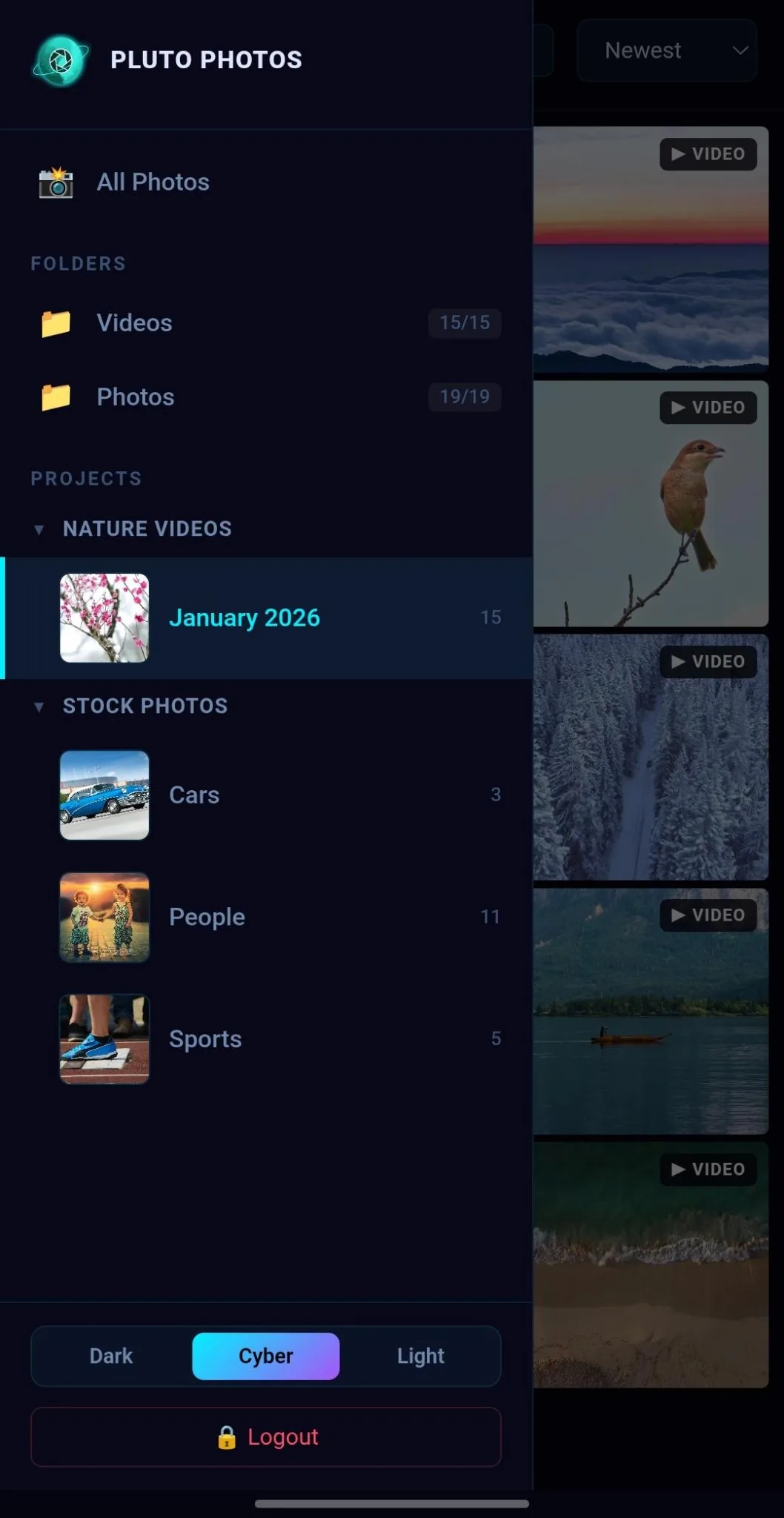
Your photos live on your desktop, but your life doesn't. Whether you're on the couch with your phone, at the kitchen table with a tablet, or on a laptop in another room — the Pluto Photos Companion Browser puts your entire library at your fingertips.
Zero Setup, Instant Access
No app to download. No account to create. No cloud sync to configure. Just open any browser on your network and your photos are right there.
- Enable Companion Browser in Pluto Photos settings
- A URL appears — that's it
- Open it on any device connected to your Wi-Fi
- Browse your full library instantly
Everything You'd Expect (and More)
The Companion Browser isn't a stripped-down preview — it's a fully-featured photo browsing experience:
- Browse your entire library with a fast, responsive grid
- View albums and smart albums exactly as they appear on your desktop
- Search by tags, ratings, and dates to find any photo in seconds
- See faces and people groups powered by your desktop's AI detection
- View full EXIF metadata — camera, lens, GPS, date, and more
- Download photos to your phone or other device instantly
- Share directly from any device without emailing files to yourself
Why It's Better Than Cloud
Cloud photo services like Google Photos or iCloud require uploading your entire library, accepting their terms, and trusting them with your data. The Companion Browser gives you the same convenience with none of the trade-offs:
| Companion Browser | Cloud Services | |
|---|---|---|
| Privacy | Photos never leave your network | Uploaded to remote servers |
| Cost | Included free | Monthly subscription |
| Speed | LAN speed (instant) | Depends on internet |
| Storage | Your own drives | Limited cloud quota |
| Setup | One click | Upload everything first |
Built for Every Screen
The interface automatically adapts to your device. On a phone, you get a touch-optimized grid with swipe gestures. On a tablet, you get a spacious layout. On a laptop, it feels like a native app. It just works.
Rock-Solid Security
- Your data, your rules — runs on your own hardware, not third-party servers
- Optional PIN protection to restrict access
- No external servers — your data stays under your control
- HTTPS support for encrypted connections on LAN or over the internet
Mobile Companion App
For an even richer mobile experience, the Pluto Companion app (Android) adds automatic camera roll backup, remote access from anywhere over the internet, a biometric-locked photo vault, and offline caching — all connecting directly to your desktop library with no cloud in between. Available as a $5/month add-on.
Try Companion Browser in Pluto Photos
Download free for Windows, macOS, or Linux. Companion Browser is available in the Pro tier.