
Hide a Face, a Signature, or an Address — Before Anyone Else Sees It.
Safe Share finds every face and every line of printed text in a photo on-device, then lets you blur, pixelate, or block exactly the ones you choose — plus draw a custom region over anything the detectors miss. Every export is a fresh copy with the EXIF and GPS data stripped out.
- 3Ways to select what's hidden — face, text, or a region you draw
- 100%On-device — the photo is never uploaded
- 0EXIF or GPS data left in the exported copy
- ProIncluded with a Pluto Photos Pro licence
Every face, found automatically
An on-device detector finds every face in the photo the moment it opens — no manual selecting, no missed faces in a group shot.
Printed text, found too
A scene-text OCR pass reads signs, mail, badges, screens and documents, and offers each line as its own box to hide.
Draw over anything the detectors miss
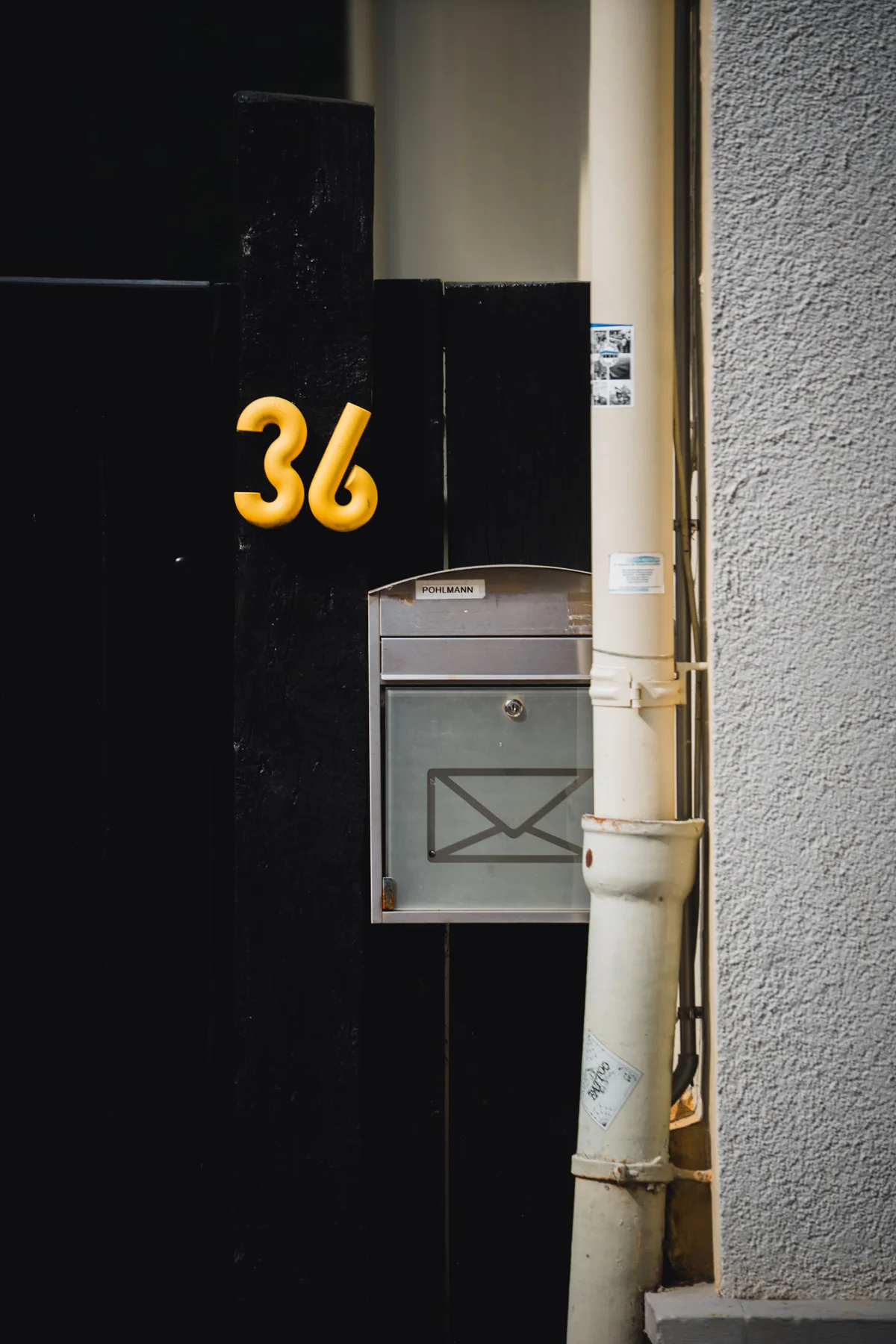
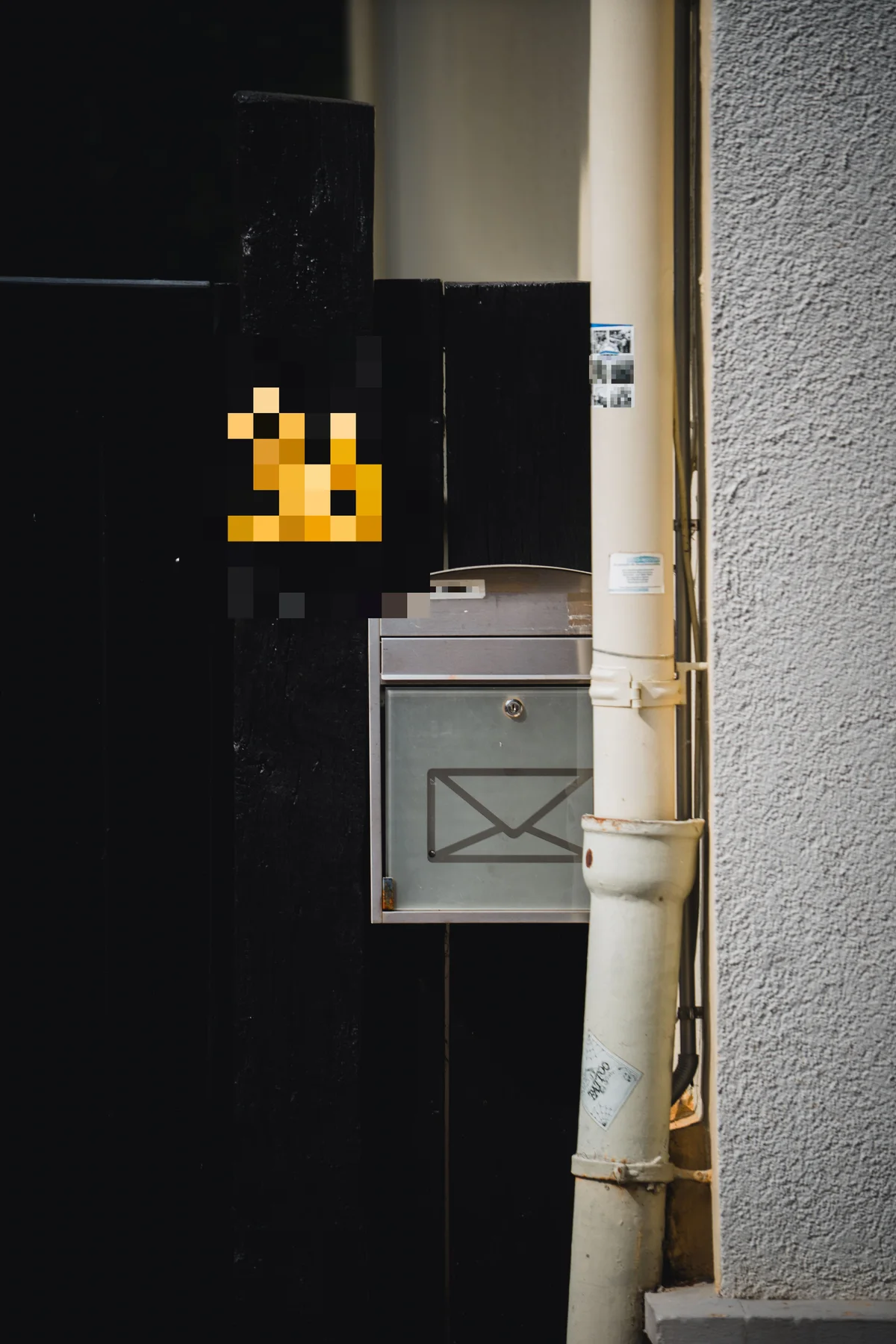
No detector catches everything — a stylised house number, a signature, a whole paragraph. Drag out a box of your own and it redacts exactly that.
Choose exactly what leaves
Every box is its own toggle, so you can hide three faces in a photo and leave the fourth, or hide one line of a document and leave the rest readable.
Turn up the strength
A large, bold, high-contrast subject — a house number, a sign — needs more than a default-strength blur or pixelate to stop being readable. An intensity slider pushes either past that point.
The metadata goes with it
Every export is a brand-new file with the original's EXIF and GPS data stripped — sharing a redacted photo doesn't quietly hand over where and when it was taken.
Nothing ever leaves your machine
Face detection, OCR and the redaction itself all run locally on your own CPU. There is no upload, no account, and no per-image fee.
Redact One Line of a Document — Not the Whole Page
A lawyer sending a contract, an agent sending a lease, a bookkeeper forwarding a statement — professional work is full of documents that are mostly fine to share and contain one line that isn't: an account number, a case number, a client's signature.
Safe Share's OCR pass finds printed text and offers it as individually toggleable boxes, so you can hide the one line that matters and leave the rest of the page legible. And because no detector catches everything — text behind glass, a signature, a photograph reproduced inside the document — Draw a region to hide lets you drag out a box of your own, anywhere on the photo, in addition to whatever was detected automatically.
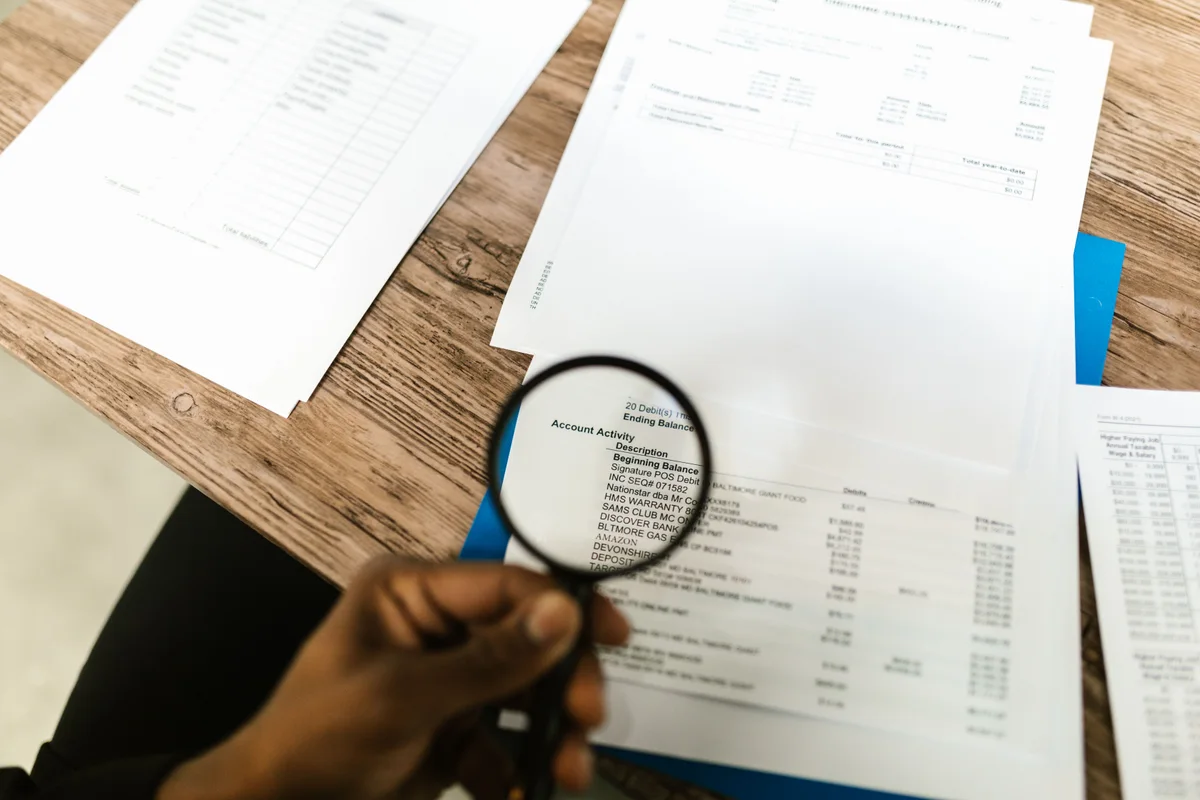 Before
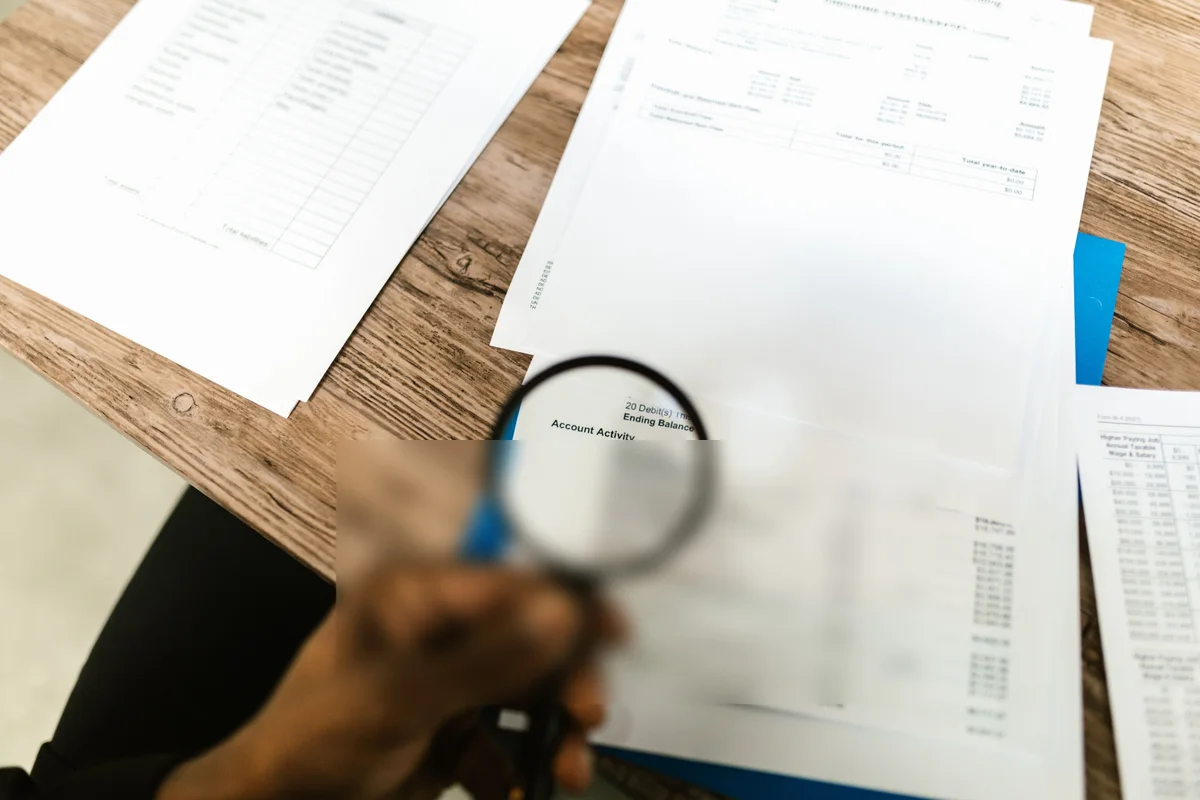 After
After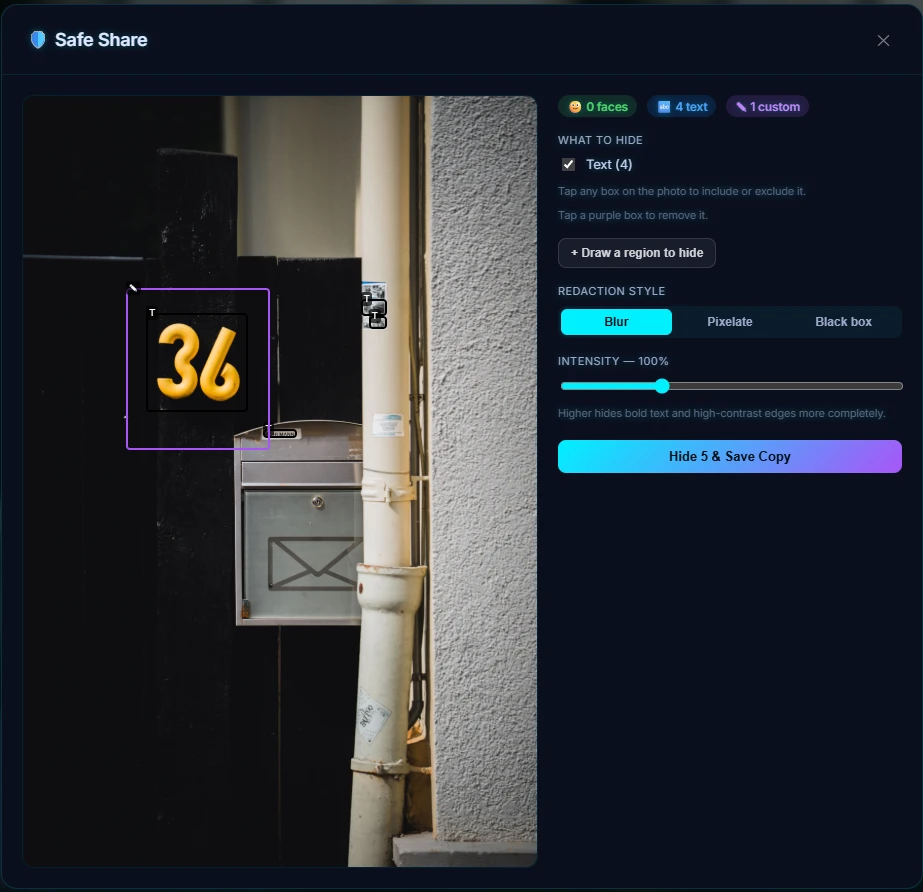
Blur Kids' Faces Before You Post
A birthday party, a school photo, a cousin's kids at a family reunion — the pictures worth sharing are often the ones with the most faces you'd rather not put on the open internet unasked. Safe Share finds every face in the frame and blurs it in one pass, so the photo — the cake, the balloons, the moment — stays shareable without turning every child in it into a searchable face.
 Before
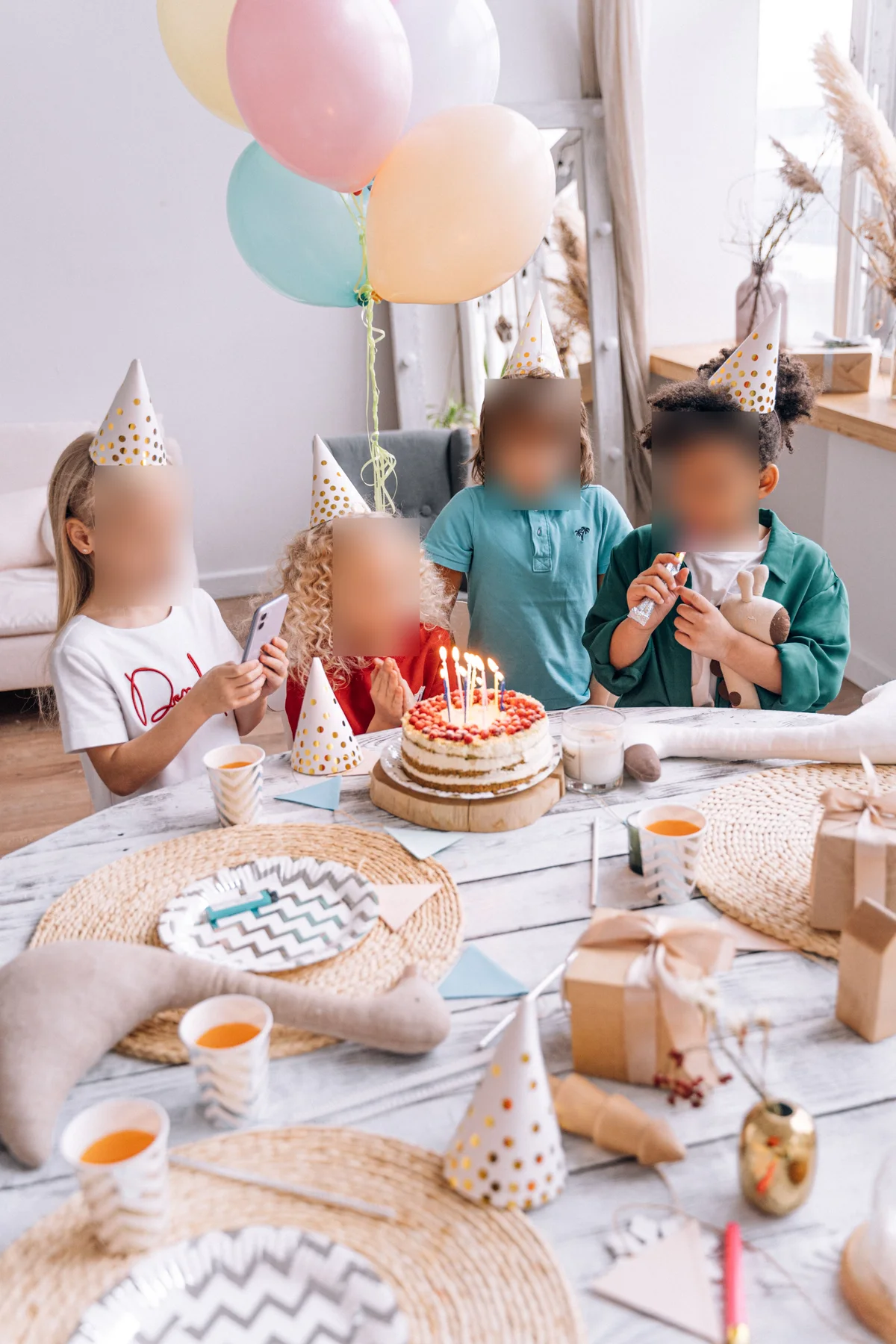 After
AfterDon't Give Away Where You Live
A house number by the front door, a street sign at the corner, a name on a mailbox — the kind of detail that sits harmlessly in the background of a photo until that photo is posted somewhere public. Safe Share's OCR catches printed address text, and because a moulded plastic house number or an embossed nameplate isn't always something a text detector reads as text, Draw a region covers what OCR can't.
 Before
 After
AfterThree Detectors, One Box for Each
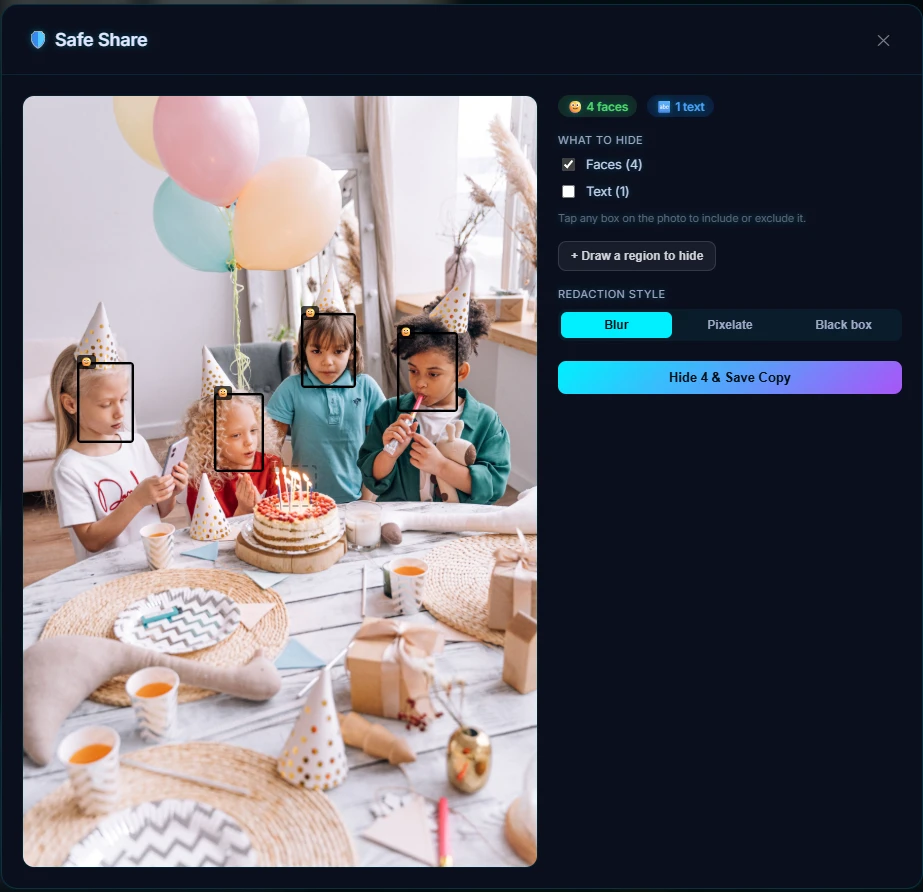
Open a photo in Safe Share and it is analysed immediately — faces first, then printed text — with every result shown as a box directly on the photo. Nothing is hidden until you say so:
- Faces default ON, because a face is rarely something you meant to leave in
- Text defaults OFF, because printed text is often part of the point of the photo — a sign, a menu, a poster
- A region you draw is added on top of both, for anything the automatic pass didn't catch or was never going to look for
Tap any box to include or exclude it, or use the "Faces" / "Text" checkboxes to toggle a whole category at once. A drawn region is removed with a tap rather than toggled, since there's no detector to bring it back later.
Runs Entirely on Your Machine
Face detection and OCR both run on your own CPU, using the same detectors that power the rest of Pluto Photos' library-wide face scan and scene-text search. The photo is never uploaded, and there is no per-image fee or account to sign into.
- Three redaction styles — blur, pixelate, or a solid block — each with an intensity slider, for a large, bold, high-contrast region a default-strength pass doesn't fully obscure
- Every export is a new file; the original is never modified
- The exported copy's EXIF and GPS data is stripped, not just the pixels you selected
- Works on JPEG, PNG, WebP, and the other formats Pluto Photos already reads
Try Safe Share in Pluto Photos
Download free for Windows, macOS, or Linux. Safe Share is available in the Pro tier.