
A Photoshop Alternative You Pay For Once and Keep Forever.
Layers, masks, blend modes, retouching brushes, 57 filters and an AI eraser that runs on your own computer. One payment of $29 and it is yours.
If you have ever added up what you have paid Adobe, you already know why this page exists. Photoshop is rented. You pay every month, and the month you stop, it drops into a locked-down mode: the app still opens, but you cannot save or export new work until you are paying again.
Pluto Photos costs $29 once. Updates are free, there is no account to create, and it keeps working forever, including on a laptop that has never been online.
Photoshop has been the standard for thirty years for good reasons, and this page is not going to pretend otherwise. Here is what you get, and further down, what you don't.
What you get
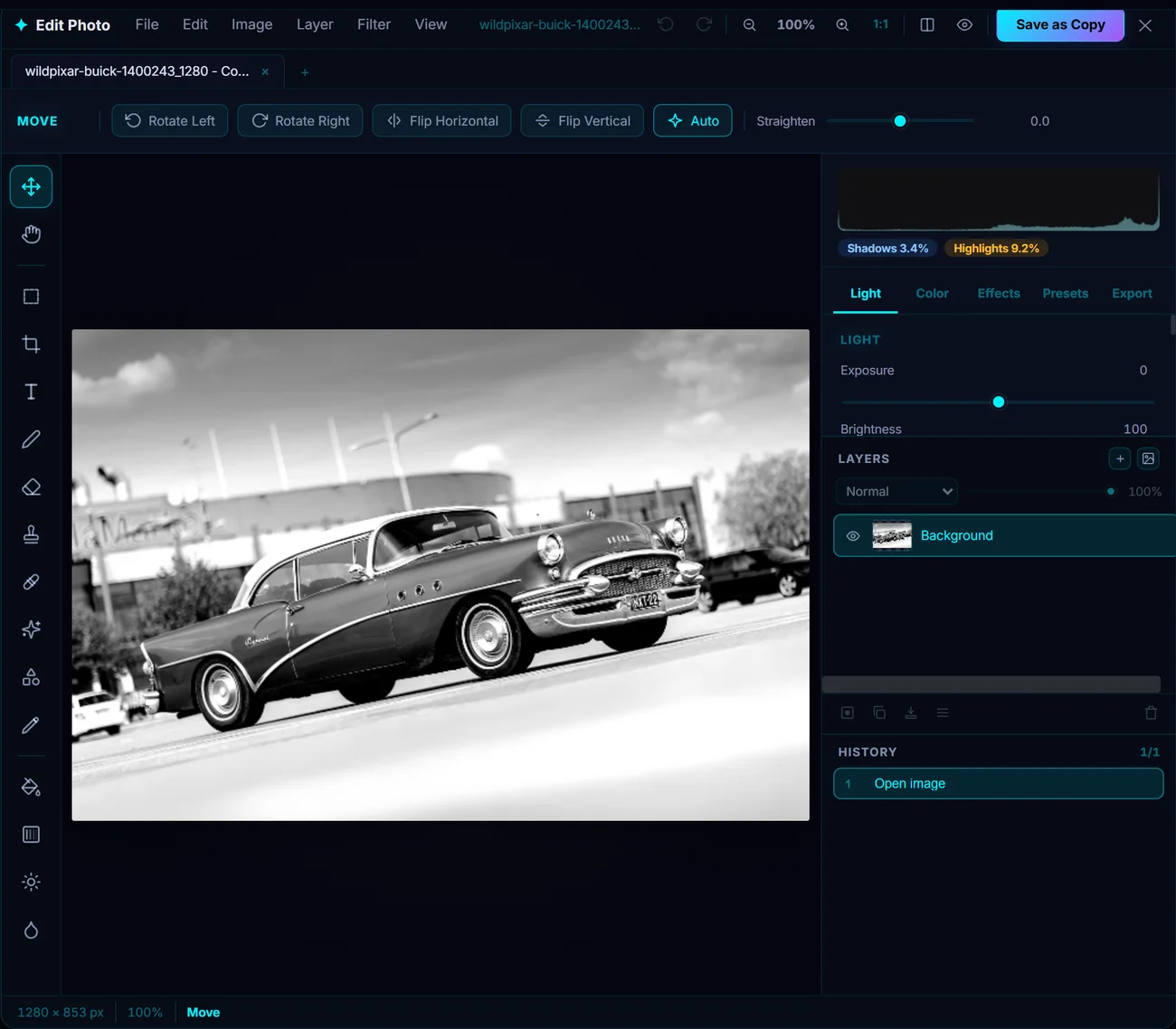
Layers, masks, blend modes, per-channel curves and a live histogram, the workspace you already know, without the subscription.
It is a real layered editor, not a row of sliders with a preset menu. Open several photos at once in tabs, stack layers, mask them, and set blend modes the way you would expect.
For the everyday work there is a brush, a clone stamp for copying one part of a photo over another, spot heal for blemishes and dust, shapes, and a text tool. For color there are tone curves per channel and an 8-band HSL panel, so you can push one color without dragging the rest of the photo with it. There are 57 filters in 11 groups, and they stop cleanly at the edge of whatever you selected, with a feather slider so the edge is not a hard line. That last part is the bit cheap editors usually get wrong.
Getting rid of something in the shot. Click the thing you want gone, or paint over it, and the app rebuilds what was behind it. Same idea as Generative Fill, with one difference that matters: the model is inside the app and runs on your own processor. No sign-in, no credits to buy, no queue, and your photo is never uploaded anywhere.
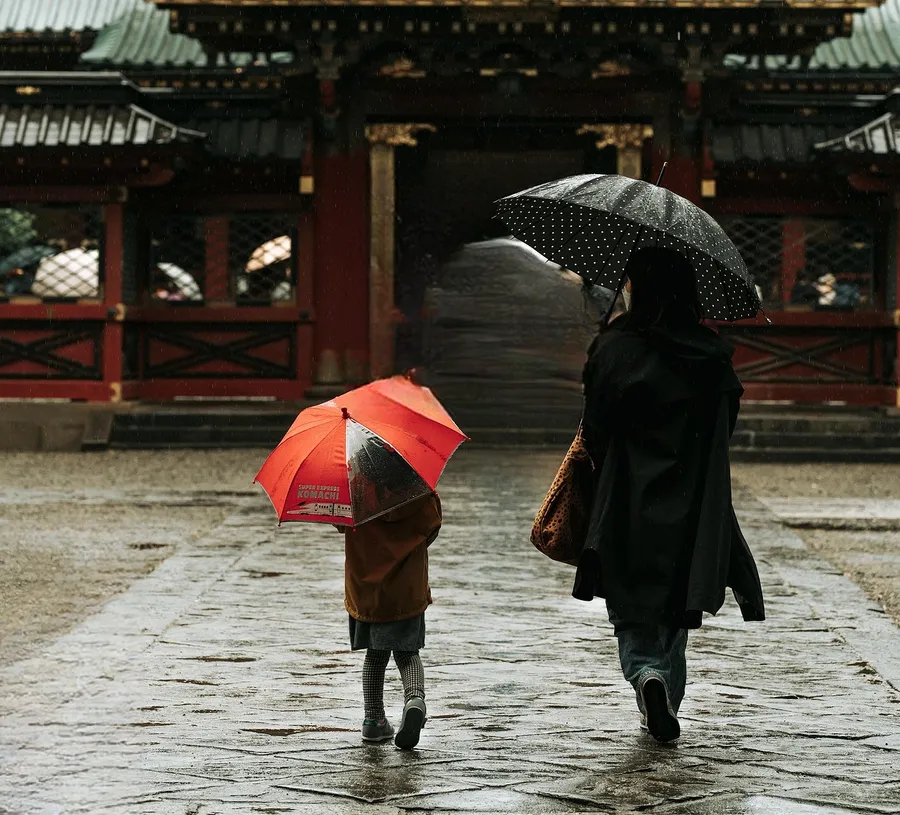
Object removal running entirely on the local machine. No credits, no upload, no queue.
Cutting out the subject. One click gives you a transparent PNG with the background gone. Also entirely on your machine.
The pen tool. Real curves with anchor points and handles you drag, not a shape traced out of pixels. Turn a path into a selection or a vector mask, and import or export SVG. A path stays sharp at any zoom and redraws at full resolution when you export.
Smart objects. A smart object remembers what it came from. Shrink a layer to thumbnail size, change your mind a week later, scale it back up, and nothing is lost, because it redraws from the original instead of enlarging what was left on screen. Filters on it stay editable and removable, an SVG placed this way is resolution independent, and a linked smart object follows a file on your disk.
Files for a printer. Load the print shop's ICC profile, soft proof on the canvas, check what falls out of gamut and how much total ink you are laying down against a limit you set, then export CMYK TIFF, CMYK JPEG, or PDF/X-1a with bleed and trim boxes.
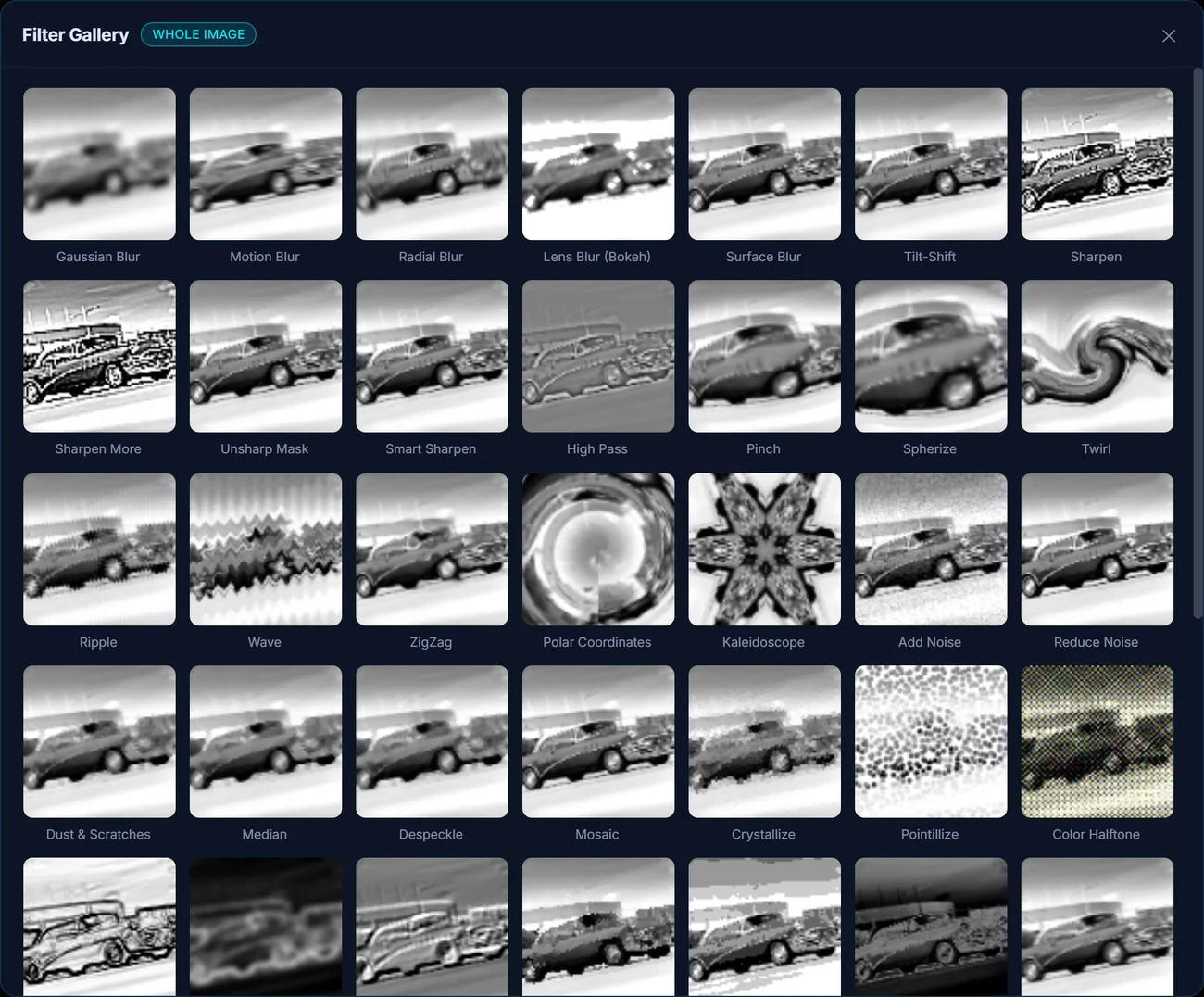
57 filters, each previewed live on your own image before you commit to one.
Spot inks and duotones. Add a named ink that prints on its own plate: a Pantone, a metallic, a spot varnish, a die line, a white underbase. Fill it from a selection or from image tone, choose whether it knocks out the CMYK underneath or overprints it, and see it on the canvas. Export a PDF/X-1a where the spot survives as a real DeviceN separation rather than being flattened into four-color, or hand the printer one TIFF per plate. Duotone, tritone and quadtone conversions are built on the same channels.
If you edit your own photos, want real layers and a good eraser, and resent paying rent on software forever, this is the trade you have been looking for.
It sorts out your photo library too
The editor is built into a photo manager that handles libraries in the hundreds of thousands. Faces are found and grouped on your machine so you can name someone once and find every shot of them, search takes plain English, albums fill themselves by rule, there is a duplicate finder, and everything with GPS lands on a map. With Adobe that is Lightroom or Bridge sitting next to Photoshop. Here it is the same app, and it does not cost extra.
Adobe Photoshop vs Pluto Photos
| Adobe Photoshop | Pluto Photos | |
|---|---|---|
| Price | Every month, forever | $29 once |
| If you stop paying | Locked to a restricted view-only mode | Nothing changes, it stays yours |
| Works with no internet | Has to check in with Adobe now and then | Always, there is nothing to check in with |
| Account needed | An Adobe account | None |
| Layers, masks, blend modes | Yes | Yes |
| Erasing objects with AI | Generative Fill, runs in the cloud, uses credits | Runs on your computer, unlimited, no credits |
| Background removal | Yes | One click, no watermark |
| Your photos uploaded for AI tools | Yes, for the generative ones | Never, nothing leaves your computer |
| Photo library and search | A second app (Lightroom or Bridge) | Built in |
| Video editing | A second app (Premiere Pro) | Built in |
| Smart objects and pen tool paths | Yes | Yes |
| CMYK and PDF/X for print | Yes | Yes, ICC soft proof, ink limit check and PDF/X-1a |
| Spot color and duotone channels | Yes | Yes, DeviceN PDF/X or one TIFF per plate |
| 16-bit and 32-bit HDR documents | Yes | No, 8-bit |
| Non-destructive raw pipeline | Yes, Camera Raw | No |
| Runs on | Windows, macOS | Windows, macOS, Linux |
Questions
Is there a Photoshop alternative I can just buy once?
Yes. Pluto Photos is $29, one time, with free updates and nothing to renew. You get layers, masks, blend modes, clone stamp and spot heal, 57 filters, tone curves, HSL, AI object removal and AI background removal, on Windows, macOS and Linux.
Does it work with no internet connection?
Completely. Every AI model ships inside the app and runs on your own processor, so object removal, background removal, face detection and plain English search all work with the Wi-Fi switched off. There is no account and no license check-in, so it will not lock you out on a plane or at a cabin.
Can it open PSD files?
It opens and displays PSD files in both the library and the editor. What it will not do is hand a Photoshop layer stack back, so adjustment layers and layer effects do not survive a round trip. It saves its own layered project file and exports PNG, JPEG, WebP and TIFF. Its smart objects and paths are its own too, and are not written back into PSD. If your job involves passing layered files to someone in Photoshop, that is worth knowing before you buy.
Is there anything like Generative Fill?
For erasing things, yes. Click or paint over what you want gone and a generative model rebuilds the background behind it, including awkward textures like brick and foliage. It is effect-aware, so the shadow the object was casting goes with it rather than being left behind. The model is a one-time 2.6 GB download and then runs offline with no credits and no per-image fee. What it does not do is invent new objects from a text prompt. It removes things and repairs what was behind them.
Try it before you decide
Free up to 500 photos, no account needed. Windows, macOS and Linux. Pro is $29, once.