
The short answer
Google Photos Takeout Helper (GPTH) is a free, open-source tool that merges a Google Takeout export into one dated folder, using the JSON sidecar files to recover each photo's date. It works for many libraries, but it moves your files and has limited GPS and EXIF support. The main alternatives are its Neo fork, immich-go if you run Immich, and Pluto Photos if you want a searchable library instead of a folder.
Details below come from each project's GitHub page, checked in October 2026. Check them again before you rely on them.
What GPTH does
- Reads the JSON sidecars and sets each file's modified date to the real capture date.
- Merges the Takeout folders into one chronological folder, optionally split by month.
- Offers several ways to handle albums, such as shortcuts.
- Runs on Windows, macOS and Linux, from a command line or an interactive mode.
- Costs nothing (Apache-2.0). Its GitHub page shows no archive notice.
Where it falls short
Its own README lists these limits:
- It moves files by default. Keep your original zips, and re-export if a run fails midway.
- GPS from the JSON is not written into the photo. The README calls it missing in the current Dart version and suggests ExifTool for that.
- Interactive unzipping on Windows is disabled for now because of a known crash.
It also fixes file dates, not a library. You still have no search, no faces and no duplicate review afterwards.
The alternatives
| Tool | Cost | What it does | The catch |
|---|---|---|---|
| GPTH | Free | Dated folder from the sidecars | Moves files; GPS not written |
| GPTH Neo (a fork) | Free | Dates, GPS and captions written to EXIF; six album modes; duplicate detection | Needs ExifTool for non-JPEG files; one album mode deletes album-only files; its Pixel motion photo modes are marked broken |
| immich-go | Free | Uploads a Takeout export to an Immich server, matching JSON for albums, descriptions and locations | Needs a running Immich server; its README calls it an early version |
| Pluto Photos | $29 once, 30-day free trial | Reads sidecars during import and writes capture time and GPS into a searchable library | The Takeout importer is a Pro feature |
Which one to use
- You only want a dated folder and are fine with a command line: GPTH or Neo. Run it on a copy.
- You already run Immich: immich-go.
- You want a library you can search, with dates, locations, albums and duplicate review, and no scripts: Pluto Photos.
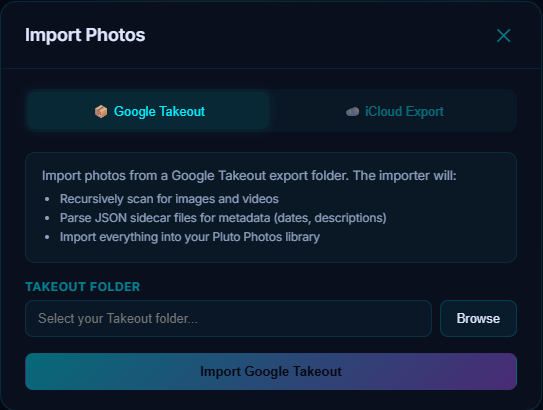
Pluto Photos handles all six sidecar naming shapes, including the current .supplemental-metadata.json names, shortened names and -edited copies. Where a shortened name could match two photos, it records no date instead of guessing. See what the JSON files are for the full list.
Before you run any tool
- Keep the original zips untouched.
- Extract every part into one folder. Large exports are split across several zips.
- Test on one year or album first.
- Check the result. Sort oldest first, and count photos that landed on the current month. A big cluster means the dates were not read.
Dates still wrong afterwards? See why Takeout dates are wrong and the symptom table for missing metadata.
The Takeout importer is part of Pro. The free 30-day Pro trial lets you import one album folder and check the dates before you commit the whole export. Download Pluto Photos.