
The short answer
Google Takeout does not write a photo's date and location into the photo. They sit in a JSON sidecar file beside it. Photos look like they are missing metadata when a tool ignores the sidecar, cannot match it to the photo, or the sidecar has nothing to give. Find your symptom in the table.
Symptoms, causes and fixes
| What you see | Likely cause | Fix |
|---|---|---|
| Every photo has the same date, or the date you unzipped | The importer ignored the sidecars | Import with a tool that reads them. Do not delete the JSON files. |
| Most dates are right, a few hundred are wrong | The sidecar name does not match the photo name (see below) | Use a tool that handles every naming shape |
An edited photo (-edited) has no date | Edited copies have no sidecar of their own | The tool must use the original photo's sidecar |
| No location on some photos | Google had no location for them, so the sidecar has none to give | Nothing to restore. Add the place by hand. |
| The same photo appears several times | A photo in an album shows up in its album folder and its year folder | Run a duplicate finder after import |
| Fewer photos than expected | The export was split across several zips and some were not extracted | Extract every zip into the same folder |
For the date symptoms in detail, see why Takeout dates are wrong.
The sidecar naming problem
Most "a few are wrong" cases come from file names. A tool that only looks for photo.jpg.json misses current exports. Real exports contain:
photo.jpg.supplemental-metadata.json: current exportsphoto.jpg.json: older exportsphoto.json: extension dropped- Shortened names: long names are cut, first into
.supplemental-metadata, then into the name photo(1).jpgwith a sidecar namedphoto.jpg(1).supplemental-metadata.json: the counter movesphoto-edited.jpgwith no sidecar: the suffix changes with your Google language
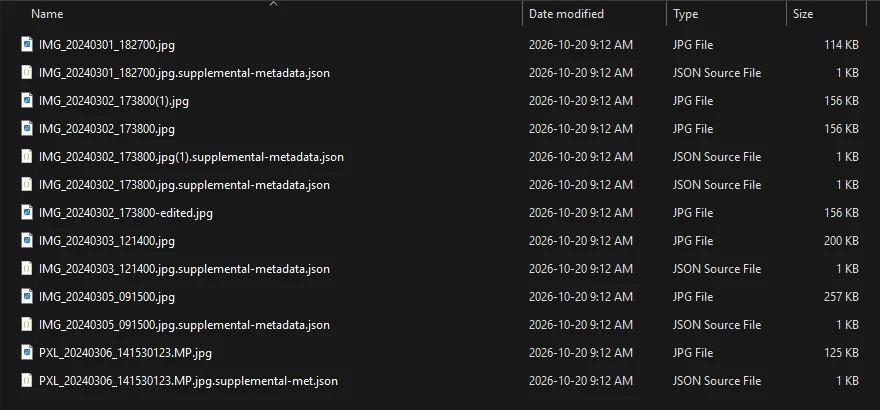
A sample Takeout folder showing each shape. The JSON files are the only place the capture dates exist.
Check your export
- Sort the library oldest first. The first photo should be genuinely old.
- Open a year you remember. The photos in it should belong there.
- Count photos dated to the current month. A large cluster means the sidecars were not read.
Fixing it
Keep your original zips, try one album first, and do not delete the JSON files until the dates look right. For a script, see the Takeout Helper alternatives.
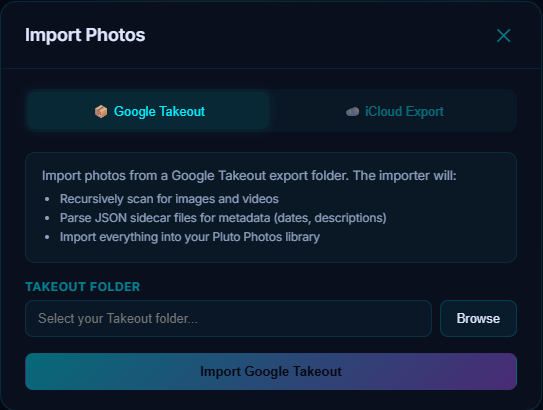
Pluto Photos' Takeout importer reads the sidecars during import, covers all six shapes above, and records no date instead of guessing when a name is ambiguous. It is a Pro feature, and the free 30-day Pro trial lets you import one album folder to check the dates first.
Download Pluto Photos, or read the Google Takeout organizer page.