
Turn Your Photos Into a Promo Video That Looks Made by Hand.
Add your pictures, write a few lines and pick some music. Promo Maker designs a ready-to-post promo for your business, shop or event: vertical, square or widescreen, cut to the beat of the music, with the sound design mixed in. It runs entirely on your own computer, and every word stays editable.
- 4Shapes, exported in one go: 9:16, 4:5, 1:1 and 16:9
- 5Art directions, from calm and editorial to bold and loud
- 6-60 sAny length, with every cut on the beat of the music
- ProIncluded with a Pluto Photos Pro licence
A designed film, not a slideshow
Balanced headlines, springs and masked reveals, a palette built from your brand colour and cuts timed to the music. The type, the motion and the pacing are designed for you.
Your brand colour, found for you
Pluto takes the colour from your pictures, builds a contrast-checked palette from it and keeps your logo, name and website where people will read them.
Cut to the music
Pick one of the included tracks or use your own. Pluto finds the beat and lands each cut on it, then mixes sound effects under the picture. Seven sound sets, and every sound can be swapped.
Every word stays editable
A promo is a brief, not a render. Change a headline, a picture or the look and it redraws at once. Save the project and come back to it next quarter.
One story, every shape
Vertical for Reels, TikTok and Shorts, 4:5 for a portrait post, square for feeds and 16:9 for the web, all from the same story, with safe zones drawn so nothing hides behind a platform button.
Type behind your product
Pluto can cut a product out of its photo so a headline sits behind it, using its on-device cut-out. Nothing is sent anywhere to do it.
Nothing leaves your computer
Layout, beat detection, sound design and video encoding all run on your own processor. No upload, no account, no per-video fee and no watermark.
Start From the Pictures You Already Have
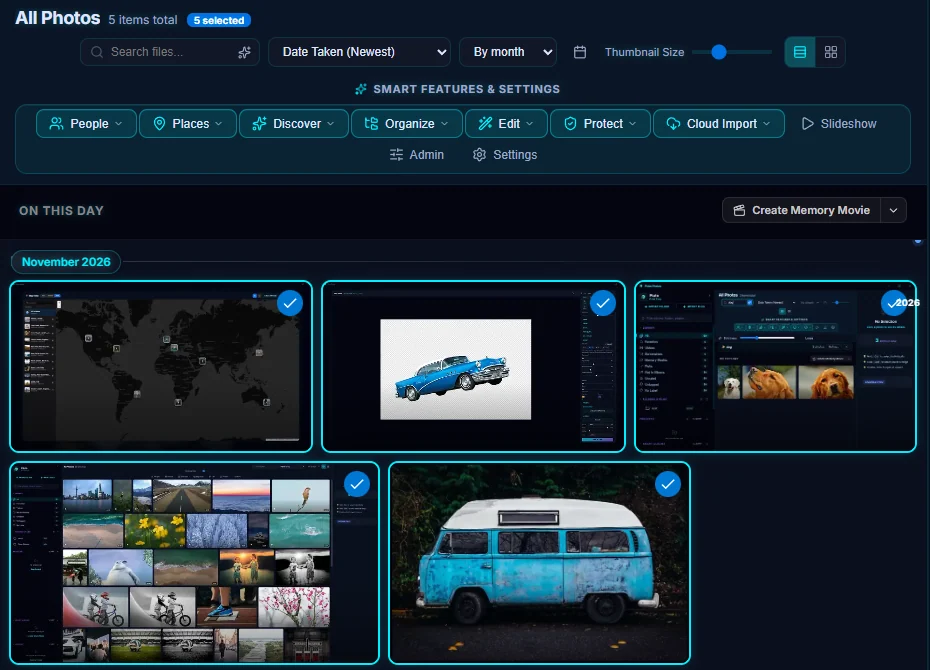
Select four to eight of your best pictures in the library, open the Edit menu and choose Promo Maker. The studio opens with your pictures loaded and a first draft of the story already laid out from them, so there is never a blank timeline to stare at.
It always opens on a clean page: one business's name never carries over into the next promo. A promo you did not finish is offered back at the top of the studio, to continue or discard.
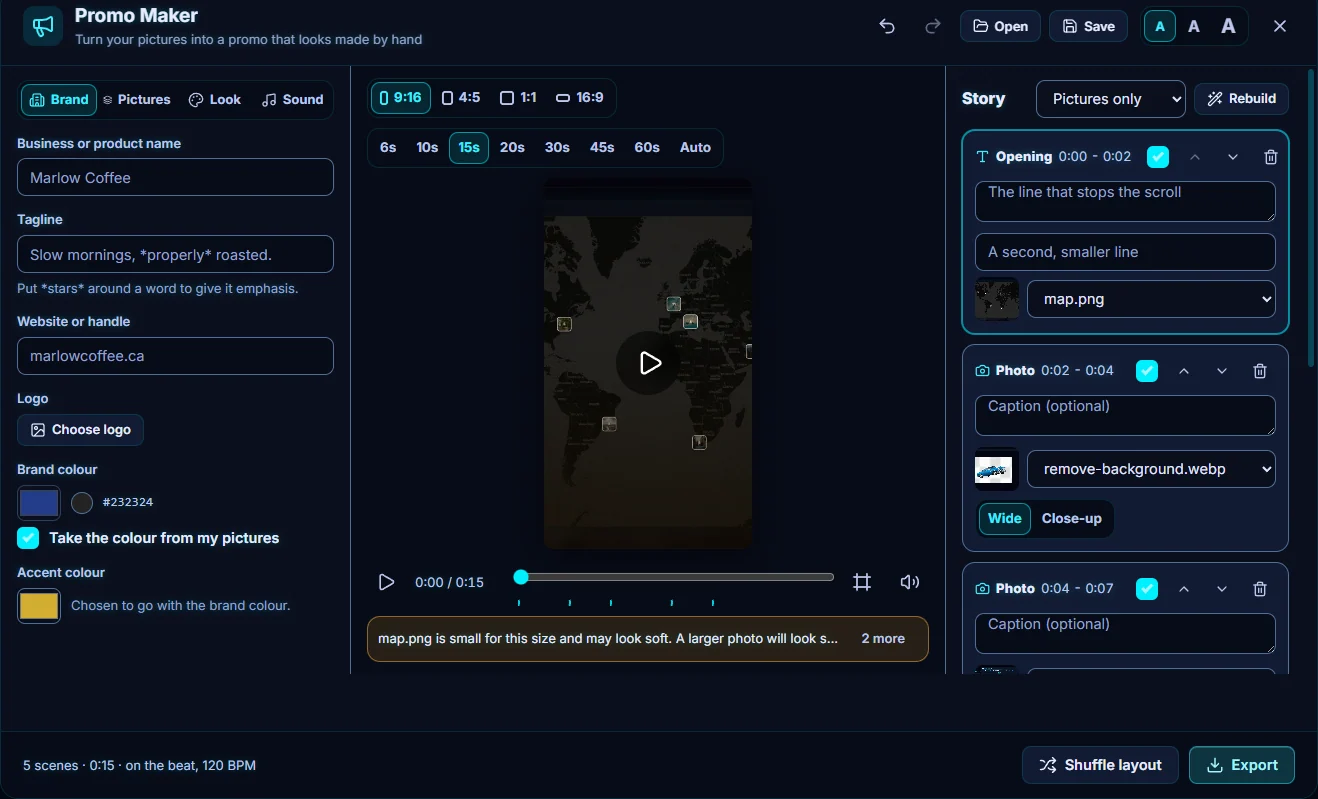
Write a Few Lines. Pluto Does the Design.
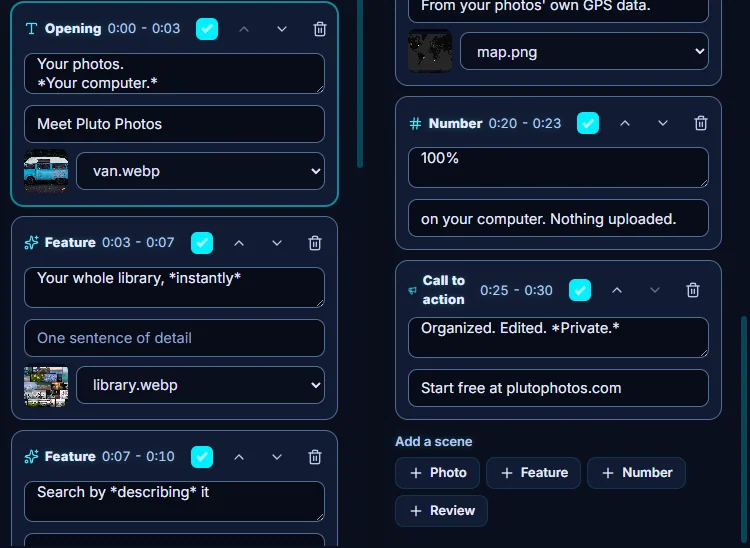
Type your business name, a tagline and your website, and add a logo if you have one. Put stars around a word to give it emphasis. Then fill in the Story: an opening line, a caption for each photo, a feature, a number, a customer's words, and a closing call to action.
Choose a story type, product or app, business or service, event or launch, and the studio lays out the right scenes for you to fill in. A scene you leave empty is simply left out, so there is never sample copy to export by accident.
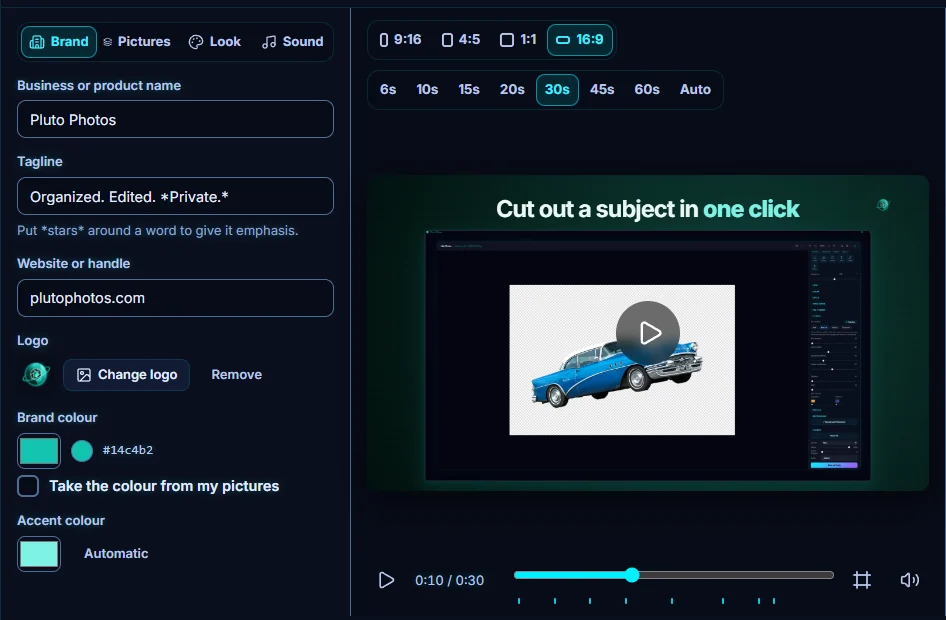
Five Looks, Each a Complete Design
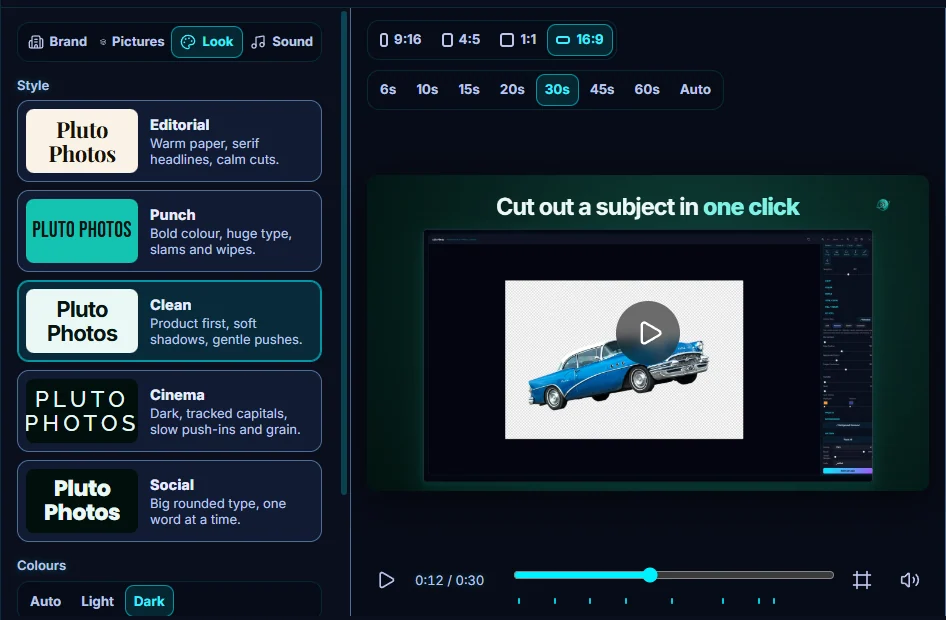
Every style has its own typefaces, motion and transitions, so changing the look changes the whole feel of the film, not just the colours:
- Editorial: warm paper, serif headlines, calm cuts
- Punch: bold colour, huge type, slams and wipes
- Clean: product first, soft shadows, gentle pushes
- Cinema: dark, tracked capitals, slow push-ins and grain
- Social: big rounded type, one word at a time
Each can run light or dark, and Shuffle layout keeps your words and pictures while choosing a different camera move, layout and transition for each scene.
Cut to the Beat, With Sound Design Built In
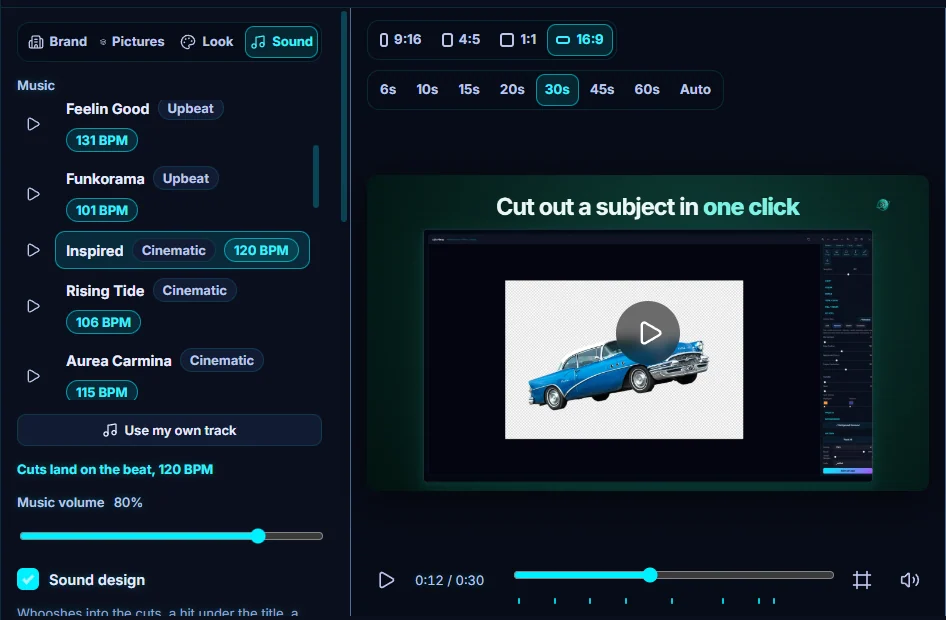
Choose one of the included tracks, or Use my own track. When the music has a steady beat the studio says so and cuts every scene on it. Whooshes lead into the cuts, a sound sits under the title and another lands on the end card, all generated on your computer.
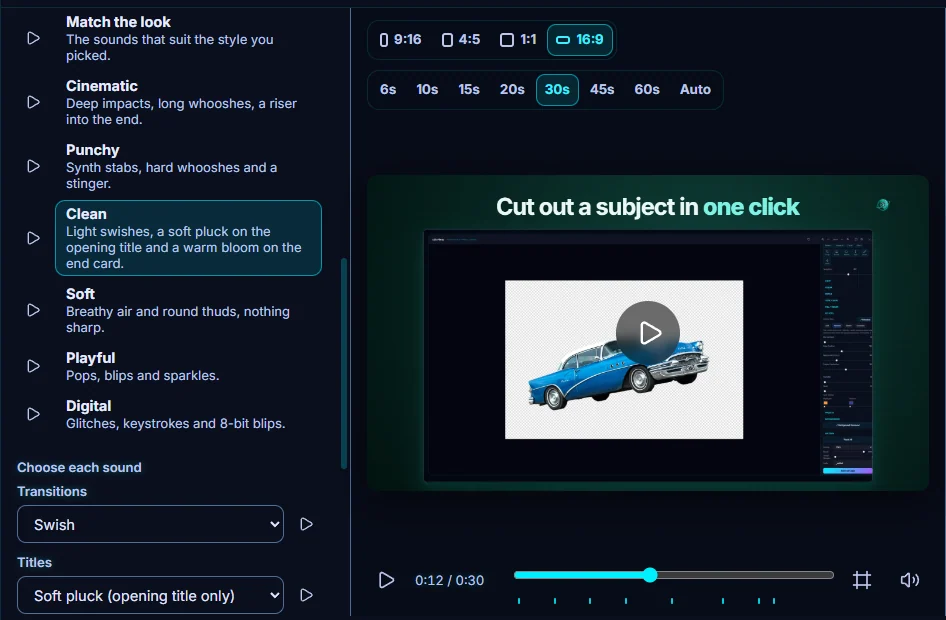
Pick a sound set, Match the look, Cinematic, Punchy, Clean, Soft, Playful or Digital, hear a short demo, then swap any single sound you do not like.
One Story for Every Platform
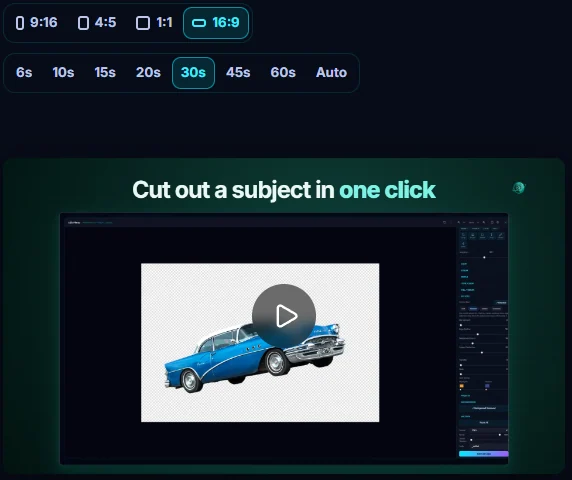
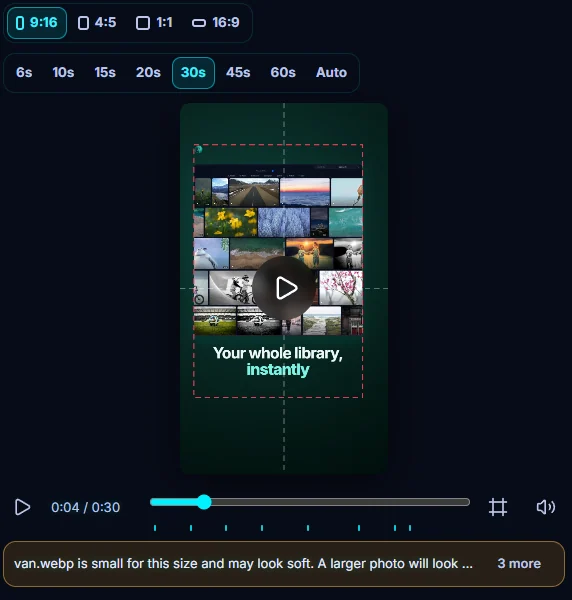
Pick a shape above the preview: 9:16 for Reels, TikTok and Shorts, 4:5 for a portrait post, 1:1 for a square post or 16:9 for a website or YouTube, and a length from 6 to 60 seconds, or Auto to let the story decide. The preview plays the real plan, and the safe zones button draws where each platform covers the picture with its own buttons and captions.
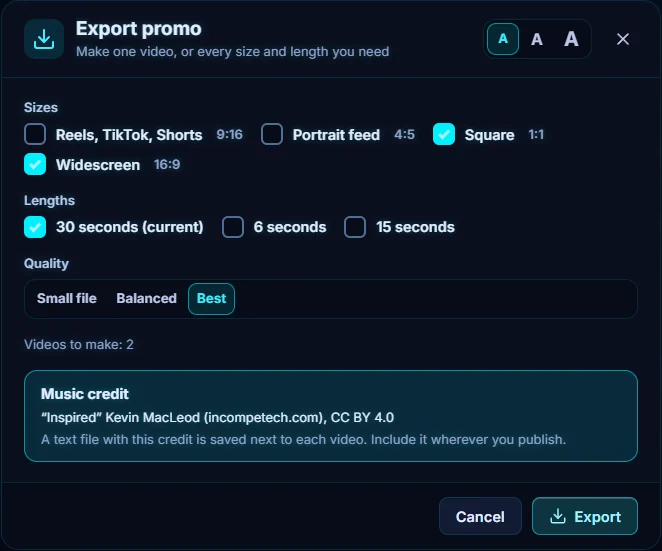
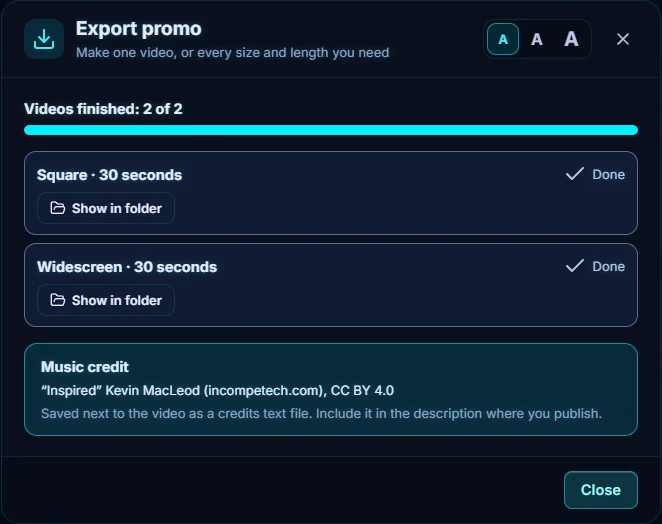
Export several shapes and lengths in one go. Each is planned from the same story, so a headline is never squeezed into a frame it was not designed for.
Export, Post, and Come Back Later
Choose the sizes, the lengths and the quality, and Pluto renders them across your processor cores, showing progress and a time estimate for the whole batch. You get an MP4 (H.264 video with AAC sound) for each, plus a small text file with the music credit.
Save writes a .plutopromo file holding your brand, pictures, words, look and music, so next quarter you can change a price or a photo and export again in minutes.
Add a Voice-Over, Made on Your Computer
Turn on the Voice tab and a narrator reads your video. Choose from seven English voices, press play on each to hear it, then let Pluto read the words on screen or write your own script for each scene. The scenes stretch to give every line room to breathe, and the music dips under the voice and comes back up after it.
- Hear a line, and ask for another take if one word comes out wrong
- Pace and level are yours to set, and a "say it like" list teaches it how to pronounce your brand name
- Made-up voices: they are generated on your computer and are not modelled on any real person
- A one-time download of about 500 MB installs the voices; after that it works without the internet, like everything else in Promo Maker
- English only for now
Runs Entirely on Your Computer
Promo Maker does not need the internet to make a video. The layout, the sound effects, the beat detection and the video encoding all happen on your own machine, with the typefaces and everything else it needs built in. The only downloads are the optional voice-over voices and, for cut-outs, the background-removal model, each fetched once.
- No upload, no account and no watermark on what you export
- The included music is free to use: 20 tracks were composed for Pluto Photos and need no credit, and the other included tracks are free to use commercially with a credit (CC BY 4.0) that Pluto saves in a text file beside each video. Or bring your own track
- The typefaces are open-licence fonts you can use in any ad
- Pictures and screenshots go in (JPEG, PNG, WebP, HEIC and similar); video clips are not supported yet
Frequently Asked Questions
Does Promo Maker upload my pictures?
No. The layout, the sound effects, the beat detection, the voice-over and the video encoding all happen on your computer. Nothing you make is sent anywhere.
Can Promo Maker read my video aloud?
Yes. The Voice tab has seven English voices made on your computer. Choose one, let it read the words on screen or write your own script, and the music dips under it. The voices are a one-time download of about 500 MB, and they are English only for now.
Does it add a watermark?
No. What you export is your video, with no Pluto Photos watermark or end card unless you write one yourself.
Can I use the music that comes with it in an ad?
Yes. The 20 tracks composed for Pluto Photos are free to use anywhere, with no credit. The other included tracks are free to use commercially under a Creative Commons Attribution licence (CC BY 4.0), so they need a credit: it is saved in a text file next to each video, and it should go in the description wherever you publish. You can also use your own track.
What size are the videos I get?
An MP4 at 1920 x 1080 for widescreen, 1080 x 1920 for vertical, 1080 x 1080 for square or 1080 x 1350 for a 4:5 portrait post. Set a length between 6 and 60 seconds, or choose Auto and the video is as long as your story needs.
Is Promo Maker free?
It is part of Pluto Photos Pro (one-time $29, no subscription). The free download includes a 30-day trial of every Pro feature, so you can make a promo before you decide.
Tutorials
Try Promo Maker in Pluto Photos
Download free for Windows, macOS, or Linux. Promo Maker is available in the Pro tier.