
How to Create a New Image at a Preset Size (YouTube, Instagram, Print)
Choose File > New Document, pick a preset such as YouTube Thumbnail (1280×720) or Instagram Post (1080×1080), choose a background and click Create. Then place images and add text.
Requires Pluto Photos Pro (one-time $29, no subscription). The free download includes a 30-day trial of every Pro feature.
#1. Open File > New Document
In the editor choose File > New Document… or press Ctrl+N. The New Document dialog opens.
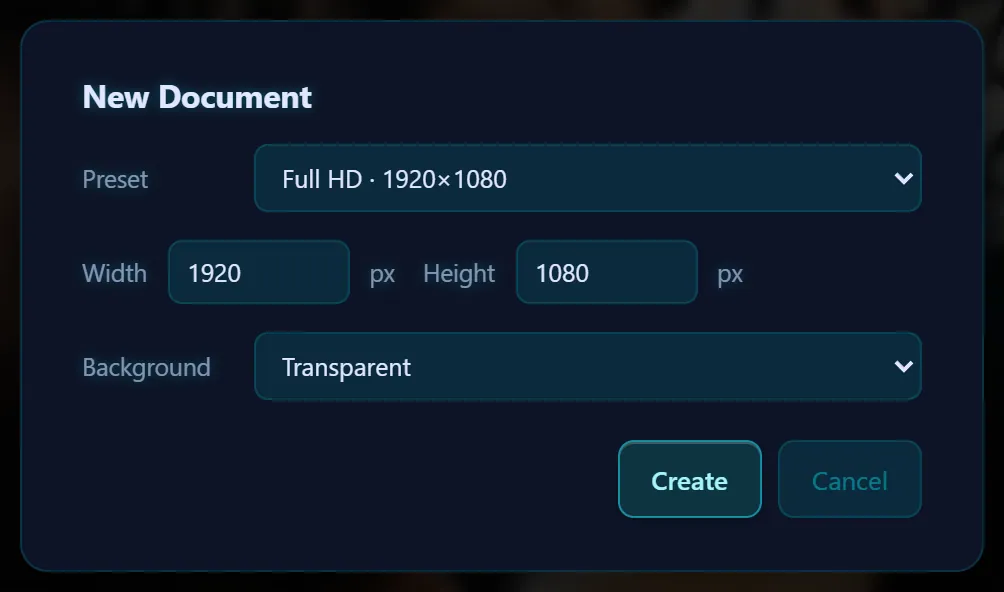
#2. Choose a preset
The Preset menu has Full HD (1920×1080), 4K UHD (3840×2160), Instagram Post (1080×1080), Instagram Portrait (1080×1350), Story / Reel (1080×1920), YouTube Thumbnail (1280×720), X / Twitter Header (1500×500), A4 at 300 dpi (2480×3508), US Letter at 300 dpi (2550×3300), and 4×6″, 5×7″ and 8×10″ prints at 300 dpi. Choose Custom size to type your own width and height.
#3. Choose a background and click Create
Pick Transparent, White, Black or a Custom color for the background, then click Create. The new document opens in its own tab, so your other photo stays open.
#4. Add your content
Use File > Place Image… to bring in a photo as a layer, paste a cutout, and add text. When you're done, save a PNG or JPEG from the Export tab.
#Tips
- Use the preset for the platform you're posting to, so nothing gets cropped or stretched on upload.
- A transparent background is handy for logos and stickers. Export as PNG to keep it.
- To open a pasted screenshot, use File > New from Clipboard (Ctrl+Shift+V).
#Questions
- What size is a YouTube thumbnail?
- The YouTube Thumbnail preset is 1280×720 pixels.
- What size should an Instagram post be?
- The Instagram Post preset is 1080×1080 and Instagram Portrait is 1080×1350. Story / Reel is 1080×1920.
- Can I open a screenshot straight into the editor?
- Yes. Copy it, then choose File > New from Clipboard (Ctrl+Shift+V).
About the photo editor · Pricing · Download Pluto Photos · Contact support