
How to Use Tone Curves to Add Contrast and Fix Color
In the Color tab, find Tone Curve. Click the diagonal line to add a point, drag the shadows down and the highlights up for an S-curve, and switch to R, G or B to adjust one color channel.
Requires Pluto Photos Pro (one-time $29, no subscription). The free download includes a 30-day trial of every Pro feature.
#1. Find the Tone Curve
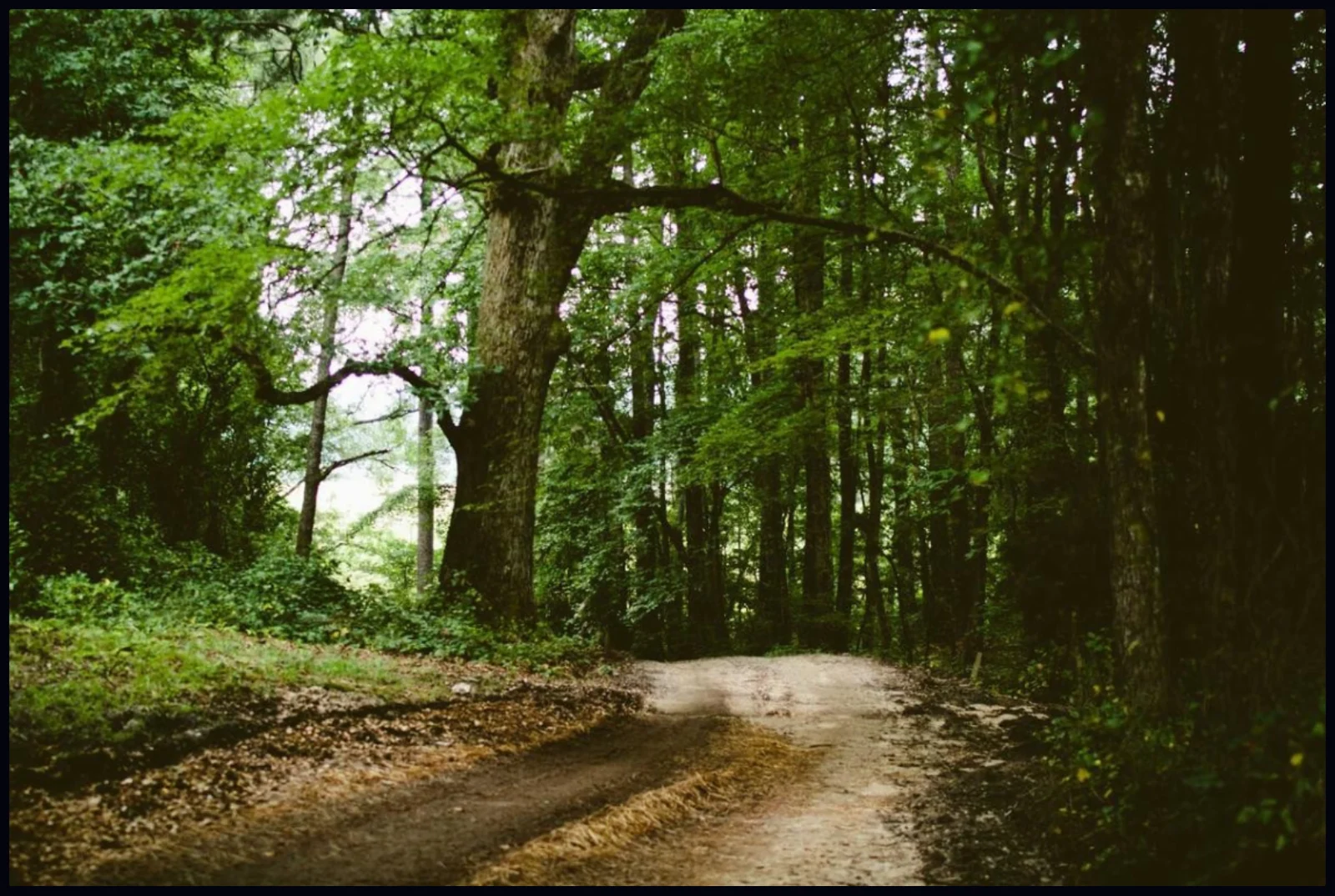
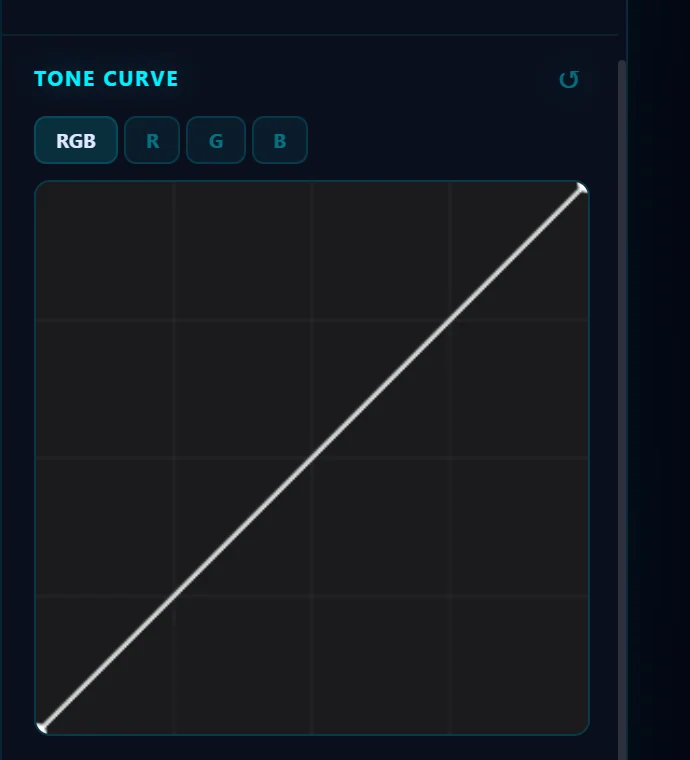
Open the Color tab. Tone Curve is the graph under the color sliders. The horizontal axis runs from dark (left) to bright (right) in the original, and the vertical axis shows the result. A straight diagonal means no change. This forest photo looks flat.
#2. Pick a channel
The buttons above the graph are RGB (all colors together), R, G and B. Start with RGB to change overall brightness and contrast.
#3. Shape an S-curve
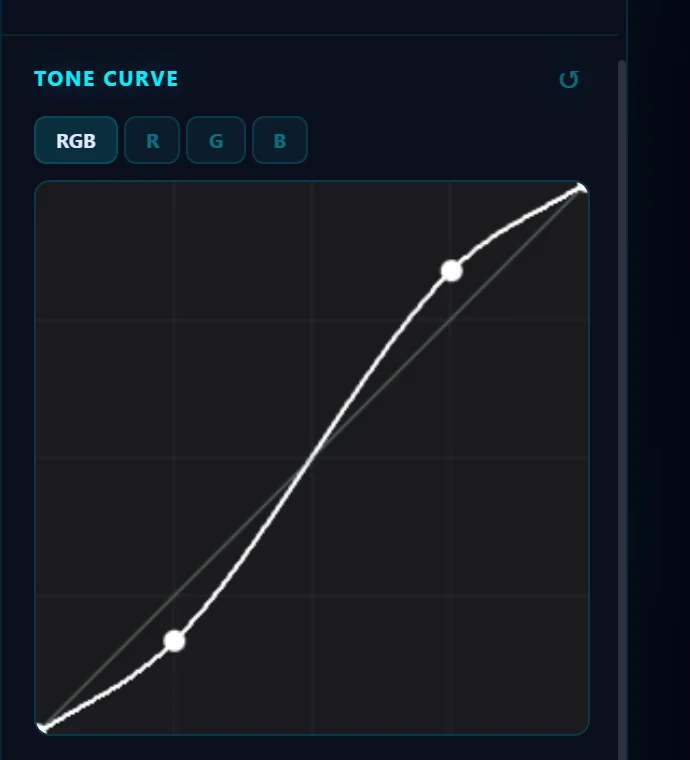
Click the line about a quarter of the way along and drag the point down to darken the shadows. Click about three quarters of the way along and drag up to brighten the highlights. The line bends into a gentle S, which adds contrast. Click the ↺ beside the heading to reset the curve.
#4. Check the result
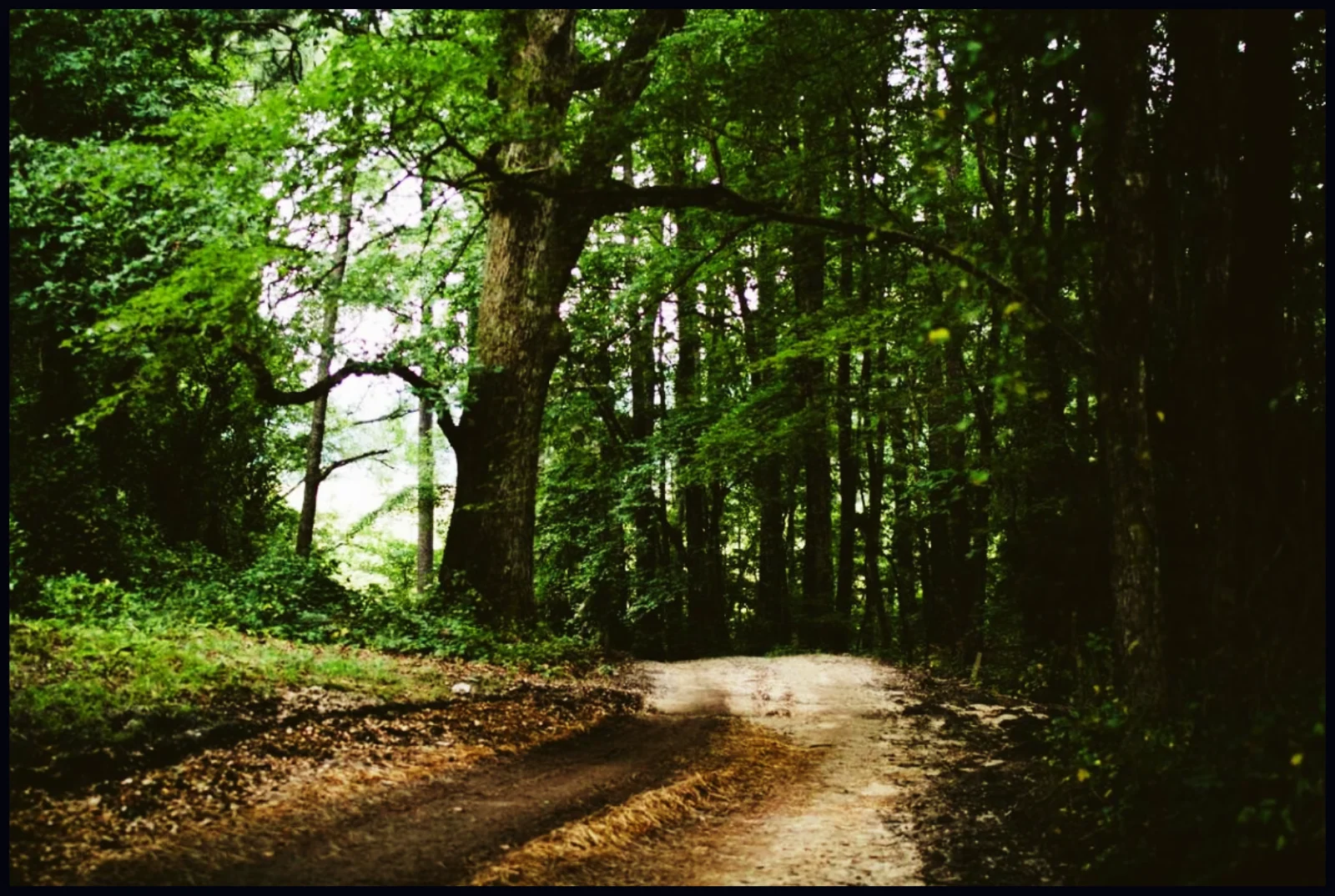
The shadows are deeper and the lit path is brighter. Switch to R, G or B to adjust a single color. Raising the blue curve in the shadows cools them, and lowering it warms them.
#Tips
- Move the points a little at a time. A few pixels on the graph make a visible difference.
- Keep an eye on the histogram at the top right so you don't lose detail at either end.
- A curve works on the whole photo. To change only part of it, use a selection or an adjustment layer.
#Questions
- What is an S-curve?
- It is a curve that darkens the shadows and brightens the highlights, which increases contrast while keeping the midtones natural.
- What is the difference between the RGB curve and the R, G and B curves?
- RGB changes brightness and contrast overall. R, G and B change one color channel, which shifts the color balance.
About the photo editor · Pricing · Download Pluto Photos · Contact support