
How to Make a Profile Picture: Square Crop and Round PNG
Crop to 1:1 and apply. Most sites round the picture for you, so a square file is usually enough. If you need a circle, make an Ellipse selection, invert it, Delete Selection and save as PNG so the corners stay transparent.
Requires Pluto Photos Pro (one-time $29, no subscription). The free download includes a 30-day trial of every Pro feature.
#1. Crop the photo to a square
Open a portrait, press C and choose 1:1 from the Crop ratio menu. Drag the frame so the face sits in the middle with a little room around the head, then click Apply Crop.
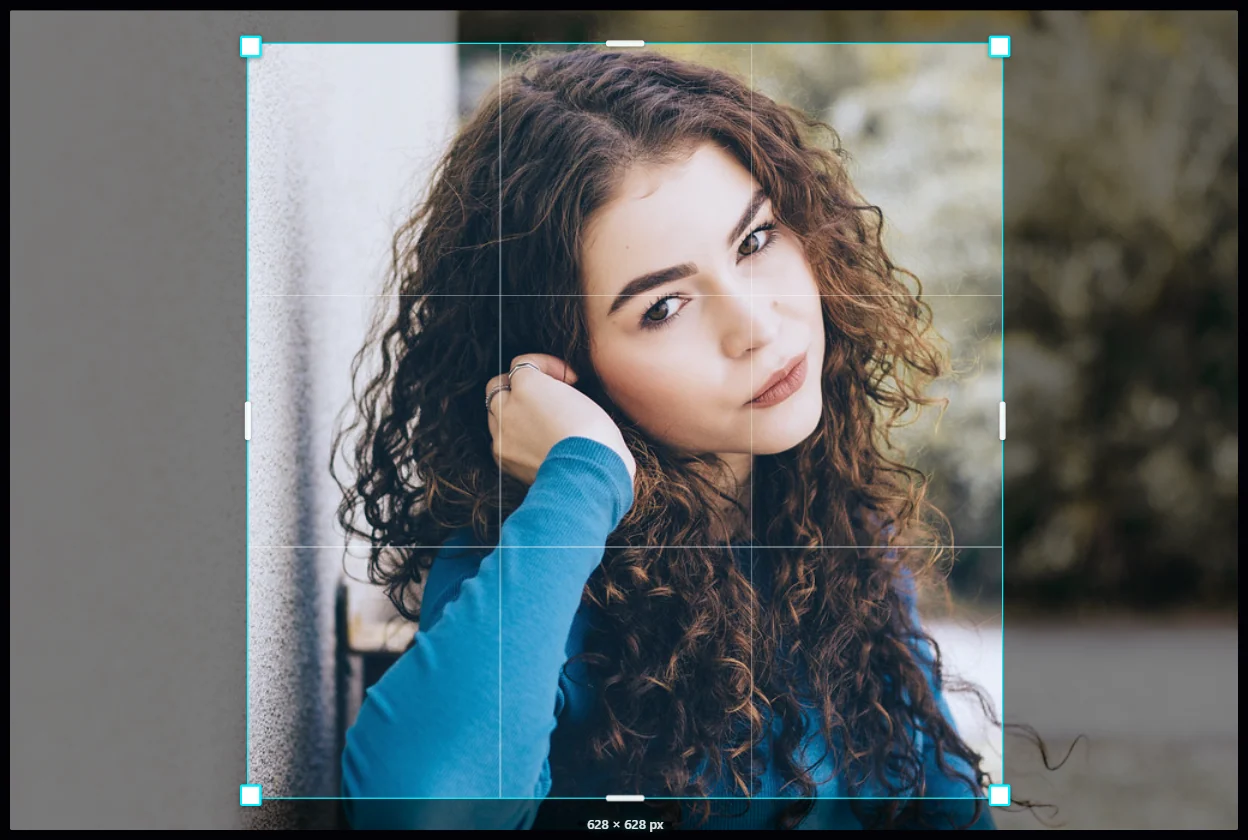
#2. Stop here if the site rounds it for you
Most social sites and apps cut your picture into a circle themselves, so the square file from this step is what they want. Save with Save as Copy and upload it. Carry on only if you need a circular image, for a document or a design for example.
#3. Draw a circle with the Ellipse selection
Hover over the Select tool and choose Ellipse from the Selection shape menu. Drag from one corner of the square to the opposite corner. You get a circle when the width and height are equal.

#4. Invert the selection and delete the corners
Choose Edit > Invert (Ctrl+Shift+I) so the corners are selected, then click Delete Selection in the options bar. The corners become transparent, shown as a checkerboard. Choose Edit > Clear to remove the selection.
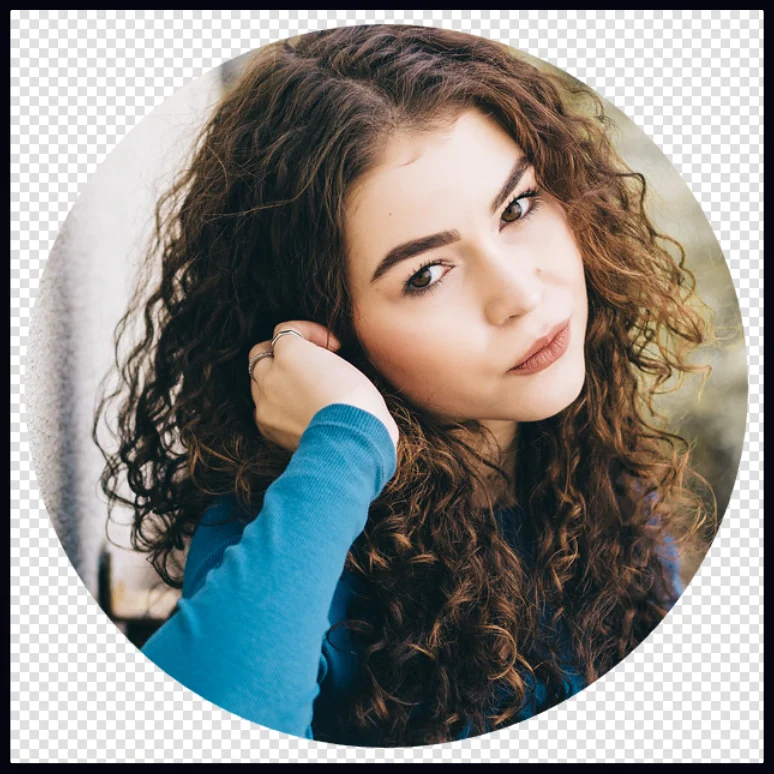
#5. Save as PNG
In the Export tab, set Format to PNG, then click Save as Copy. A JPEG can't hold transparency, so it would fill the corners with a color.
#Tips
- A circle cuts off the corners, so keep the face away from the edges.
- For a plain background, remove the background first and put a color behind the person.
#Questions
- What size should a profile picture be?
- Square, and at least a few hundred pixels across. Each site publishes its own minimum, which changes over time.
- Why does my round picture have white corners?
- It was saved as a JPEG. Save as PNG to keep the corners transparent.
About the photo editor · Pricing · Download Pluto Photos · Contact support