
How to Hide House Numbers, License Plates and Signs in a Photo
Hover over the Blur Brush (Q) and choose Blur or Pixelate, set a brush size and a high strength, and paint over the plate, number or sign in several passes. Faces have their own one-click tool.
Requires Pluto Photos Pro (one-time $29, no subscription). The free download includes a 30-day trial of every Pro feature.
#1. Find what gives your location away
Look at the whole photo, not just the subject. In this example a house number and a street name sign are both readable. (They're made-up test text, not a real address.)

#2. Choose the Blur Brush
Hover over the Blur Brush (Q) in the toolbar to open the Blur or Pixelate menu. Blur softens, and Pixelate turns the area into blocks.
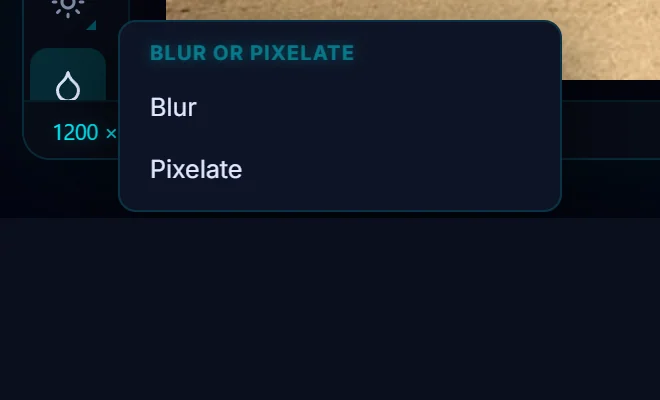
#3. Set a big brush and a high strength
The options bar has Brush Size, Hardness and Strength. Use a brush a little larger than the text and a high strength. The tip in the bar says repeated passes get stronger.

#4. Paint over it several times
Paint over the text with overlapping strokes. Each stroke is added to History. Keep going until the characters can't be read, then zoom in to 100% to check. For stronger protection, use Pixelate.

#5. Check the whole photo and save
Look for anything else that's readable, like a second plate or a name on a mailbox. Then click Save as Copy. The copy carries no location data by default.

#Tips
- Software can sometimes undo a light blur, so go heavy or use Pixelate for anything sensitive.
- For people, the Safe Share face tool finds every face in one click.
- A solid black box is the safest option. Fill a selection with a solid color if you need to be certain.
#Questions
- How do I blur a license plate in a photo?
- Use the Blur Brush (Q) with a high strength and paint over the plate in several passes, then check it at 100% zoom.
- Is blurring enough to hide text?
- A heavy blur or Pixelate makes ordinary text unreadable. For anything sensitive, cover it with a solid fill.
About the photo editor · Pricing · Download Pluto Photos · Contact support