
How to Stabilize Shaky Video
Select the clip, open the Motion tab and raise Stabilize. The preview shows the effect live. Choose Standard or Rolling Shutter Safe mode and use Wobble Crop and Jello Repair if needed. The final export runs a fuller two-pass analysis.
Requires Pluto Photos Pro (one-time $29, no subscription). The free download includes a 30-day trial of every Pro feature.
#1. Select the shaky clip and open the Motion tab
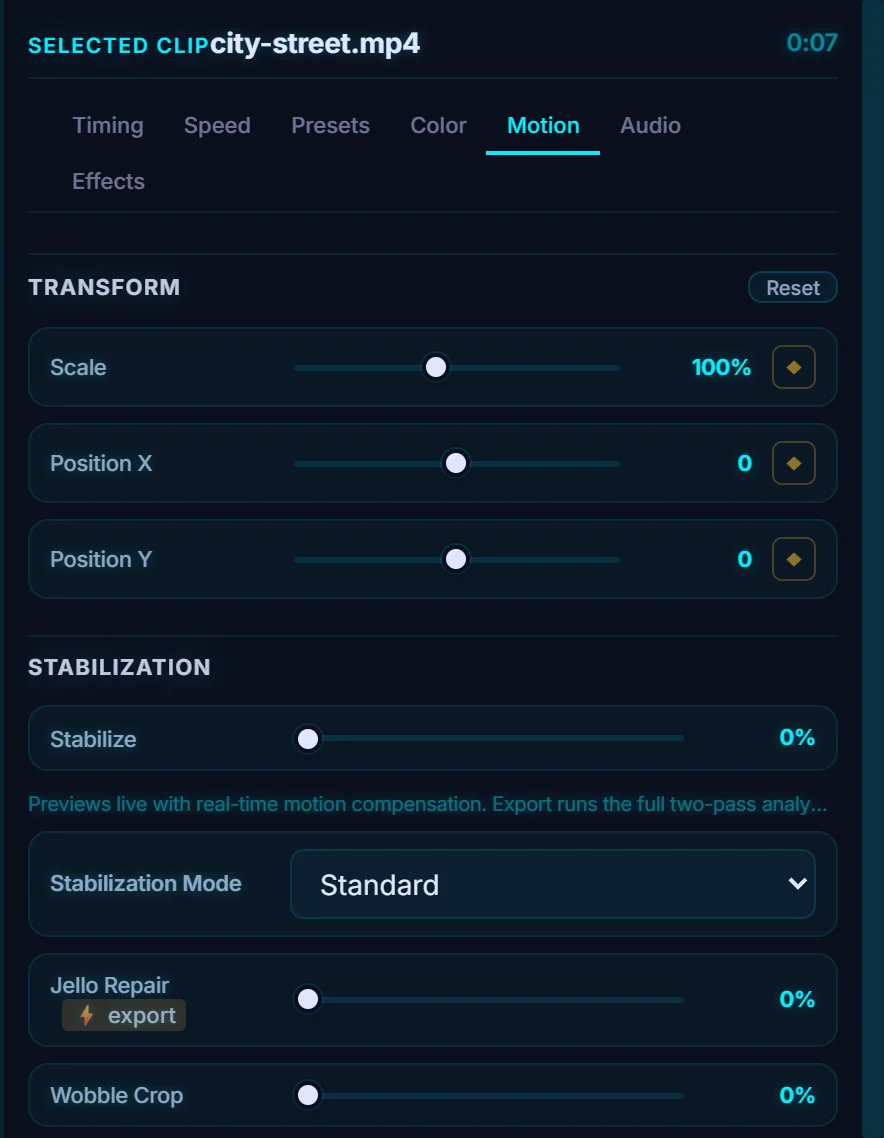
Click the clip on the timeline and open the Motion tab. This handheld clip of a busy street is a good candidate. The tab has Transform (Scale, Position X, Position Y) at the top and Stabilization below it.
#2. Raise Stabilize
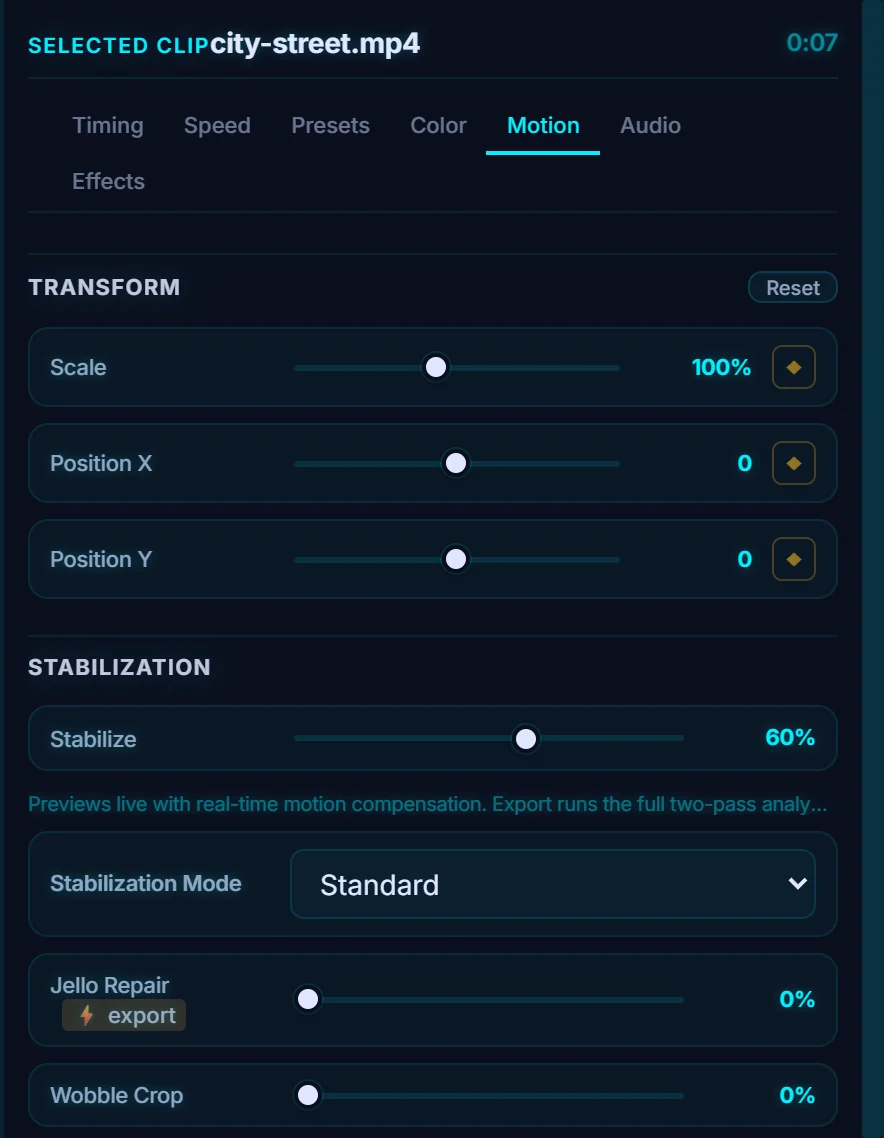
Drag Stabilize up from 0%. Around 60% is a strong setting. The note under the slider says: Previews live with real-time motion compensation. Export runs the full two-pass analysis for the final result. The picture is cropped in slightly to make room for the correction.
#3. Choose the mode and fix wobble
Stabilization Mode is Standard or Rolling Shutter Safe. Use the second one for phone footage that bends or wobbles when the camera moves. Jello Repair (applied at export) deals with that wobble directly, and Wobble Crop crops in a little further to hide any edge movement that's left.
#4. Or use Mobile Cleanup
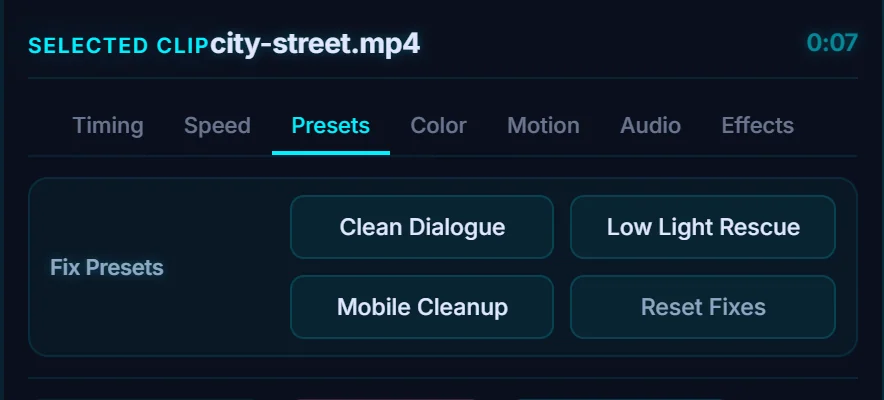
On the Presets tab, Fix Presets has Clean Dialogue, Low Light Rescue and Mobile Cleanup. Mobile Cleanup is a one-click combination aimed at shaky phone footage. Reset Fixes removes them.
#Tips
- Stabilization smooths small shake. A very bumpy clip will still look bumpy.
- Expect a slight crop. The more stabilization you add, the more it crops.
- Export to check the result, because the final export runs the two-pass analysis.
#Questions
- Can the editor stabilize phone footage?
- Yes. Use the Stabilize slider in the Motion tab, switch to Rolling Shutter Safe mode and try Jello Repair, or use the Mobile Cleanup preset.
- Does stabilizing reduce the frame size?
- It crops in slightly, because the picture is shifted to cancel shake, and the crop grows with the amount.
About the video editor · Pricing · Download Pluto Photos · Contact support