
How to Select Many Photos and Batch Rate, Tag, Rename and Export
Ctrl-click photos to pick them one by one, Shift-click to select a range, then click Batch Operations to set a rating or label, add a tag, copy to an album, rename or export them all together.
Requires Pluto Photos Pro (one-time $29, no subscription). The free download includes a 30-day trial of every Pro feature.
#1. Select the photos
Hold Ctrl and click photos to select them one at a time, or click one, hold Shift and click another to select the whole range between them. The panel on the right shows how many are selected (4 here).

#2. Open Batch Operations
Click Batch Operations in the panel. One dialog covers everything you can do to the whole selection: Set Rating, Set Color Label, Add Tag to All, Copy to Album, Rename Files and Export.
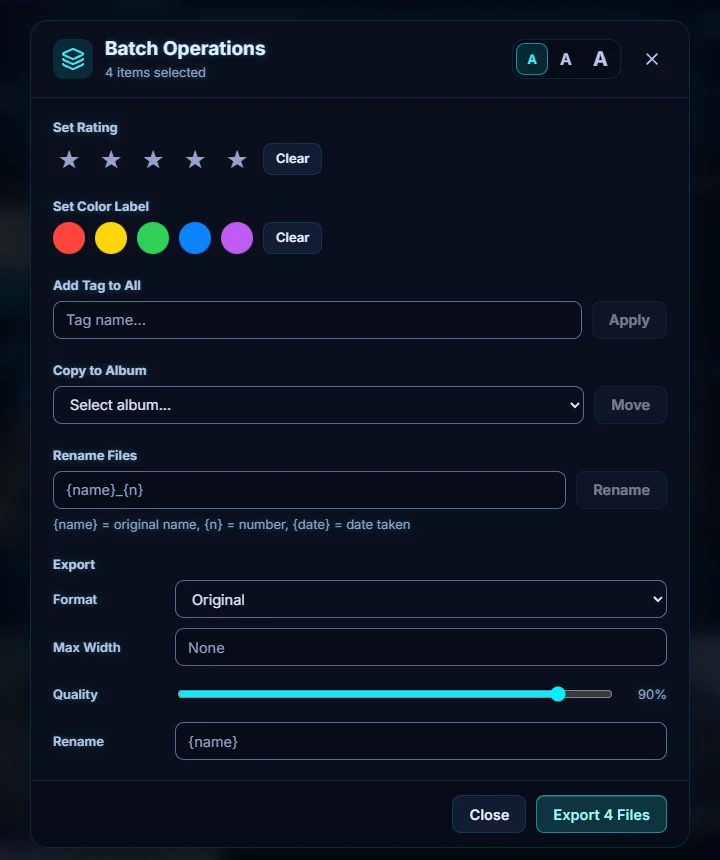
#3. Add a tag to all of them
Type a tag in Add Tag to All and click Apply. A message confirms it, here: Tag "pets" added to 4 items.
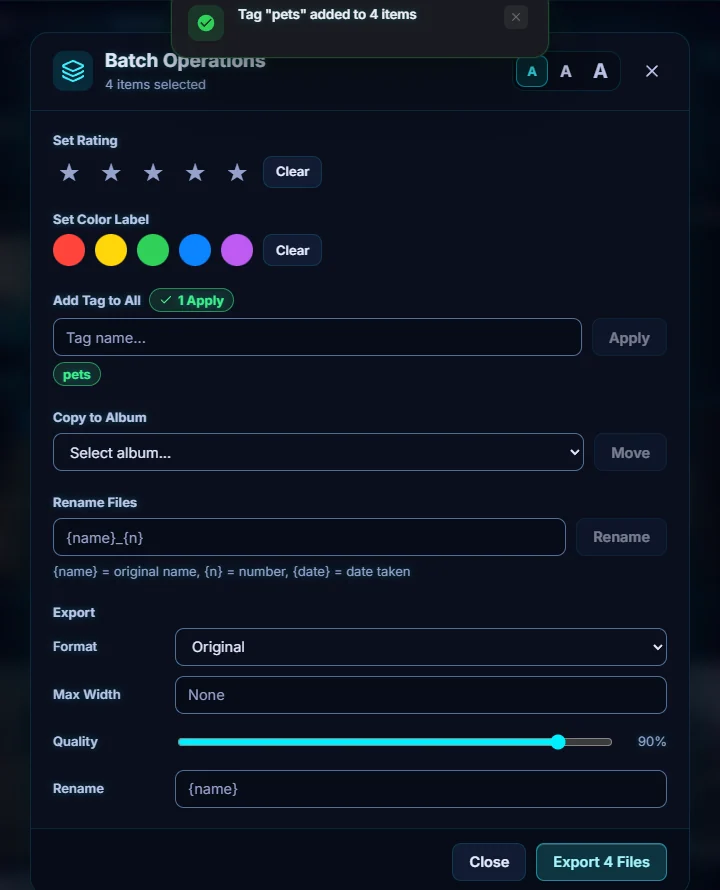
#4. Rate, label or file them in one click each
The stars and color dots apply to every selected photo, and Clear removes them. Copy to Album with Move adds the selection to an album you choose.
#5. Rename or export the whole set
In Rename Files, use a pattern. {name} is the original name, {n} is a number and {date} is the date taken, for example {name}_{n}. Under Export, choose a Format, a Max Width, the Quality (90% by default) and a name, then click Export 4 Files.
#Tips
- Do the tagging and rating first, then export. Exporting from the same dialog keeps the whole job in one place.
- Set Max Width to shrink a whole set for the web in one go.
- Delete from Disk in the selection panel moves files to Recently Deleted, where you have 30 days to change your mind.
#Questions
- How do I select all photos?
- Click the first photo, then hold Shift and click the last to select everything between them. Ctrl-click adds or removes single photos.
- Can I batch rename photos?
- Yes. Use Rename Files in Batch Operations with a pattern such as {name}_{n}, where {name} is the original name, {n} is a number and {date} is the date taken.
About the photo organizer · Pricing · Download Pluto Photos · Contact support