
How to Back Up a Photo Folder Automatically With Folder Replication
Open Protect, then Folder Replication. Choose a source folder, pick a destination on a different drive with Browse, click Add Rule, then Sync Now or turn on Auto Sync.
Requires Pluto Photos Pro (one-time $29, no subscription). The free download includes a 30-day trial of every Pro feature.
#1. Open Folder Replication
Open the Protect menu and choose Folder Replication. The dialog explains that it mirrors a source folder to a destination on a separate drive.
#2. Choose the source and destination
Under Add Rule, pick the Source Folder from the list of folders in your library. Next to Destination Path, click Browse... and choose the folder to back up into. Pick a destination on a different physical drive. If both look like the same drive, a warning tells you that isn't a real backup.
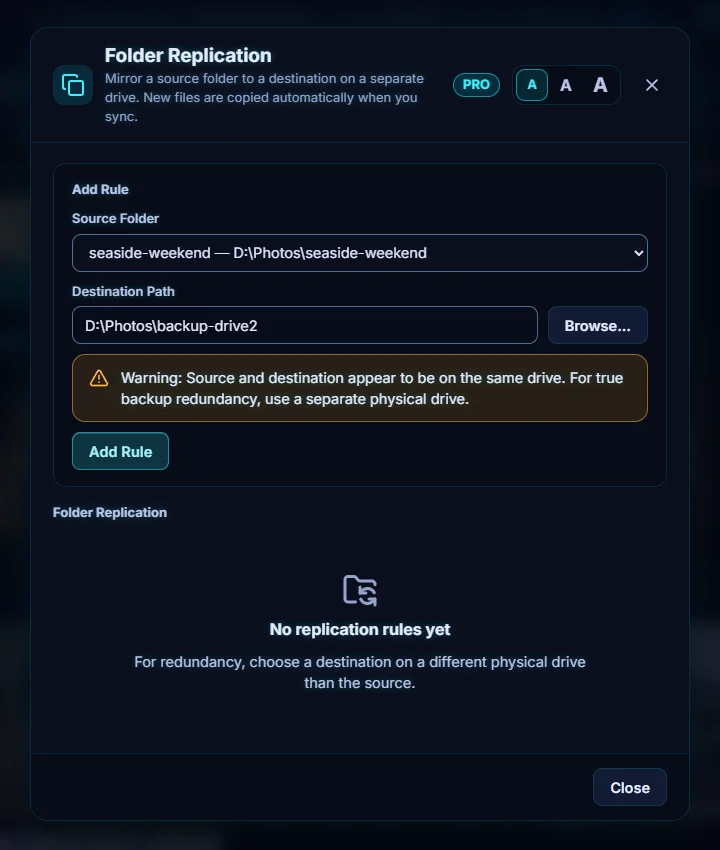
#3. Click Add Rule, then Sync Now
Click Add Rule. The rule appears with its From and To paths. Click Sync Now to copy the folder. Afterwards it shows when it last synced and how many files were copied. Here it says 5 file(s) copied for the five photos, and all five files were in the destination folder.
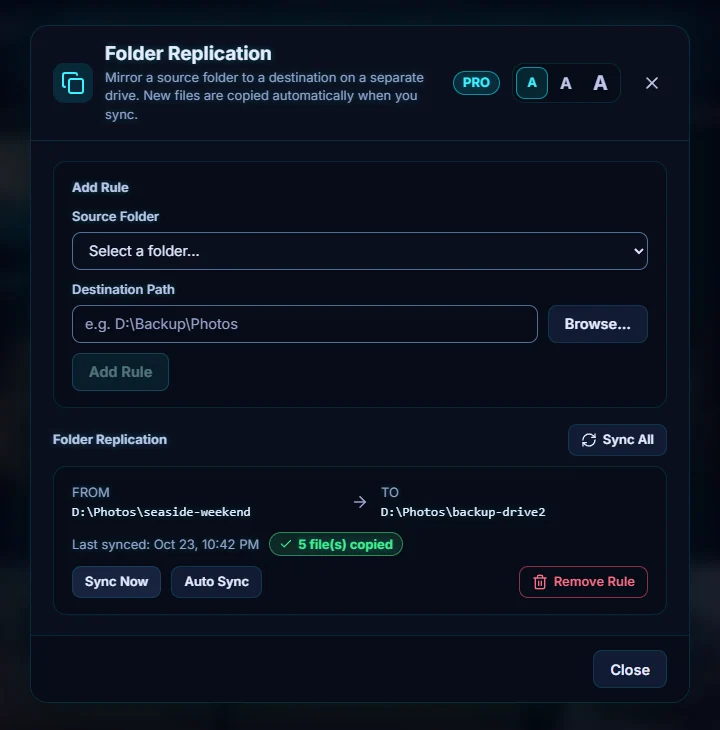
#4. Turn on Auto Sync
Click Auto Sync on the rule. Its label then says auto sync is on and checks every 60 seconds, so new photos are copied without you doing anything. Sync All runs every rule at once. Remove Rule deletes a rule, and the files it already copied stay where they are.
#Tips
- The second drive is the point. A copy on the same drive disappears with it. Aim for a copy on another drive and, ideally, one off-site.
- The destination has to be connected when a sync runs, so plug in the external drive first.
- Replication copies new files. It isn't an undo for deleted photos, so keep Recently Deleted in mind too.
#Questions
- Does Folder Replication need an internet connection?
- No. It copies between two folders on your own computer or drives.
- How often does Auto Sync run?
- When switched on, it checks every 60 seconds.
About the photo organizer · Pricing · Download Pluto Photos · Contact support