
How to Create a Smart Album With Rules
Open Organize, then Smart Albums. Name the album, choose a rule such as Has Faces, add more with Add Rule, choose Match ALL or ANY, check the preview and click Create.
Requires Pluto Photos Pro (one-time $29, no subscription). The free download includes a 30-day trial of every Pro feature.
#1. Open Create Smart Album
Open the Organize menu and choose Smart Albums. The dialog starts with a name box, an icon picker and one rule, Rating ≥ 3 ★, with a live count underneath (here 0 matching photos).
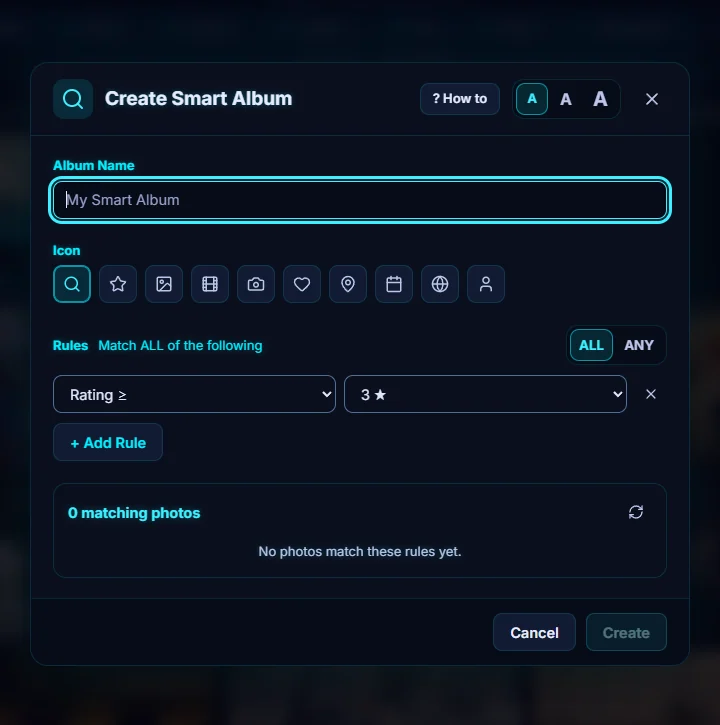
#2. Name it and pick a first rule
Type a name, choose an icon, then change the rule. There are 30 rules, including Rating ≥ / ≤ / =, Unrated, Color Label, Favorite, Pick / Reject Flag, Has Tag, Name Contains, File Type, Orientation, Date After / Before, Camera Model, Lens Model, ISO, Aperture, Has Faces, Pet, Has Location and Context Contains. Choose Has Faces and pick a person.
#3. Add a second rule
Click + Add Rule and add Orientation with Landscape. ALL requires every rule to match, and ANY accepts photos that match at least one. The preview under the rules shows how many photos match, and the first few.
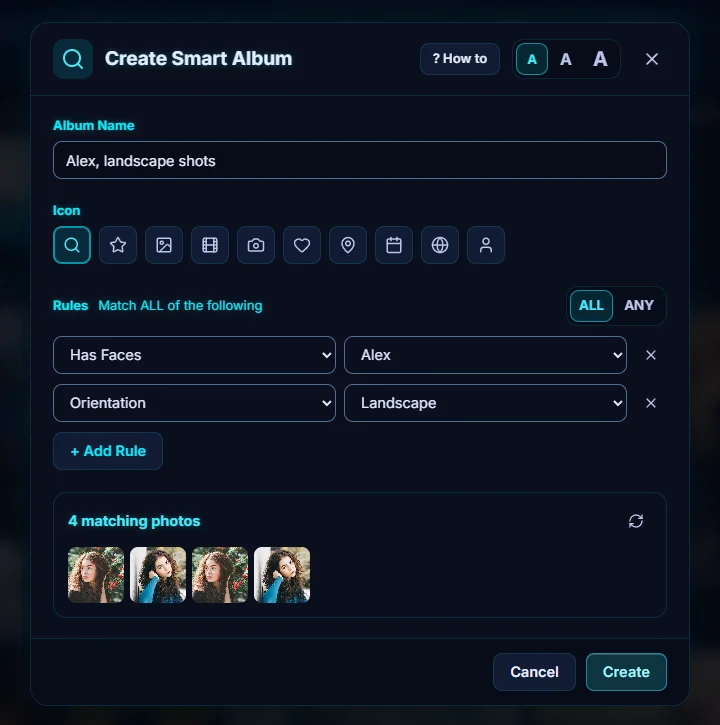
#4. Create it
Click Create. The album appears under Smart Albums in the sidebar.
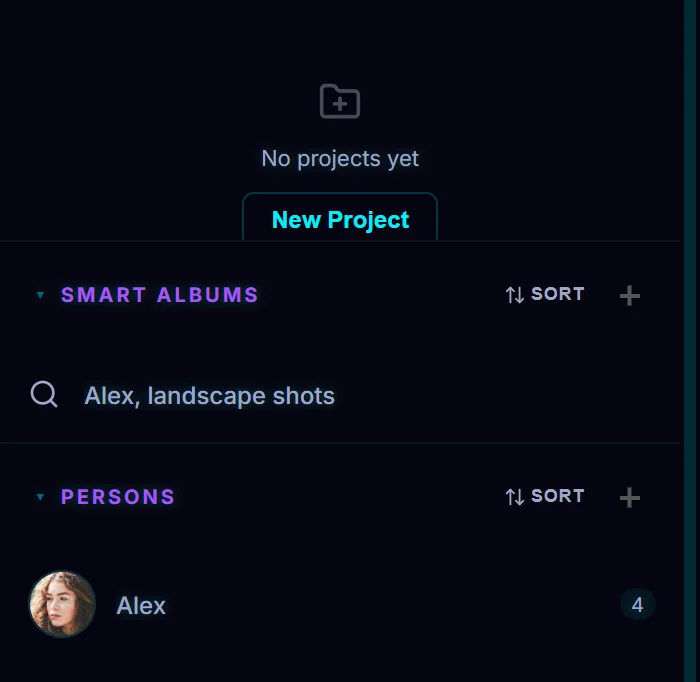
#5. Open it
Click the album to see its photos. The header reads Smart Album: and the name, with the number of items. A smart album is a set of rules, so it doesn't hold copies of your photos. In the details panel, the Remove from Smart Album button takes a photo out of it.
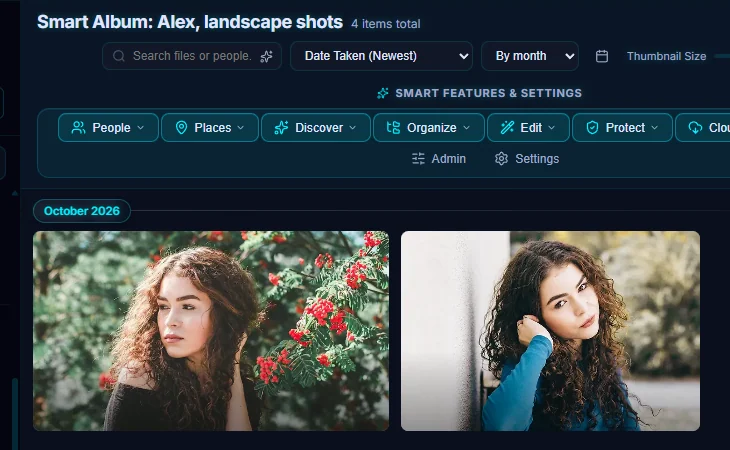
#Tips
- Right-click a photo and choose Pin to Smart Album to add it to one by hand.
- A search can become an album. Use Save search as Smart Album.
- Some ideas: rating ≥ 4 for your best photos, Camera Model for one camera body, Date After and Before for a trip, and Has Location for photos that can go on the map.
#Questions
- What is the difference between a smart album and an album?
- A smart album is a set of rules, so its photos come from your library and match the rules. An ordinary album is a list you fill in yourself.
- What does Match ALL or ANY mean?
- ALL means a photo must match every rule. ANY means a photo that matches at least one rule is included.
About the smart search · Pricing · Download Pluto Photos · Contact support