
How to Make an Old Photo Look Clearer
In the Light tab raise Contrast, Shadows and Whites and lower Blacks, drop Saturation in the Color tab to calm the color cast, then apply a light Unsharp Mask. Compare the whole photo as you go.
Requires Pluto Photos Pro (one-time $29, no subscription). The free download includes a 30-day trial of every Pro feature.
#1. Open the photo and see what's wrong
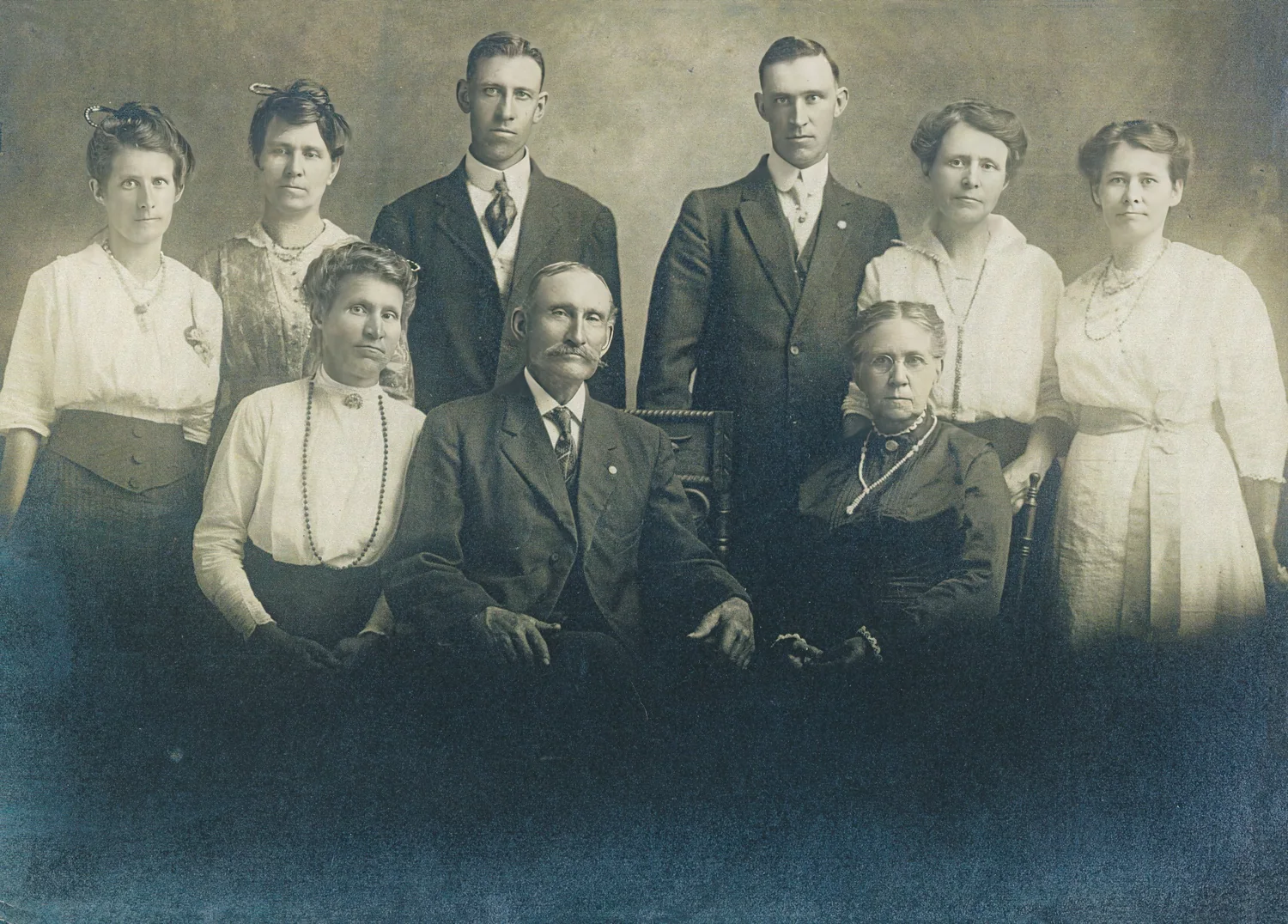
Open the scan. This stock family portrait from Pexels has the usual signs of age. The tones are compressed into a narrow range, so the whole picture looks hazy. The shadows have a murky blue cast and the highlights are yellowed. Fine detail is soft.
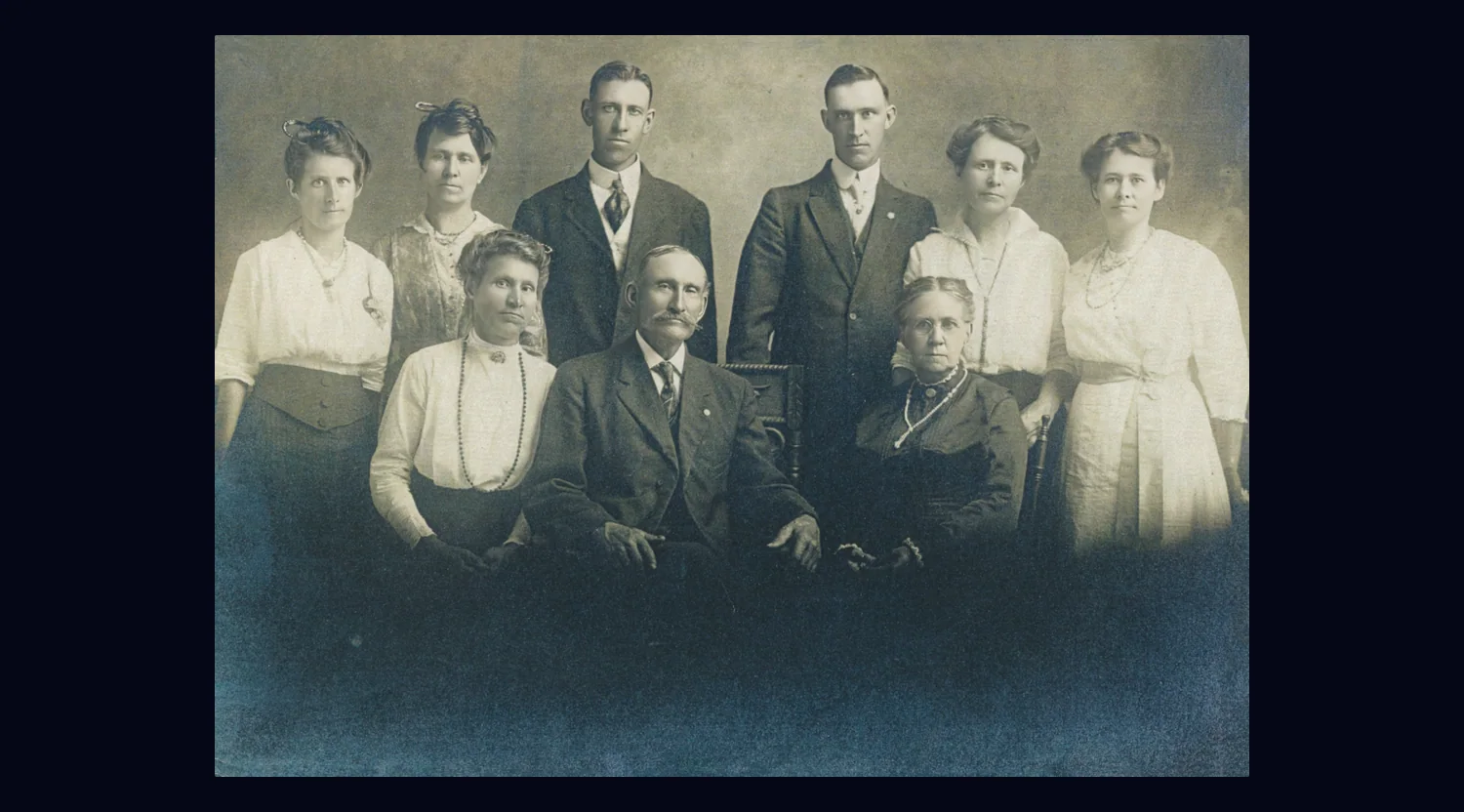
#2. Stretch the tones in the Light tab
Open the Light tab. Set Contrast to 110, Shadows to 15, Whites to 25 and Blacks to -25. Raising Whites brings the lightest areas up to a clean white, and lowering Blacks gives the darkest areas a true black. That widens the tonal range, which is what removes the haze. Contrast adds a little punch and Shadows keeps the dark clothing from clogging up.
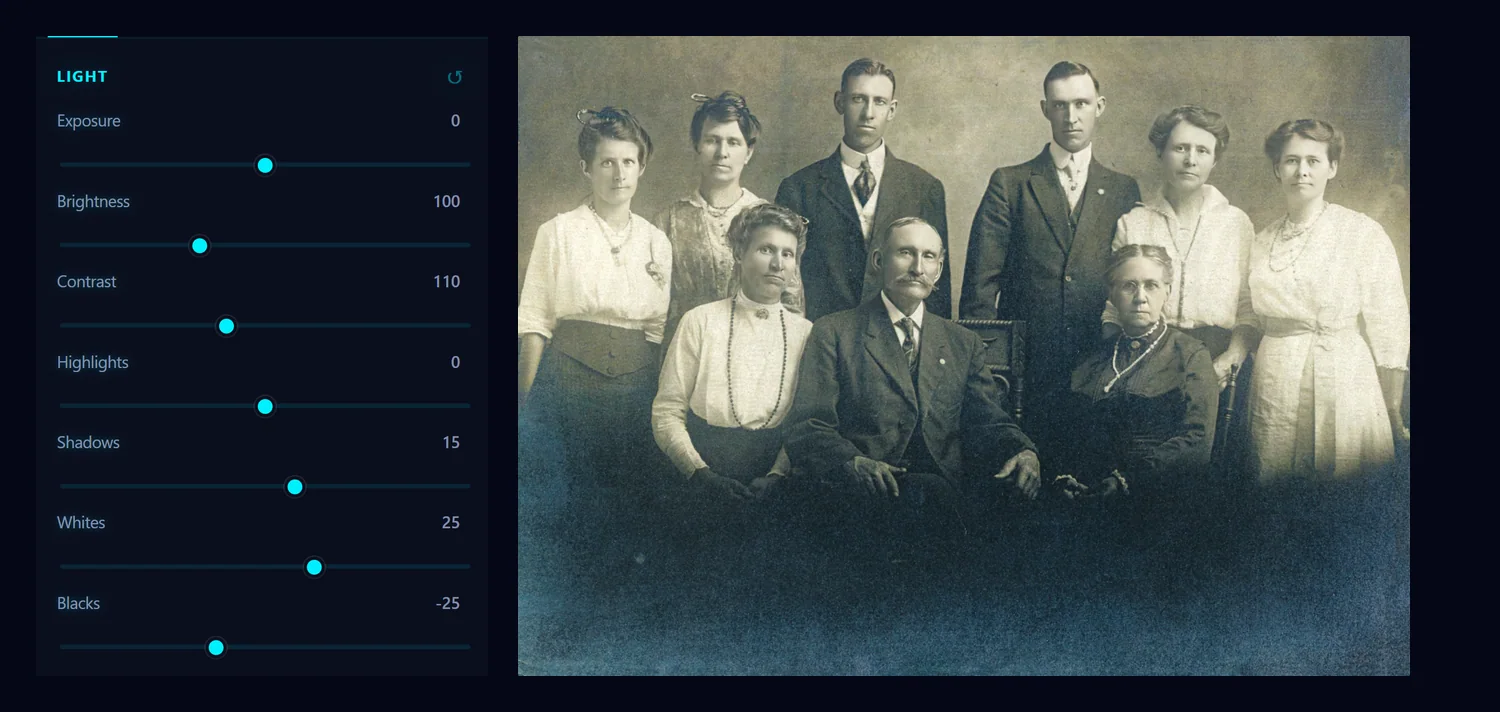
#3. Calm the color cast in the Color tab
Open the Color tab and lower Saturation to 60. The blue in the shadows and the yellow in the whites are mostly color the print has picked up with age, so taking some saturation out leaves a cleaner, more neutral sepia. You can fine-tune the warmth with Temperature afterwards.
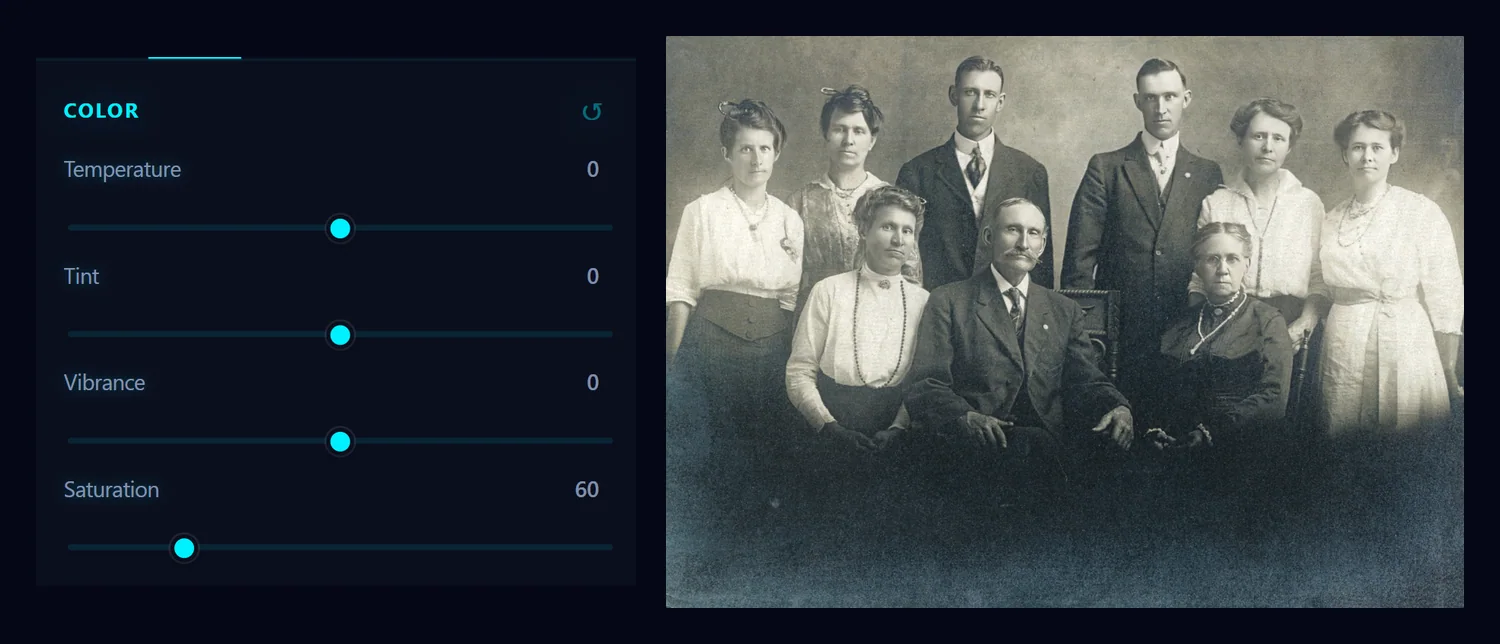
#4. Sharpen lightly with Unsharp Mask
Choose Filter > Sharpen > Unsharp Mask…. Set Amount to 90, Radius to 1.2 and Threshold to 4, then click Apply. A small radius sharpens fine detail such as eyes, hair and fabric without making wide halos. The threshold stops the filter from sharpening the faintest grain.
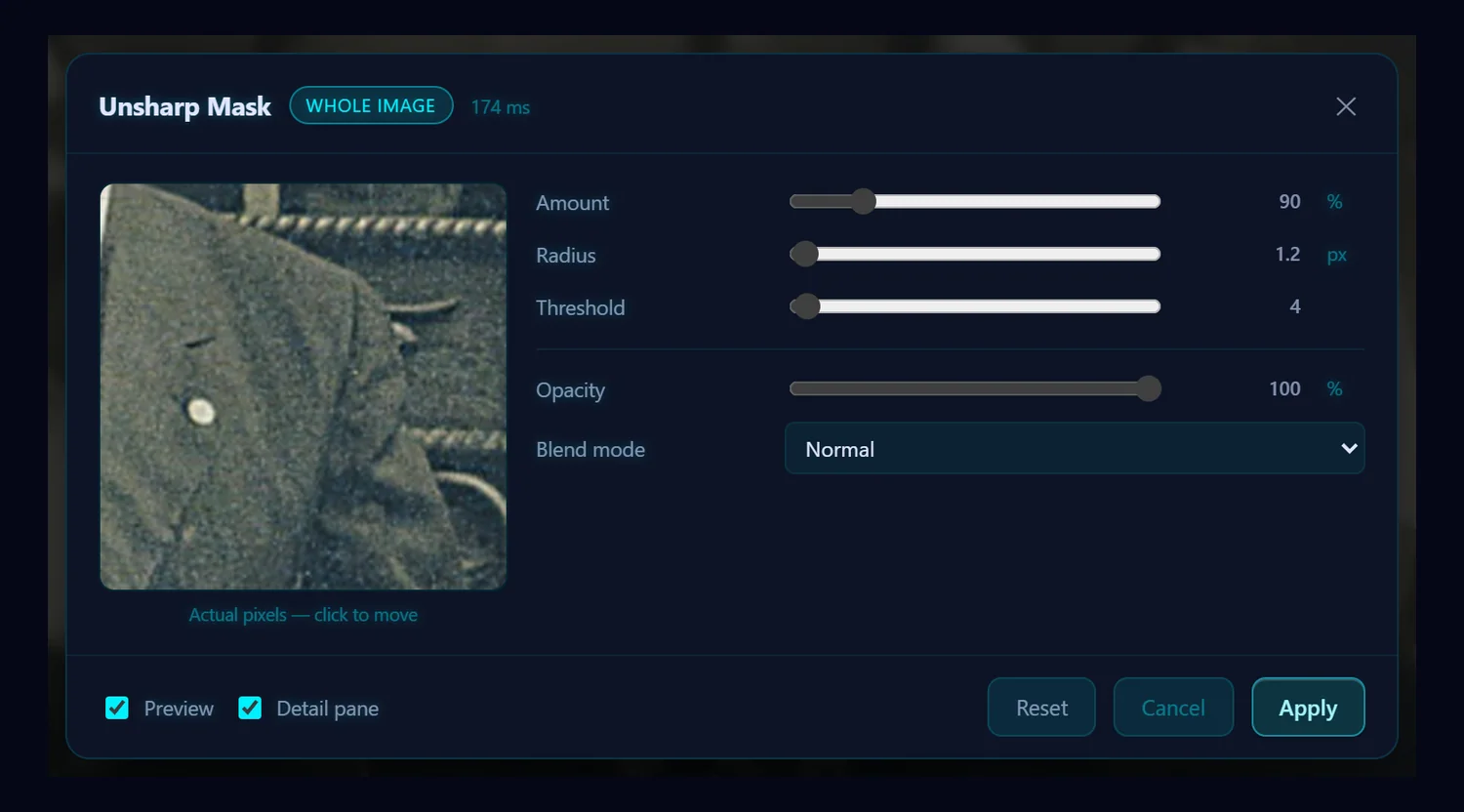
#5. Compare the whole photo
Drag the slider to compare. The haze and the blue cast are gone, the whites are clean and the darks are solid, and the faces and clothes have more definition.
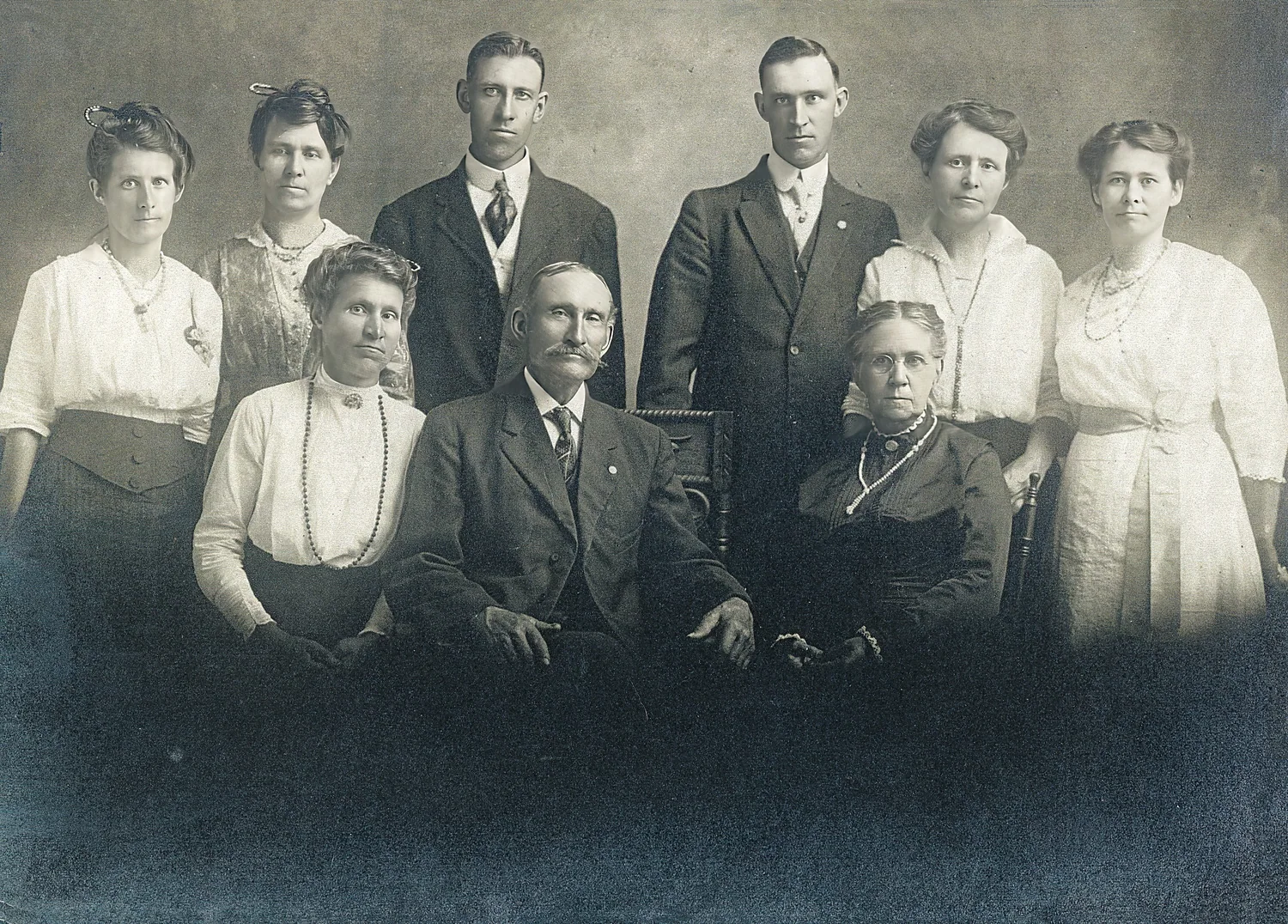 BeforeAfter
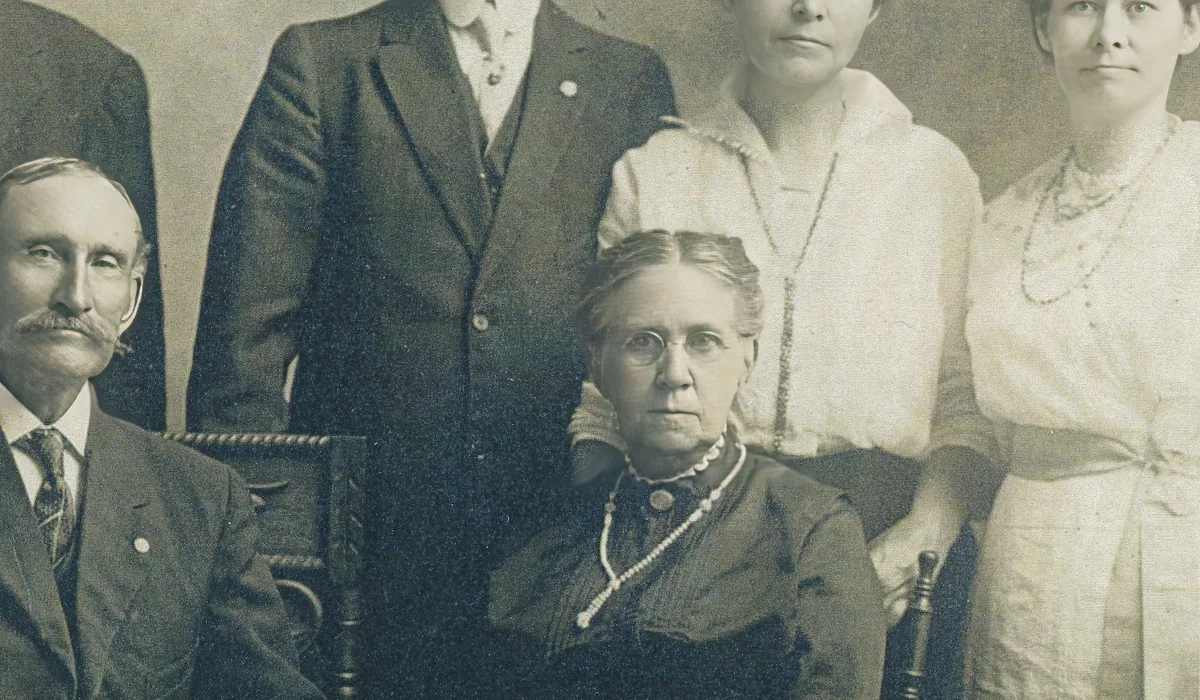
#6. Check the detail at 100%
Judge the sharpening up close, too. Here the edges are crisper and the fabric has texture, with no halos around the faces or the grain turning to noise.
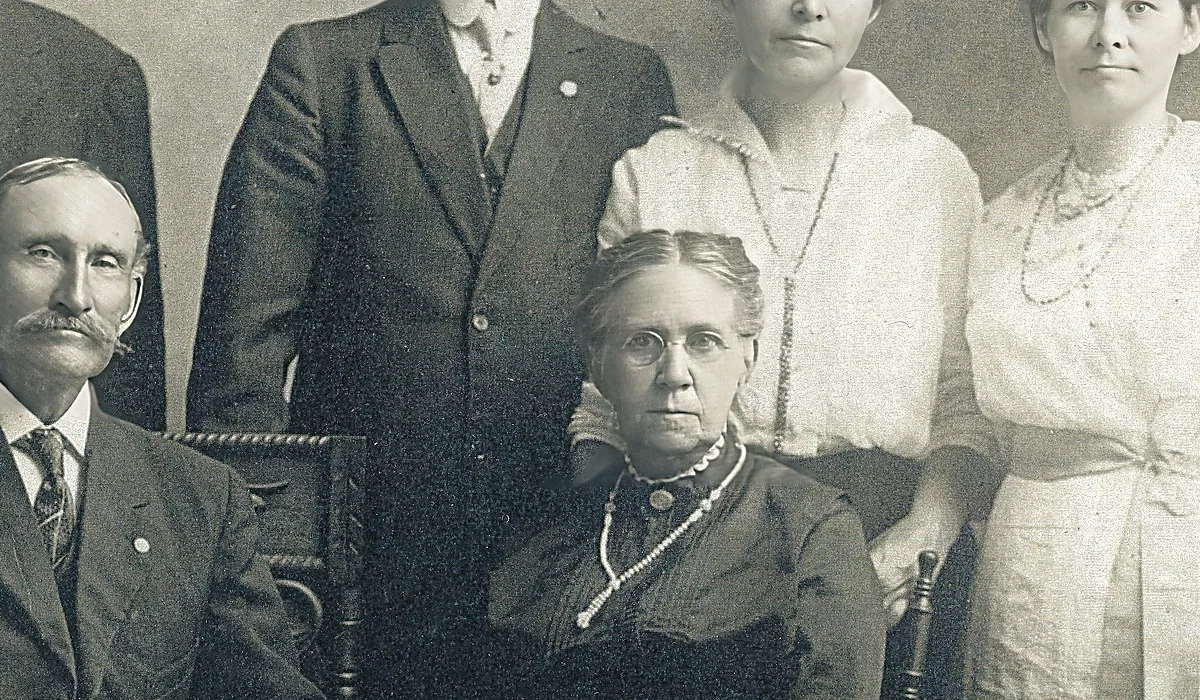 BeforeAfter
#Tips
- Small changes win. Ten points of Contrast and a light Unsharp Mask look better than one big jump.
- Remove scratches and dust first, because contrast and sharpening make them stand out more.
- This recipe leaves out Clarity and Dehaze on purpose. On an old print they can add thin halos around faces.
- If the grain bothers you, run Filter > Noise > Reduce Noise with a low strength before you sharpen, because sharpening makes grain louder.
- To go beyond the sliders, tone curves give finer control over the dark and light tones.
- None of this can add detail the print never had. A badly out-of-focus face will look crunchy, not clear.
#Questions
- How do I improve the quality of an old photo?
- Stretch the tones with Contrast, Whites and Blacks, reduce the color cast with Saturation, then sharpen lightly with an Unsharp Mask. Keep each change small.
- Why do old photos look hazy?
- Over time the darks fade and the lights yellow, so the tones end up squeezed into a narrow range. Raising Whites and lowering Blacks spreads them out again.
- Can I make a very blurry old photo sharp?
- Only a little. Sharpening improves slight softness, but it can't bring back detail that was never captured.
About the photo editor · Pricing · Download Pluto Photos · Contact support