
How to Adjust Individual Colors with the HSL Color Mixer
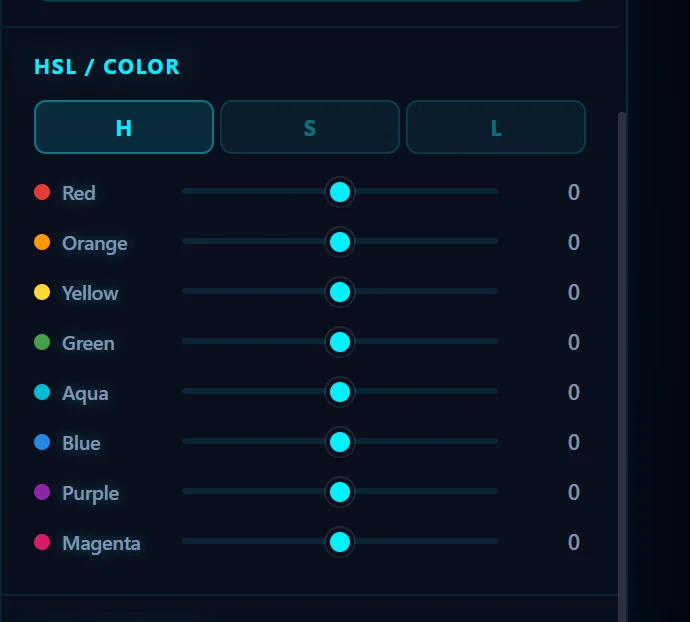
In the Color tab, open HSL / Color. Use H, S and L to switch between hue, saturation and luminance, and move the sliders for Red, Orange, Yellow, Green, Aqua, Blue, Purple and Magenta.
Requires Pluto Photos Pro (one-time $29, no subscription). The free download includes a 30-day trial of every Pro feature.
#1. Open the Color tab and find HSL / Color
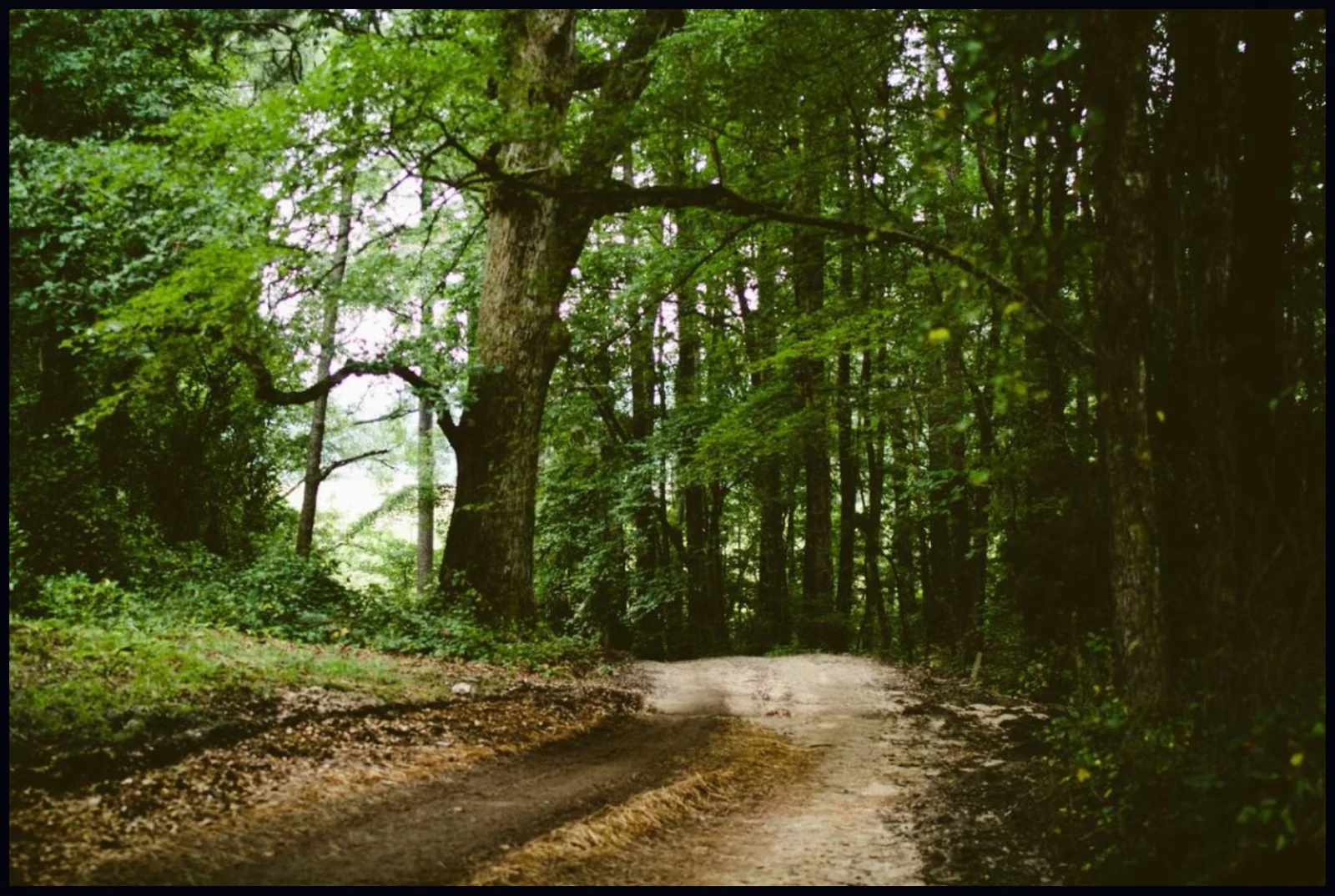
Open a photo. This forest path has plain green foliage. Click the Color tab and scroll down to HSL / Color.
#2. Understand H, S and L
Three buttons switch what the sliders control. H (hue, from -30 to +30) shifts a color toward its neighbours. S (saturation, -100 to +100) makes it more or less vivid. L (luminance, -100 to +100) makes it lighter or darker. There is a slider for each of Red, Orange, Yellow, Green, Aqua, Blue, Purple and Magenta.
#3. Shift and boost the colors you want
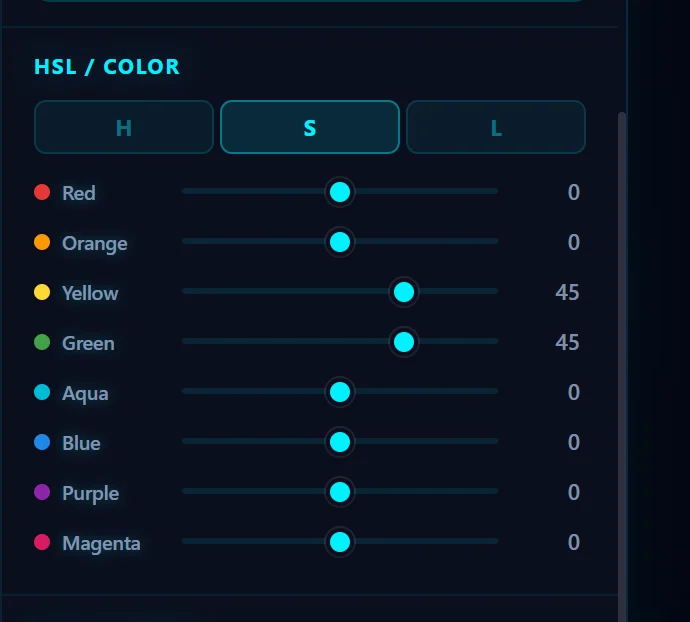
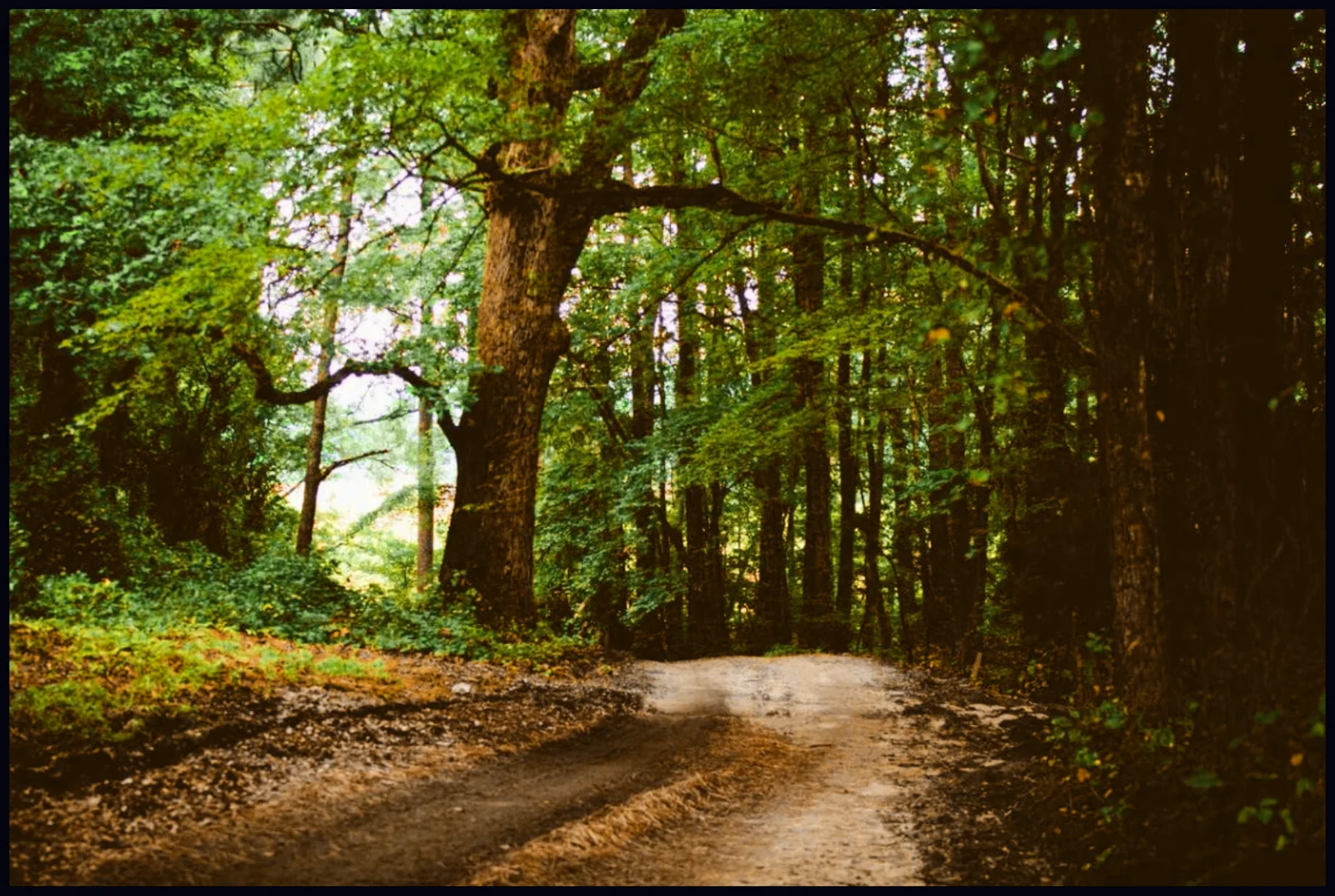
In H, move Green and Yellow to the left to turn the foliage warmer and more golden. In S, raise Green and Yellow to +45 for a richer look. Only those colors change. The path and everything else stay as they were.
#4. Compare the result
The foliage has gone from flat green to a warm autumn color. Use the B split view to compare, and pull the sliders back if skin or other colors start to look off.
#Tips
- Keep the moves small. A little hue shift goes a long way, and big changes make a photo look unnatural.
- Be gentle with Orange and Red, because they include skin tones.
- To darken a sky, lower Blue and Aqua in L.
#Questions
- What does HSL stand for?
- Hue, Saturation and Luminance: the color itself, how vivid it is, and how bright it is.
- How do I make the sky bluer?
- In the S tab, raise Blue and Aqua. In the L tab, lower them slightly for a deeper sky.
About the photo editor · Pricing · Download Pluto Photos · Contact support