
How to Add Music or a Voiceover to a Video
With a clip on the timeline, click + Add Audio and choose an MP3, WAV or AAC file. It appears in the Audio Overlays lane. Set where it starts, trim it and set its volume in the Properties panel.
Requires Pluto Photos Pro (one-time $29, no subscription). The free download includes a 30-day trial of every Pro feature.
#1. Put a clip on the timeline first
+ Add Audio needs at least one clip on the timeline. If there isn't one, the editor tells you a clip is needed. Add your video as in how to trim a video.
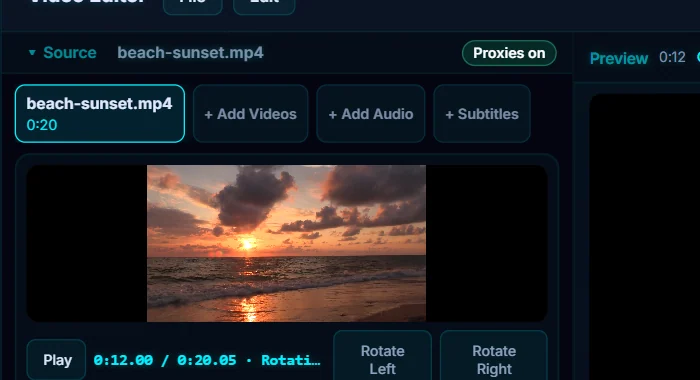
#2. Click + Add Audio and choose a file
Click + Add Audio (or the + in the Audio Overlays lane) and pick a music or voiceover file. MP3, WAV and AAC files work. The editor confirms 1 audio overlay(s) added to the timeline, and the track appears in the Audio Overlays lane under the video.
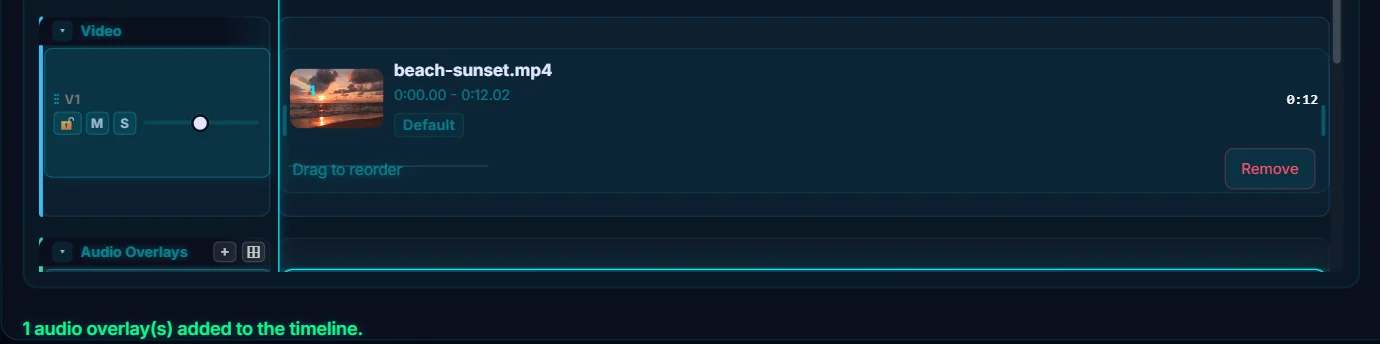
#3. Position, trim and set the volume
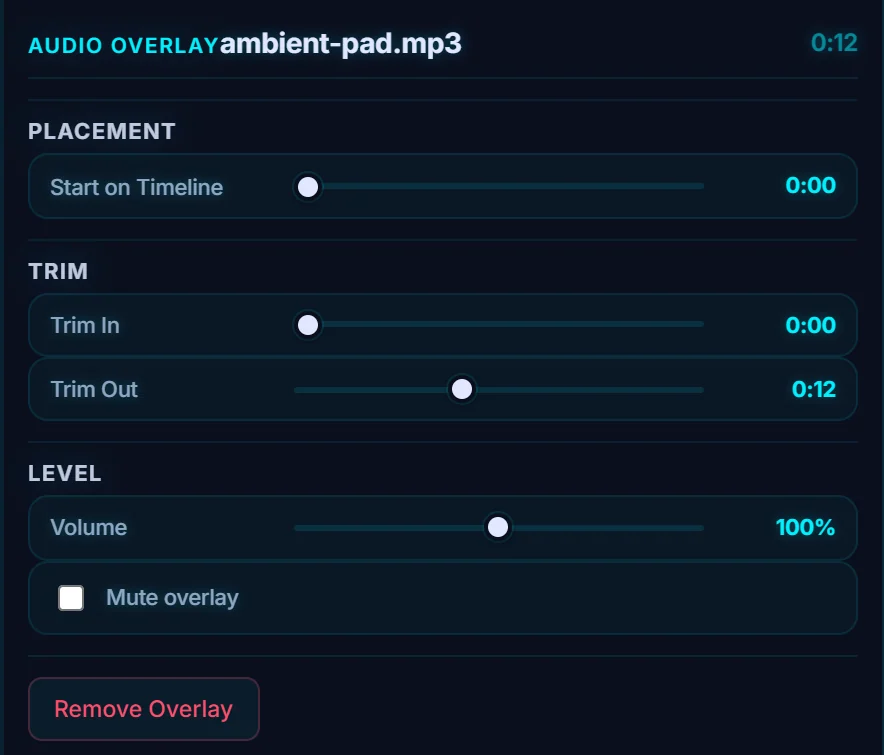
The Properties panel for the Audio Overlay has three groups. Placement has Start on Timeline, which moves where the track begins. Trim has Trim In and Trim Out, which cut the track to length. Level has Volume (100% by default) and a Mute overlay checkbox. Lower the volume so music sits under any speech.
#4. Check the original sound too
Select the video clip and open its Audio tab to set its own Volume, reduce Background Noise, Remove sound altogether, turn on Speech focus, Normalize loudness, add a Peak limiter or tune a five-band Equalizer. The Meters button above the preview shows the levels while you play.
#Tips
- Use music you have the right to use. A download-free library is only fine if its licence covers your use.
- Add music and narration as separate overlays, and set the volume of each one.
- A long track can be cut with Trim Out so it ends when the video does.
#Questions
- How do I add a voiceover to a video?
- Record the voiceover as an audio file, then click + Add Audio and place it on the timeline where it should start.
- What audio formats can I add?
- MP3, WAV and AAC files can be added as audio overlays.
- Can I turn down the original sound of the video?
- Yes. Select the clip, open the Audio tab and lower Volume, or use Remove sound.
About the video editor · Pricing · Download Pluto Photos · Contact support