
How to Split a Video and Delete a Section
Click the timeline ruler to place the playhead, select the clip and click Split at Playhead (or press S). Select the part you don't want and click Ripple Delete, so the rest slides together.
Requires Pluto Photos Pro (one-time $29, no subscription). The free download includes a 30-day trial of every Pro feature.
#1. Put a clip on the timeline
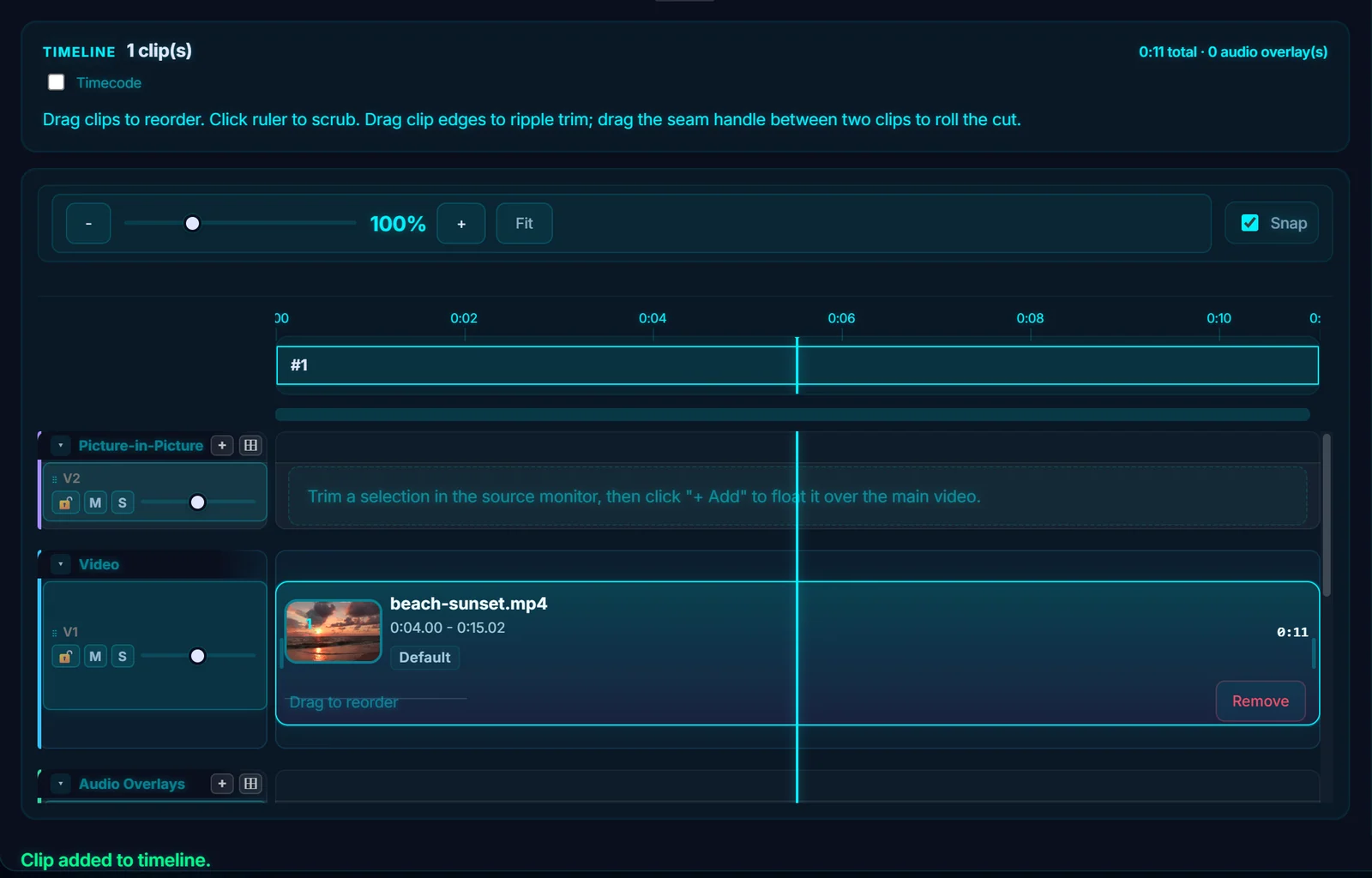
Add your clip to the timeline as in how to trim a video. Here a 12 second sunset clip is on the timeline as #1.
#2. Place the playhead where you want the cut
Click the timeline ruler (the numbers along the top) to move the playhead there. The preview jumps to that frame. The left and right arrow keys nudge it one frame at a time.
#3. Click Split at Playhead
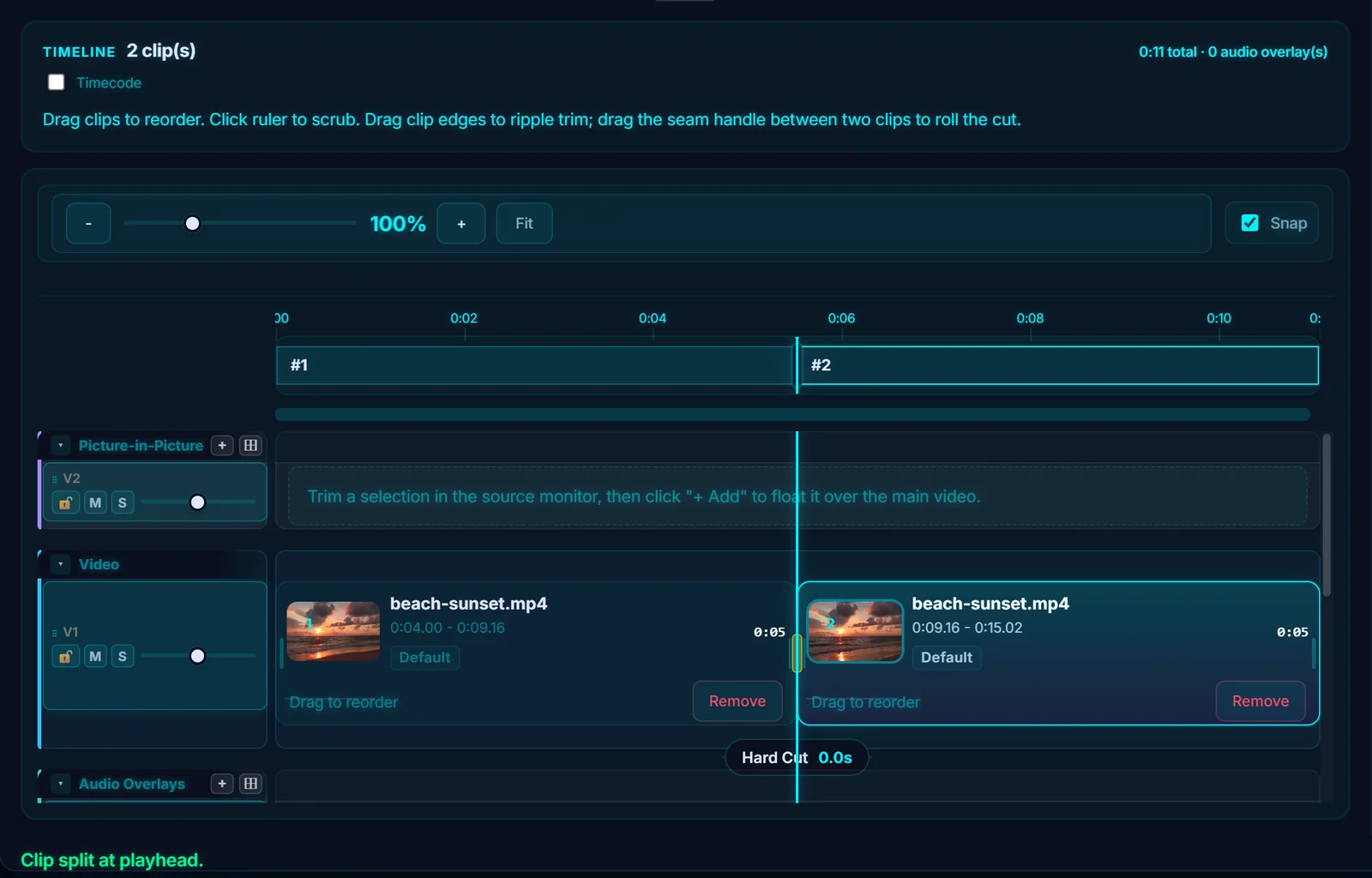
Select the clip and click Split at Playhead in the Properties panel, or press S. The clip becomes two, #1 and #2, and the message Clip split at playhead appears.
#4. Ripple delete the part you don't want
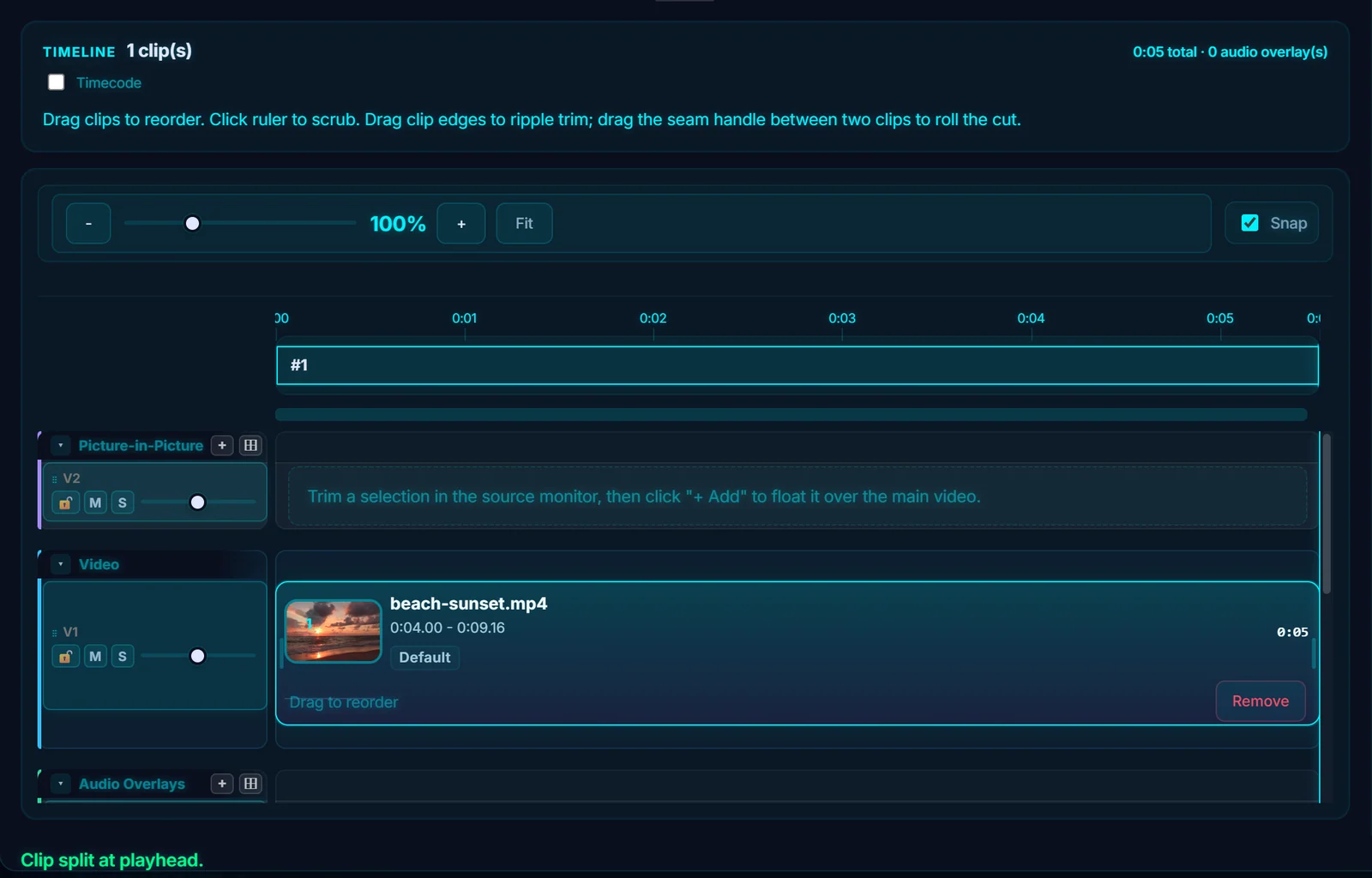
Click the second clip to select it, then click Ripple Delete (or press Delete). The clip is removed and everything after it slides left, so there's no gap. The timeline total drops to match.

#5. Check the result
One clip is left, about half the original length. If you cut in the wrong place, press Ctrl+Z to undo.
#Tips
- To cut out a section from the middle, split twice and then ripple delete the part between the two cuts.
- Snap (the checkbox above the timeline, or the N key) makes clips and the playhead snap to each other, which helps you cut cleanly.
- To remove just the very start or end, drag a clip edge on the timeline. That trims it too.
#Questions
- What does ripple delete mean?
- It deletes a clip and closes the gap, moving every later clip back to fill the space.
- What is the shortcut to split a clip?
- Press S with the clip selected and the playhead where you want the cut.
About the video editor · Pricing · Download Pluto Photos · Contact support