
How to Find Your Pets in Your Photos
Open People, then Pets. Pluto Photos groups the pets it finds. Open a group, click Name this pet, and merge groups of the same animal with Merge with. Detection settings tune how sure it must be.
Requires Pluto Photos Pro (one-time $29, no subscription). The free download includes a 30-day trial of every Pro feature.
#1. Open Pets
Open the People menu and choose Pets. Pets are found from your indexed photos, so if the screen says Index your photos first, run the scan in Contextual Search first. While it works, you see Finding your pets....

#2. Read the results
The header gives the total (here 3 pets in 10 photos). Each animal is a group under Who's this?, marked with its species (Dog or Cat here) and its photo count. The chips All, Cat and Dog filter the list.
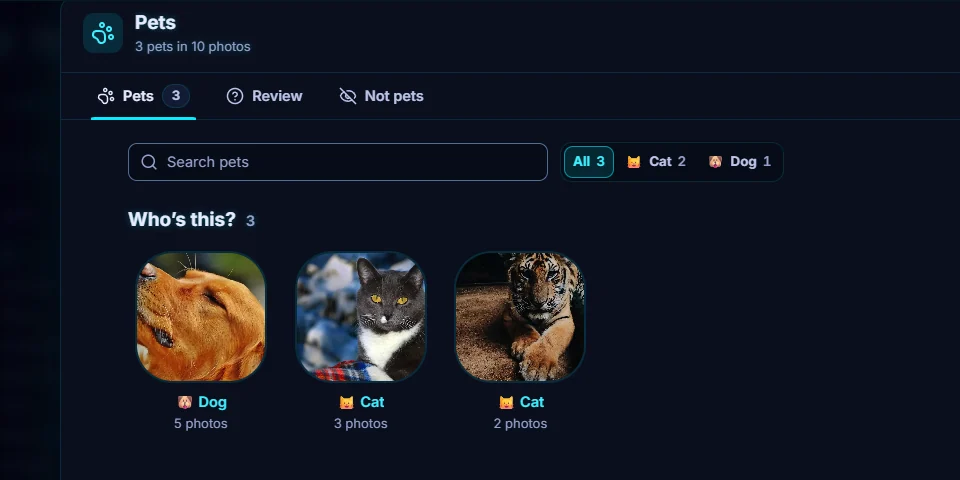
#3. Name a pet and open its page
Click a group to open its page, then click Name this pet. The page also has Create album (an album of just this pet), Change species, Merge with... and More. If one animal was split into two groups, like the two cat groups here, use Merge with....
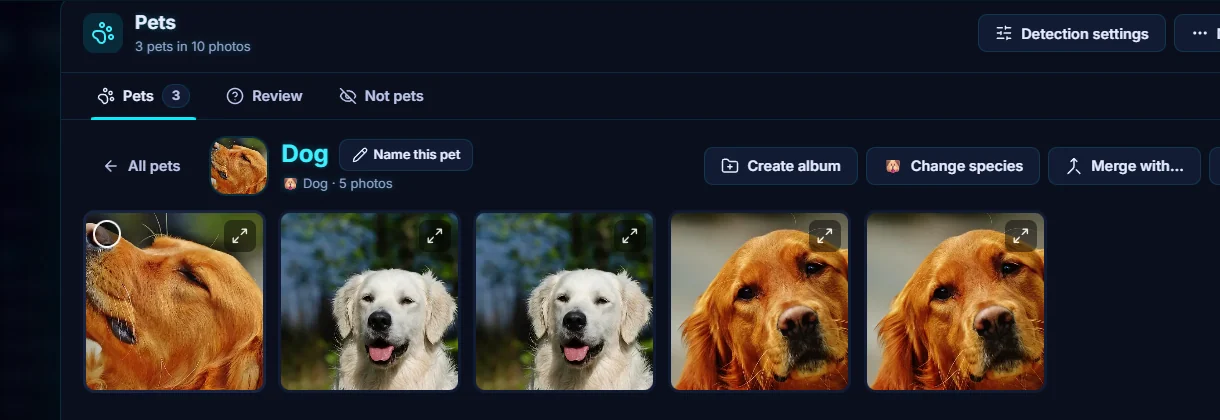
#4. Tune Detection settings
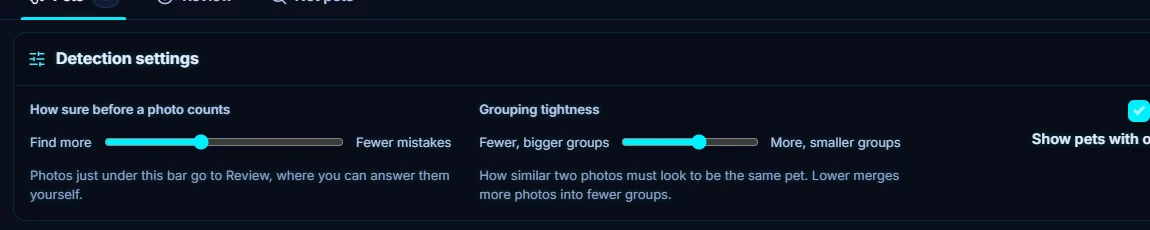
Click Detection settings. How sure before a photo counts moves between Find more and Fewer mistakes. Photos just under the bar go to Review, where you can answer them yourself. Grouping tightness moves between Fewer, bigger groups and More, smaller groups. A switch shows or hides pets that appear in only one photo, and Restore defaults resets everything.
#5. Fix wrong ones
Use the Review tab for photos that might be pets. The Not pets tab shows what you marked as not a pet, and you can restore any that were marked by mistake.
#Tips
- Photos that haven't been indexed are skipped. The header says how many photos are indexed, and you can scan the rest from Contextual Search.
- To look for pets without naming them, search for "dog" in Contextual Search.
- The smart album rules Pet and No pets filter by pets.
#Questions
- Which animals does it find?
- In the library used for this guide it found dogs and cats, and each group is marked with its species. Change species on a pet's page fixes a wrong label.
- Why are there two groups for the same cat?
- The grouping can split one animal across several photos. Open one group and use Merge with... to combine them.
About the smart search · Pricing · Download Pluto Photos · Contact support