
How to Sort, Group and Search Your Photo Library
Use the sort menu and the Group menu above the grid, type in Search files or people to match file names, and pick a view such as Favorites, Unrated or Untagged in the sidebar.
Included in the free version of Pluto Photos (up to 500 photos).
#1. Start from a sidebar view
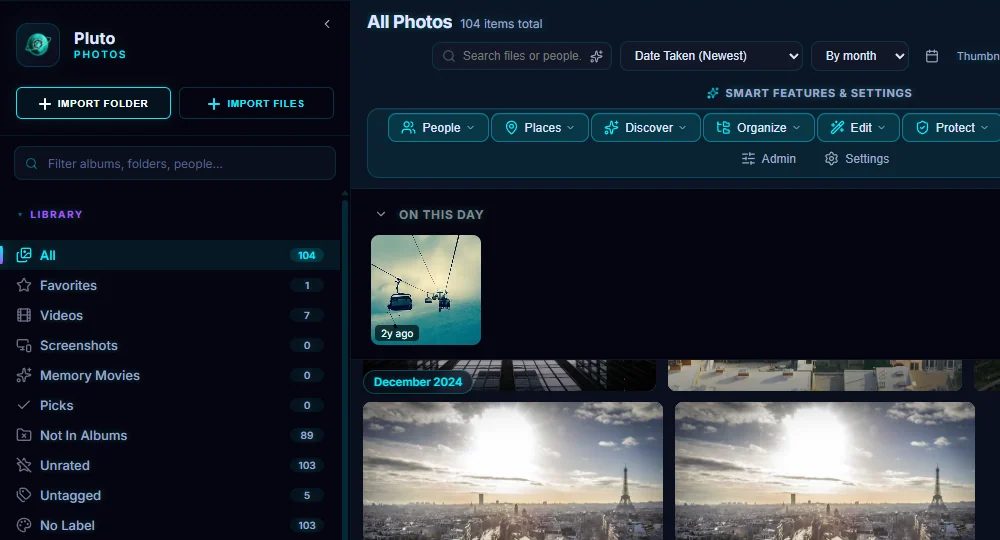
The Library list at the top of the sidebar slices your photos without any setup: All, Favorites, Videos, Screenshots, Memory Movies, Picks, Not In Albums, Unrated, Untagged and No Label. Each one shows its count.
#2. Sort the grid
The first menu above the grid sorts. Choose Date Taken (Newest) or (Oldest), Modified or Created newest or oldest first, or Name (A-Z) or (Z-A).
#3. Group by day, month or year
The second menu groups the grid under date headings: No groups, By day, By month or By year. The calendar button (Jump to date) takes you to a date, and the Thumbnail Size slider makes the pictures bigger or smaller. Next to it, two buttons switch between a justified layout that keeps true proportions and a square grid.
#4. Search by file name
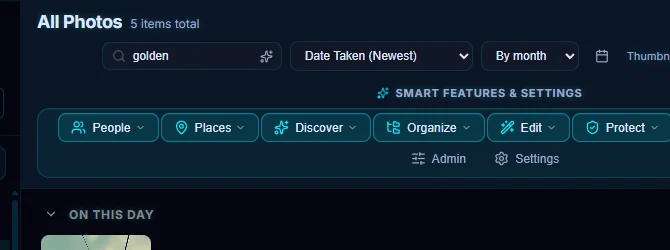
Type in Search files or people to narrow the grid to matching names. Here "golden" leaves 5 items. This box searches file names. To search by what's in the photos, see Search Photos by What Is in Them.
#5. Filter the sidebar itself
The Filter albums, folders, people... box above the Library list narrows the sidebar. It helps once you have a lot of albums and folders.
#Tips
- Clear the search box to see everything again.
- Treat Unrated and Untagged as a to-do list and work through them until the count reaches zero (see how to rate, flag and tag).
- Grouping by month is the easiest way to scroll a big library by when things happened.
#Questions
- How do I sort photos by date taken?
- Choose Date Taken (Newest) or Date Taken (Oldest) in the first menu above the grid.
- How do I search for a photo by what is in it?
- The file-name box only matches names. Use Contextual Search from the Discover menu to describe the photo instead.
About the photo organizer · Pricing · Download Pluto Photos · Contact support