
How to Search Photos by What Is in Them
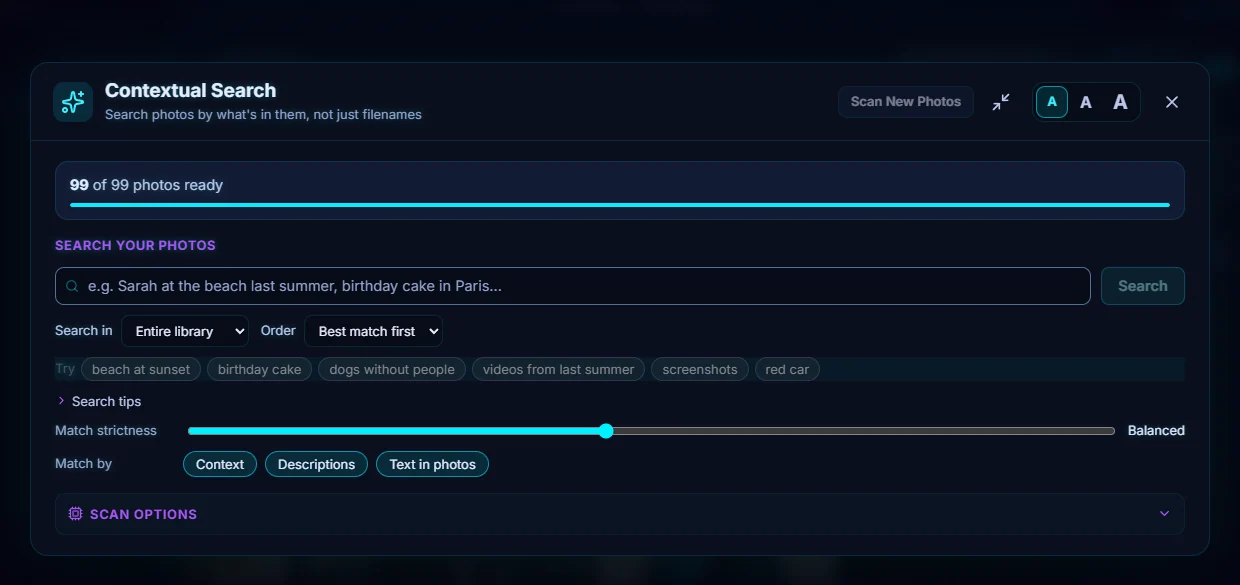
Open Discover, then Contextual Search. Wait for the library to be indexed, type what you are looking for such as golden dog, and press Search. Results are ranked by match percentage.
Requires Pluto Photos Pro (one-time $29, no subscription). The free download includes a 30-day trial of every Pro feature.
#1. Open Contextual Search
Open the Discover menu and choose Contextual Search. The top bar shows how much of the library is searchable, for example 99 of 99 photos ready. If it isn't full, click Scan New Photos and let it finish.
#2. Describe what you want
Type a short description, for example golden dog. The box suggests ideas such as beach at sunset, birthday cake, dogs without people, videos from last summer, screenshots and red car. Press Search.
#3. Read the results
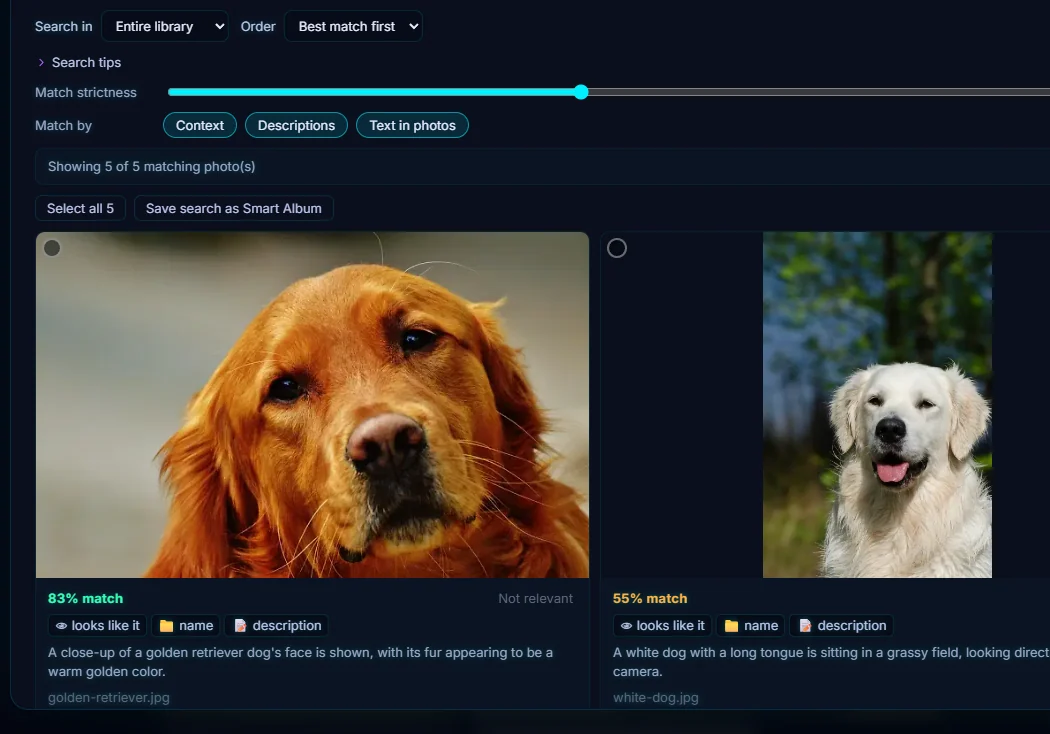
You get the matching photos with a match percentage (83% match for the golden retriever, 55% for the white dog) and a note on why each one matched, such as it looks like it or matches the file name or its description. The line above says how many matched: Showing 5 of 5 matching photo(s).
#4. Narrow or widen the search
Search in limits the search to part of the library, and Order changes the sort (Best match first by default). Match strictness slides between loose and strict, with Balanced in the middle. Match by switches Context, Descriptions and Text in photos on or off.
#5. Select the results or save the search
Above the results, Select all selects every match so you can act on them together, and Save search as Smart Album turns the search into a smart album.
#Tips
- Describe the scene, not the file. "Red car" works better than "IMG_2041".
- You don't need tags, and the matching runs on your computer.
- If you get too few results, loosen Match strictness, or click Show looser matches when the app offers it.
- To find words that are written in a photo, see search for text inside photos.
#Questions
- Do I have to tag photos before I can search them?
- No. Contextual Search looks at the photos themselves after they are indexed, so you don't need tags or captions.
- Is my library uploaded to search it?
- No. The index is built and searched on your computer.
About the smart search · Pricing · Download Pluto Photos · Contact support